Ask what the difference is between an OEM and a retail copy of Windows and you will get two answers that both sound confident and mostly contradict each other. One says they are identical and the label is marketing. The other says OEM is a lesser product that stops working when you change anything. Neither is right, and the gap between them is where people lose money.
The truth is narrower and more useful than either. OEM and retail are the same Windows. Same files, same features, same updates, same everything you can see from the desktop. What differs is the licence agreement wrapped around them, and one clause in that agreement does almost all the work: whether the licence can move to another computer. Everything else follows from that single line.
This guide covers what each channel actually is, what the transfer rules say and how they are enforced in practice, how to check which channel your own installation is using, what happens when you replace hardware, why OEM keys cost less, and what the very cheap listings are usually selling instead. It also covers the parts people skip: who provides support, what the system builder version is for, and where the boundary sits between a cheap-but-legitimate licence and one that is going to fail.
What OEM and retail actually mean
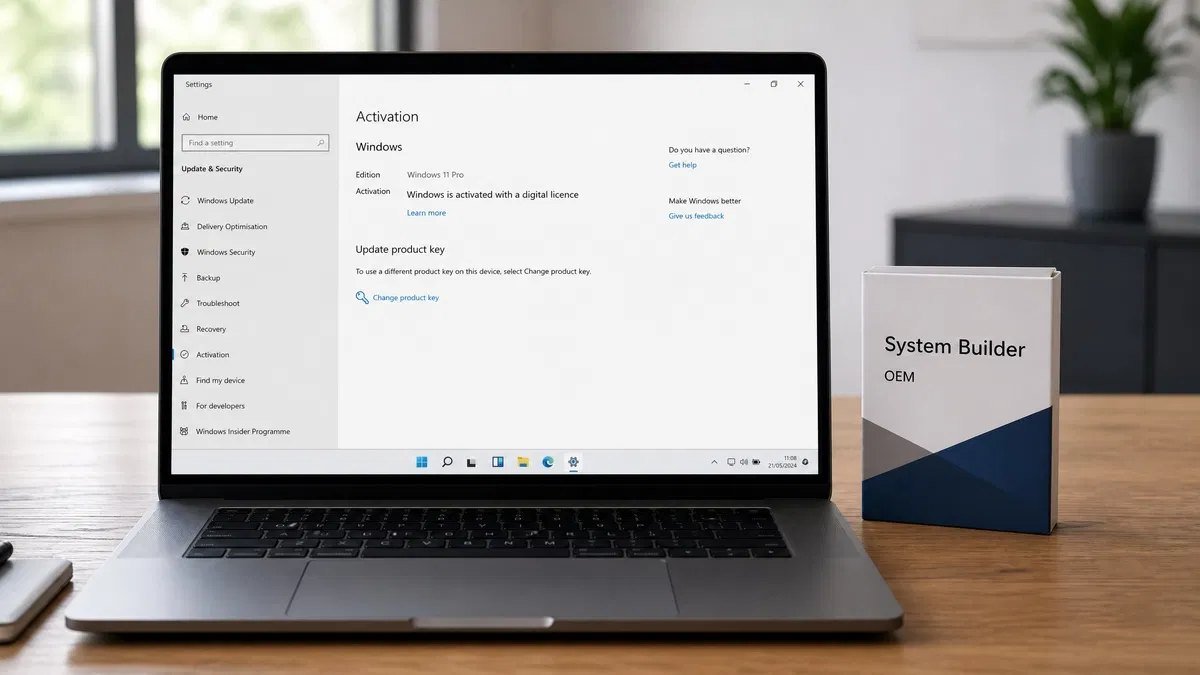
OEM stands for Original Equipment Manufacturer. An OEM licence is one sold to a company that builds computers, to be installed on a machine before it is sold to you. When you buy a laptop from any major manufacturer, the Windows on it arrived through this channel. You never see a key, you never see a box, and the licence is baked into the machine.
Retail is the channel for licences sold to individuals as products in their own right. It is what you get if you buy Windows as a boxed copy or a download from Microsoft or an authorised seller. It exists precisely because some people need a Windows licence that is not attached to a computer they bought from someone else.
Both channels deliver the same operating system. There is no OEM edition of Windows 11 that lacks features, no retail edition that gets updates first, no performance difference and no difference in the installation media. If you install Windows from the same ISO and activate one machine with an OEM key and another with a retail key, the two installations are indistinguishable apart from what the licensing tools report.
The distinction lives entirely in the agreement. A retail licence is yours and can move with you. An OEM licence is bound to the first machine it activates and stays there. That is the whole difference, and it is the reason for the price gap, the support difference and most of the confusion.
The short answer on Windows OEM vs retail
Buy retail if you build your own PCs, upgrade components frequently, expect to move the licence to a future machine, or want Microsoft to answer the phone when something goes wrong. You are paying for portability and support, and if you replace a motherboard every few years, that portability is worth what it costs.
Buy OEM if the licence is going onto a machine that will keep the same motherboard for the rest of its life, which describes most office desktops, most family computers and every prebuilt laptop. You are giving up the right to move the licence in exchange for a lower price, and if you were never going to move it, you have given up nothing.
If the machine already came with Windows preinstalled, you already have an OEM licence and you do not need to buy anything. That licence is tied to the machine and reactivates automatically after a clean install of the same edition, which is worth knowing before anyone sells you a replacement you do not need.
The three channels, not two
Most comparisons stop at two channels, which is why the third keeps causing problems. There are three ways a Windows licence can reach a computer, and knowing all three makes the cheap listings much easier to read.
OEM
Sold to computer manufacturers and to system builders, installed on the machine before sale, and permanently associated with that machine’s hardware. Support is the responsibility of whoever built the computer, not Microsoft. The price is lower because the manufacturer buys in volume and absorbs the support burden.
Retail
Sold to end users as a standalone product. Transferable to another computer provided it is removed from the first. Supported directly by Microsoft. Priced higher because it includes both the portability and the support relationship.
Volume licensing
Sold to organisations under agreements that cover many machines at once, activated through a key management service or a multiple activation key. These licences are not for individual resale, and the terms of the agreement generally prohibit it. This is the channel most of the suspiciously cheap keys on marketplaces actually come from, which matters because a licence from this channel is not an OEM licence and is not being sold legitimately, whatever the listing calls it.
When a listing offers what it calls an OEM key at a fraction of any reasonable price, the question worth asking is not whether OEM is inferior to retail. It is whether the thing being sold is an OEM licence at all. Our guide to whether cheap Windows keys are legitimate goes through how to tell the difference before you buy rather than after.
Transfer rights: the difference that matters most
This is the clause that separates the channels, and it is worth being precise about because the practical consequences are larger than the wording suggests.
What retail lets you do
A retail licence may be moved from one computer to another. The requirement is that it is removed from the first machine, so it is a move rather than a duplication. You can do this repeatedly over the life of the licence. Build a PC, use it for four years, build a new one, move the licence across, and you are within the terms.
In practice the move is handled by deactivating or simply retiring the old machine and entering the key on the new one. If online activation refuses because the key is already recorded against different hardware, the telephone activation route exists for exactly this case and it works, though it involves an automated system and a few minutes of reading numbers.
What OEM ties you to
An OEM licence is bound to the first computer it activates and may not be transferred to a different computer. The binding is to the motherboard in practical terms, because that is what the activation system treats as the identity of the machine. Replace the motherboard and, as far as licensing is concerned, you have a different computer.
What you can do is repair the machine. Replace a failed hard drive, add memory, swap a graphics card, change the power supply, upgrade the processor within the same socket, and the licence continues to work. None of those changes the machine’s identity. The line is drawn at the motherboard, and even that has an exception for a genuine failure repair using an equivalent board.
What counts as a new PC
The rule of thumb that matches how activation actually behaves is this: if the motherboard is the same, it is the same PC. If the motherboard is different, it is a new PC and an OEM licence does not follow it.
This is why people who upgrade in stages get away with a great deal and then hit a wall all at once. Three years of drive, memory and graphics upgrades produce no licensing event at all. The fourth upgrade replaces the board and Windows deactivates the same afternoon. Nothing changed about the licence; the machine simply became a different machine.
The motherboard question
Microsoft’s stated exception is that a motherboard replaced because the original failed, with an equivalent board, is a repair rather than a new computer. A motherboard replaced to gain a newer chipset, more slots or a different processor socket is an upgrade, and the OEM licence does not travel with it.
Enforcement of that distinction is not automated. The activation system sees a different board and deactivates; it has no way to know why the board changed. What the distinction determines is whether you are entitled to ask for reactivation and expect to get it. If the board genuinely failed, the telephone activation route is the intended path and support can reactivate the licence. If it was an upgrade, you need a new licence, and our guide on reactivating Windows after a hardware change covers what actually happens in each case.
For the procedure itself, see moving a Windows 11 license to a new computer.
OEM vs retail at a glance
| Consideration | OEM licence | Retail licence |
|---|---|---|
| Same Windows features | Yes | Yes |
| Same security and feature updates | Yes | Yes |
| Can be moved to a different computer | No | Yes |
| Survives a motherboard upgrade | No | Yes |
| Survives a drive, memory or graphics change | Yes | Yes |
| Supported directly by Microsoft | No | Yes |
| Supported by the computer manufacturer | Yes | Not applicable |
| Comes preinstalled on prebuilt machines | Yes | No |
| Sold as a standalone product to individuals | No | Yes |
| Reactivates automatically after a clean install | Yes | Yes |
| Can be linked to a Microsoft account | Yes | Yes |
| Lower price than the other channel | Yes | No |
| Suitable for a machine you will rebuild | No | Yes |
Read down the table and the pattern is clear: everything you can see is identical, and everything about what you are allowed to do next is not.
Support: who you call when it breaks
The support difference is real but it is smaller than the licensing pages imply, and it is worth understanding rather than assuming.
What retail support covers
A retail licence entitles you to contact Microsoft directly about the operating system. In practice most people use this for activation problems, which is exactly where it earns its keep, because activation is the one area where a human with the right tools can resolve in minutes something you cannot fix yourself.
What OEM support means
With an OEM licence, the support obligation sits with whoever built the machine. For a laptop from a large manufacturer that is a real support channel with real people. For a machine you assembled yourself using a system builder licence, you are the manufacturer, which means you support yourself.
That sounds worse than it is. Microsoft’s activation support will still generally help with an OEM activation problem on a machine that has a legitimate licence, and the vast majority of Windows problems are solved with search results, documentation and the built-in troubleshooters rather than a support call. But if the certainty of being able to escalate matters to you, that certainty is part of what retail is charging for.
Updates are not part of this
Worth stating plainly because it comes up constantly: OEM licences receive exactly the same updates as retail ones, on the same schedule, for the same support lifetime of the Windows version. There is no tier of Windows Update that OEM machines are excluded from. Anyone telling you an OEM licence stops getting security patches is mistaken.
Why OEM costs less
The price gap is not a discount on a lesser product. It reflects three things Microsoft is not providing with an OEM licence, and once you see them the gap makes sense.
The first is portability. A retail licence can be reused across a series of machines over many years. An OEM licence is consumed by one machine and ends with it. Microsoft is selling a smaller entitlement, and it is priced accordingly.
The second is support. With OEM, the support obligation is transferred to the manufacturer, which is a real cost being carried by somebody else. Large manufacturers accept that willingly because they need a support operation anyway, and the licence price reflects what they have taken on.
The third is volume and the sales channel itself. OEM licences are sold in quantity to businesses that build computers, with none of the packaging, retail distribution or consumer marketing that a boxed product carries. Selling a million licences to one manufacturer costs less per licence than selling one licence to a million people.
None of those three has anything to do with the software. That is why the OEM installation is not a cut-down build, and why anyone who tells you OEM Windows is somehow limited is describing something that does not exist.
Windows 11 OEM vs retail: is there any functional difference
This question gets asked specifically about Windows 11 because the licensing conversation restarted with the hardware requirements, so it is worth answering component by component.
Features
Identical. An OEM Windows 11 Pro installation has BitLocker, Hyper-V, Remote Desktop hosting, group policy and everything else that Pro includes. An OEM Home installation has exactly what Home has. The edition determines the features; the channel does not touch them. If you are choosing between editions rather than channels, our comparison of Windows 11 Home and Pro covers that decision separately.
Updates
Identical. Both channels receive quality updates, security updates and feature updates through Windows Update on the same schedule, and both are supported for the same lifetime of the version installed.
Activation method
Slightly different in mechanism, invisible in effect. OEM licences on prebuilt machines are usually embedded in the firmware, so a clean install of the same edition activates itself with no key entered at all. Retail licences are entered as a product key or attached to a Microsoft account. Both end up as a digital licence recorded against the hardware.
Digital licence and Microsoft account linking
Both channels can be linked to a Microsoft account, and doing so is worth the two minutes it takes. A linked licence can be reactivated through the activation troubleshooter after a hardware change by signing in and selecting the device, which is the difference between a five-minute fix and an afternoon. This applies to OEM licences too, within the limits of what the OEM terms allow for the machine it belongs to.
The one place the channel becomes visible is what the licensing tools report and what happens when hardware changes. Everything else is the same operating system doing the same things.
On Windows 11 Pro the OEM and retail bits are identical; only the license terms and transfer rights differ.
How to tell which licence your PC has
You can check this in under a minute, and it is worth doing before buying anything, because a surprising number of people buy a licence for a machine that already has a perfectly good one.
The command that answers it
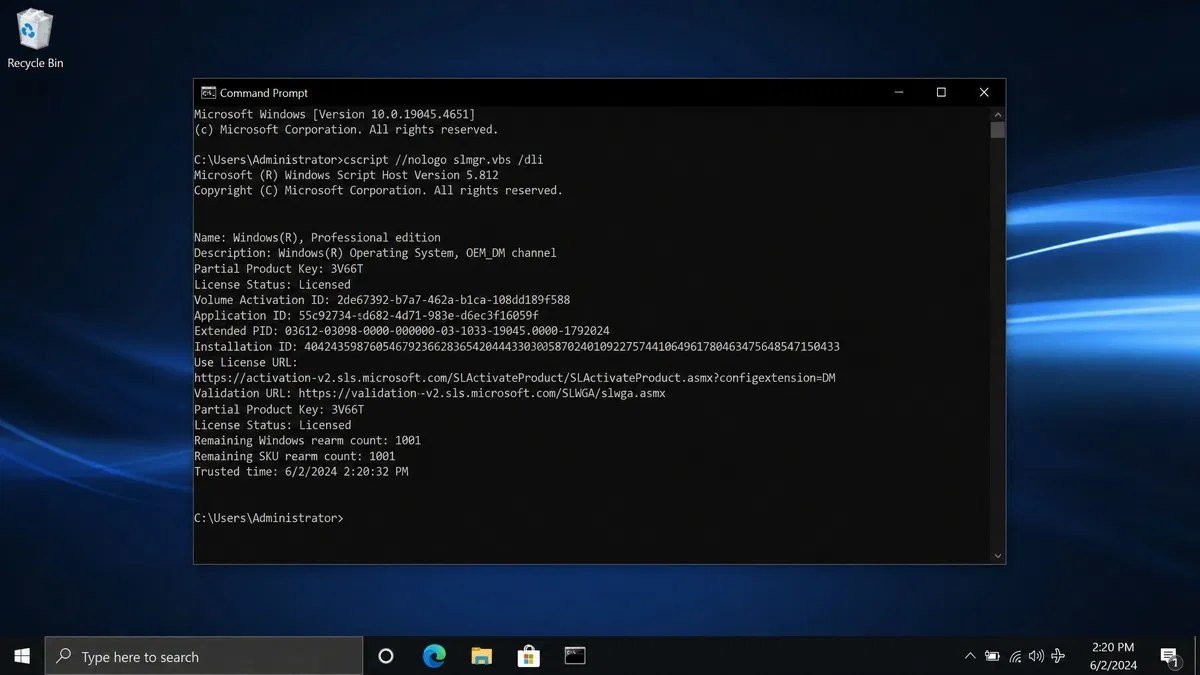
Open Command Prompt or PowerShell as an administrator and run the slmgr script with the dli switch, which prints the licence description and partial key. The description line contains the channel: it will say OEM, RETAIL or VOLUME. That single line is the answer.
The same script with the dlv switch gives a longer report including the activation ID and the licence status. If you want the product key that is embedded in the firmware on a prebuilt machine, a PowerShell query against the software licensing service will return it. Our guide on finding your Windows product key walks through each method, and they work the same way on Windows 11.
What the outputs mean
A description containing OEM_DM means an OEM licence embedded in the firmware by the manufacturer, which is what you will see on almost every prebuilt laptop and desktop. OEM_COA or a similar variant indicates an older certificate of authenticity style licence. RETAIL means a retail channel licence. VOLUME_KMSCLIENT or VOLUME_MAK means a volume licence, activated through a key management service or a multiple activation key.
That last one is the important one. If you bought what was described as an OEM or retail key from a marketplace and the description says VOLUME, you did not buy what you were told you were buying. The software will run and Windows will show as activated, but the licence came from an agreement that does not permit resale to you.
Checking activation status
The Settings app has an activation page that reports whether Windows is activated and, if it is, whether by a digital licence or a product key. It does not name the channel, which is why the command line is the better tool for this specific question. If you need to identify the version and edition as well, our guide on working out which Windows you are running covers winver, systeminfo and the rest.
Preinstalled Windows and the licence already on your laptop
If your machine came with Windows, the licence is OEM, it is embedded in the firmware, and it belongs to that machine permanently. Several practical consequences follow and most of them are good news.
You can reinstall Windows on that machine as many times as you like. Download the media creation tool, do a clean install of the same edition, skip the product key prompt, and it will activate itself from the firmware within a few minutes of reaching the desktop. You do not need to find a key, write anything down or contact anyone.
You cannot move that licence to a different machine, and you cannot sell it separately from the computer. It can transfer with the computer if you sell the whole machine, which is the normal and permitted case.
You also cannot use it to upgrade the edition. If the laptop shipped with Home and you want Pro, that is a separate purchase regardless of the channel. The upgrade is straightforward and preserves your files, and our comparison of Home and Pro on Windows 10 covers whether it is worth doing at all, since for a lot of people it is not.
System builder OEM, and who it is actually for
There is a version of the OEM licence sold to smaller builders and, in some markets, to individuals building their own machines. It is generally labelled system builder, and it is where most of the genuine confusion about self-built PCs comes from.
The terms are the OEM terms: the licence attaches to the first machine it activates and stays there. Historically it was intended for builders assembling machines for sale, with the person doing the building taking on the support obligation for the end user. In practice a great many people have used it on machines they built for themselves, and Microsoft’s position on that has softened over the years to the point where the personal use case is broadly accepted.
What has not changed is the transfer restriction. Buying a system builder licence for a machine you intend to rebuild in two years means buying again in two years. If you are the kind of person who replaces a motherboard when a better chipset appears, the retail licence is cheaper over the life of the hobby even though it costs more today. If you build a machine and run it until it dies, OEM is the correct answer and the saving is real.
What happens when you change hardware
This is where the abstract licensing terms turn into a specific Tuesday afternoon problem, so it is worth walking through what actually occurs.
Change a drive, add memory, swap a graphics card, replace a power supply or a cooler, and nothing happens. Windows notices nothing relevant and activation is untouched. People worry about this far more than they need to.
Change the processor and, in most cases, nothing happens either, though a large enough change alongside other components can occasionally trip the hardware identity check. If it does, and the licence is retail or linked to a Microsoft account, the activation troubleshooter resolves it.
Change the motherboard and the licence deactivates. Windows keeps working, a watermark appears in the corner, personalisation settings are locked, and you have a working but nagging machine until it is resolved. With a retail licence, reactivate by entering the key or using the troubleshooter with your Microsoft account. With an OEM licence, the licence does not follow the new board, unless the board was a like-for-like replacement for a failed one, in which case telephone activation is the route.
The practical advice is the same in every case: link the licence to a Microsoft account before you touch the hardware. It costs nothing, takes two minutes, and turns the worst version of this problem into a routine one. Our guide to Windows 11 activation covers the troubleshooter and what each error code means when it appears.
Where the very cheap keys come from
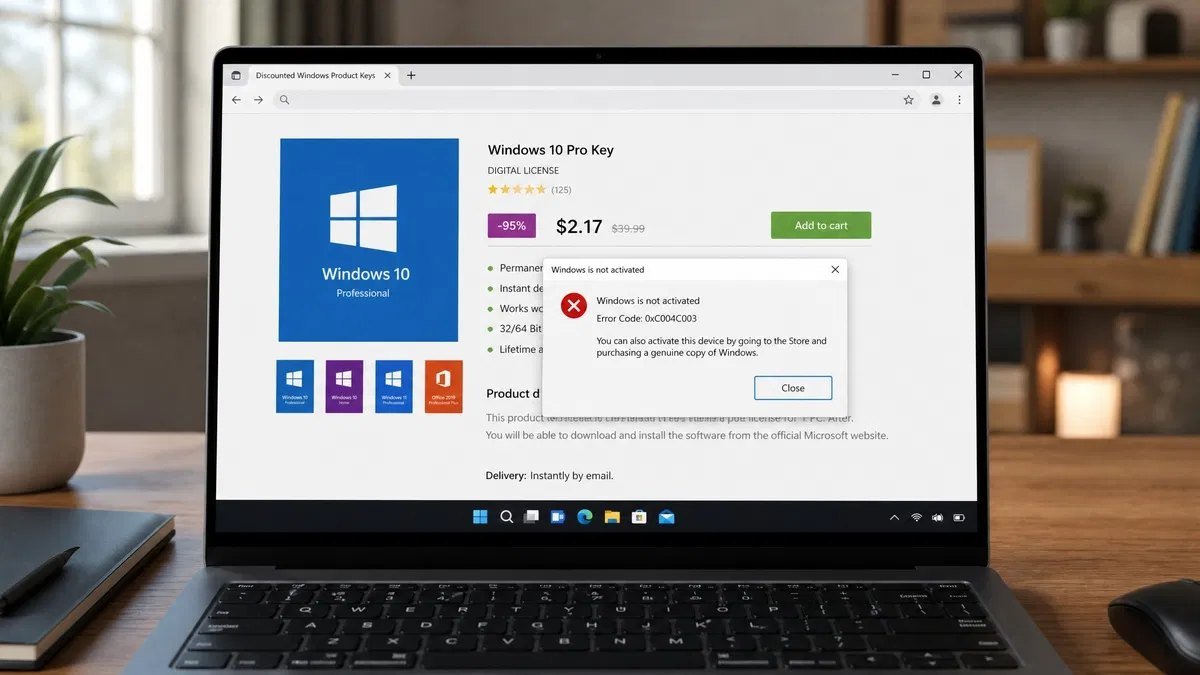
Search for a Windows key and you will find listings at a fraction of any price a legitimate channel could support, most of them using the word OEM. Understanding what is actually being sold is more useful than a warning, because it tells you which cheap listings are fine and which are not.
A genuine OEM licence sold by a legitimate reseller is cheaper than retail for the reasons already covered, and that gap is real and defensible. It is not enormous. When a listing is dramatically below what any legitimate OEM licence costs, the discount is not coming from the channel, it is coming from the licence being something other than what the listing says.
The listings that are not OEM at all
Four things get sold as OEM keys that are not OEM keys, and each fails in its own way.
Volume licence keys
Multiple activation keys taken from an organisation’s volume licensing agreement and resold many times over. They activate, sometimes for a long time, and then stop when the activation count is exhausted or the key is blocked. The licensing tools will show VOLUME_MAK rather than OEM, which is how you can identify one after the fact. This is the single most common thing sold as a cheap OEM key.
Education, charity and not-for-resale keys
Licences issued under agreements that grant them at low or no cost to specific institutions and explicitly forbid resale. The key is real, the activation works, and you have no entitlement to it. If the issuing organisation’s agreement is audited, the keys can be blocked, and there is no recourse because there was never a sale to you in the first place.
Region-locked keys
Licences issued for a specific market and sold outside it. These often activate without complaint, which is why the problem surfaces later, typically at a reinstall or a hardware change when reactivation is refused. The terms were breached at the moment of sale rather than at the moment of failure.
The word OEM used as decoration
A large number of listings use OEM simply because buyers search for it and it explains a low price. The key behind the listing may be volume, may be region-locked, may be a used retail key, or may be one of a batch generated from a compromised source. The word tells you nothing about what you are getting when the seller has no accountability behind it.
The test that actually works is not the price and not the word in the title. It is whether the seller will tell you what channel the licence is, what happens if it fails to activate, and whether there is anyone to contact afterwards. Our page on how licensing works at Kymakers sets out where our stock comes from and what we will not sell, because that is the part of a listing that is worth reading.
Legality, in plain terms
Buying a genuine OEM licence is legal. It is a normal commercial transaction and it is how the overwhelming majority of Windows licences reach computers. There is nothing marginal about it.
Buying a licence that was issued under an agreement forbidding resale is a different matter. The person who breached the agreement is the reseller rather than you, and buyers are not generally pursued. What happens to buyers is more mundane and more annoying: the key gets blocked, the machine deactivates, there is no refund because the seller has moved on, and the licence has to be bought again properly.
For a business the calculation is different again, because software licensing is auditable. A licence that cannot be evidenced with a proper invoice from an accountable supplier is a liability on the balance sheet, not a saving, and the cost of resolving it under audit conditions dwarfs whatever was saved. This is the one place where the cheap route is unambiguously a false economy.
The practical position is simple. A legitimately sourced OEM licence is a good way to spend less. A licence with no traceable source is not an OEM licence, whatever it is called, and the saving is a deferred cost rather than a real one.
Upgrading from OEM to retail
There is no upgrade path between the channels. You cannot convert an OEM licence to a retail one, and there is no process for paying the difference. If you have an OEM licence on a machine and you want a transferable licence, you buy a retail licence and enter that key, and the OEM licence remains attached to the machine it was always attached to.
This matters mainly for people who realise mid-build that they are about to rebuild again. If you know you are going to replace the board within the licence’s useful life, buying retail at the start is the cheaper path. If you realise afterwards, the earlier OEM purchase is simply spent.
Edition upgrades are a separate thing and they do work. Moving from Home to Pro is supported on both channels and preserves your files and applications. What the edition upgrade does not do is change the channel, so a Home OEM licence upgraded to Pro remains bound to that machine.
OEM vs retail for businesses
For an organisation buying more than a handful of machines, the channel question usually resolves itself, but the reasoning is worth spelling out.
Machines bought as prebuilt desktops or laptops arrive with OEM licences and there is nothing to decide. The licence lives and dies with the machine, which matches how equipment is actually managed: bought, used for a replacement cycle, disposed of or sold on with the operating system still attached.
Where organisations get into difficulty is with self-built or refurbished machines, and with keeping records. An OEM licence has no separate documentation on the machine itself, so the evidence of entitlement is the invoice. Businesses that cannot produce invoices for their operating system licences have a problem regardless of whether the licences are genuine, because entitlement is a paperwork question during an audit.
Above a certain number of machines, volume licensing becomes the sensible route: one agreement, centralised activation, proper records and the ability to reimage without touching individual keys. The threshold varies by programme and by region, and it is worth asking about before assembling a fleet out of individually purchased licences.
The honest trade-offs
OEM’s saving is real, but it is only a saving if the machine outlives your interest in changing it. For a machine that gets rebuilt every couple of years, buying an OEM licence repeatedly costs more than one retail licence would have, and there is no credit for the ones you have already spent. The break-even is roughly at the second rebuild, and most people underestimate how likely they are to reach it.
Retail’s portability is genuinely useful and genuinely oversold. Plenty of people pay for the ability to move a licence and never move it once, because by the time the machine is replaced the new one has come with Windows already installed. The portability is worth paying for if you build your own machines. If you buy prebuilt, it is a feature you will almost certainly never use.
The support difference is smaller in practice than it looks on paper, and larger than nothing. Most Windows problems are solved without calling anybody. Activation problems are the exception, and they are the one category where having a direct support relationship converts a bad afternoon into a phone call. Whether that is worth the price difference depends entirely on how much you dislike bad afternoons.
And there is an awkward trade-off around the cheap end of the market. The existence of legitimate low-cost OEM licences is exactly what gives cover to the illegitimate ones, because the price gap between them is not as visible as it should be. That makes the seller’s accountability the thing you are really evaluating, which is a less satisfying answer than a rule about numbers, but it is the accurate one.
Mistakes people keep making
Assuming OEM Windows is a limited version. It is not. Same features, same updates, same everything except the transfer right.
Buying a licence for a machine that already has one. Prebuilt machines carry an embedded OEM licence that reactivates automatically after a clean install of the same edition.
Buying OEM for a machine that will be rebuilt. The licence does not survive a motherboard upgrade, and the second purchase erases the first saving.
Assuming a key that activated is a key that is legitimate. Activation is a technical check, not a verification of entitlement, and volume keys activate perfectly right up until they do not.
Not checking the channel after buying. One command tells you whether you own OEM, retail or volume, and it is worth running on the day the key arrives rather than months later.
Never linking the licence to a Microsoft account. It costs nothing and it is the difference between a self-service reactivation and a support call after a hardware change.
Believing an OEM licence can be moved if you remove it from the first machine. That is the retail rule. OEM has no transfer right at all.
Treating a motherboard upgrade as a repair. The exception covers replacing a failed board with an equivalent one, not moving to a better one.
Buying on price alone from a seller with no support presence. When the key fails, and some do, the only thing that matters is whether anybody answers.
Keeping no invoice. For a business this is the difference between a licence and an assertion, and audits ask for the former.
A practical way to decide
Work down this list and stop at the first line that describes you.
If the computer already came with Windows, you have an OEM licence and you do not need to buy anything. Reinstall freely; it will reactivate itself.
If you build your own machines and expect to replace the motherboard within the next few years, buy retail. The portability is the entire point and you will use it.
If you are building a machine you intend to run unchanged until it is retired, buy OEM. You are giving up a right you were never going to exercise.
If you are buying for a business with more than a handful of machines, ask about volume licensing before assembling a fleet from individual keys. Centralised activation and clean records are worth more than the per-licence price difference.
If you are upgrading the edition rather than the channel, buy the edition upgrade. The channel of the underlying licence does not change and does not need to.
In every case, link the licence to a Microsoft account once it is activated, keep the invoice, and run the licensing command once to confirm the channel is what you were told it would be. Those three habits prevent almost every licensing problem people actually have.
Frequently asked questions about Windows OEM vs retail
Is OEM Windows the same as retail Windows?
The software is identical. Same features, same updates, same installation media, same support lifetime. The difference is in the licence agreement: a retail licence can be moved to another computer, an OEM licence cannot.
Can I transfer an OEM licence to a new PC?
No. An OEM licence is permanently bound to the first computer it activates. A retail licence can be moved, provided it is removed from the previous machine first.
Does an OEM licence survive a motherboard replacement?
Not for an upgrade. The motherboard is what activation treats as the machine’s identity, so a different board is a different computer. A board replaced because the original failed, with an equivalent part, is treated as a repair and can be reactivated by telephone.
Can I upgrade parts without losing activation?
Yes, for everything except the motherboard. Drives, memory, graphics cards, power supplies and processors within the same socket cause no licensing event on either channel.
Do OEM licences get Windows updates?
Yes, exactly the same updates on exactly the same schedule as retail. There is no update tier that excludes OEM machines.
How do I check if my Windows is OEM or retail?
Open Command Prompt as an administrator and run the slmgr script with the dli switch. The licence description line will contain OEM, RETAIL or VOLUME. That is the definitive answer and it takes seconds.
What does it mean if the check says VOLUME?
Your machine is activated with a volume licence, which is issued to organisations under agreements that do not permit individual resale. If you bought the key as OEM or retail from a marketplace, it was not what it was described as.
Is buying an OEM key legal?
Buying a genuine OEM licence from a legitimate seller is entirely legal and completely normal. What is not legitimate is a licence issued under an agreement that forbids resale, regardless of what the listing calls it.
Can I use an OEM key on a PC I built myself?
System builder OEM licences exist for exactly this and are widely used by people building their own machines. The transfer restriction still applies, so the licence stays with that build permanently.
Is OEM Windows cheaper because it is inferior?
No. It is cheaper because it is not transferable, because the support obligation sits with the machine’s builder rather than Microsoft, and because it is sold in volume through a channel with lower overheads.
Can I convert an OEM licence to retail?
No. There is no upgrade path and no way to pay the difference. If you need a transferable licence, you buy a retail one and the OEM licence stays with its original machine.
Does a laptop’s OEM licence come back after a clean install?
Yes, as long as you install the same edition. The key is embedded in the firmware, so the installer picks it up automatically and activation completes without any key being entered.
Should I link my licence to a Microsoft account?
Yes, on both channels. It costs nothing and it lets the activation troubleshooter reactivate the device after a hardware change by signing in, rather than requiring a key or a phone call.
Which should a small business buy?
Prebuilt machines arrive with OEM licences and that is fine. For self-built or refurbished machines, keep the invoices whatever you buy, because entitlement in an audit is a paperwork question. Above roughly a dozen machines, ask about volume licensing.
If you have read this far and decided retail is the right call for you, the two we sell most of are a Windows 11 Home product key for a home machine and a Windows 10 Pro product key for an older desktop that is staying where it is.
The bottom line on Windows OEM vs retail
OEM and retail are the same Windows sold under different terms. The software does not differ in any way you can observe, the updates are the same, the support lifetime is the same, and the features depend on the edition rather than the channel. What you are choosing between is a licence that stays with one machine and a licence that can move.
That makes the decision unusually easy for most people. If the machine came with Windows, you already have an OEM licence and nothing needs buying. If you are building a machine you will run until it dies, OEM is the right answer and the saving is real. If you build, tinker and replace boards, retail costs more once and less over time, and the support relationship is a genuine bonus on the day activation goes wrong.
The one thing worth more attention than the channel is the source. A legitimate OEM licence and a resold volume key look identical in a listing and behave identically for a while, and then one of them stops. Run the licensing command after you buy, keep the invoice, link the licence to a Microsoft account, and you will never be the person discovering any of this during a reinstall.
If you are buying a licence and want to be sure of what you are getting, browse our Windows licences, and if you are still deciding which edition rather than which channel, our comparison of Windows 11 Home and Pro covers that side of it. If you have just changed hardware and Windows has deactivated, our guide to reactivating after a hardware change is the faster read.
Every licence we sell is genuine and sourced legitimately, delivered by email, and backed by support if activation gives you trouble. If you are not sure which channel suits the machine you have in mind, ask us before you buy rather than after.