Browse our complete collection of genuine, one-time-purchase Microsoft license keys. Whether you are securing a lifetime license for Office 2024 Professional Plus, upgrading to Windows 11 Pro, or deploying Windows Server 2025 for your business — every key is delivered to your email within minutes, activates on Microsoft’s own servers, and is backed by our 180-day money-back guarantee with free 24/7 support.
Every key activates on Microsoft’s own servers. No gray-market surprises — authorized-channel stock only.
Six full months of protection on every order — if a key fails, we fix it or refund you. No questions, no forms.
Stuck during activation? Our team walks you through it free — nights and weekends included.
Your product key, official Microsoft download link and step-by-step installation instructions arrive in your inbox within minutes of checkout — 24/7/365, no shipping, no waiting.
Every license is a one-time purchase, never a subscription. Pay once for Windows, Office or Windows Server and own it for the lifetime of your device — no renewals, no monthly Microsoft 365 fees.
Keys activate in any country with no regional locks, and you download the software directly from Microsoft in the language you choose. One store, usable everywhere.
Yes — every key we sell is a genuine Microsoft license sourced through authorized volume channels. It activates against Microsoft’s own servers, exactly like a retail box, and stays activated for life.
Within minutes of checkout. Your key, official download link and step-by-step activation instructions arrive in one email — most customers are installed and activated within the hour.
Our support team fixes or replaces it free, 24/7 — and every order is covered by a 180-day money-back guarantee. You are never left with a dead key.
Never. Everything in this store is a one-time purchase with lifetime activation — no subscriptions, no renewals, no recurring charges.
We buy licenses in volume through authorized distribution channels, where unused and surplus stock trades at a fraction of retail, and we sell online only — no boxes, stores or shipping. That is why cheap Windows keys and cheap Microsoft Office keys from KYMakers are the same genuine licenses found in retail packaging: they activate on Microsoft servers, receive official updates and stay yours for life. The full explanation: <a href=”https://kymakers.com/is-it-safe-to-buy-cheap-microsoft-license-keys/”>Is it safe to buy cheap Microsoft license keys?</a>
Yes — every Microsoft Office product key here is a one-time purchase with a lifetime license: Office 2024 Professional Plus, Office 2021 Professional Plus, Office 2019 and Office 2016, for Windows and Mac, in 1 PC and 5 PC packs. Pay once, activate on Microsoft servers, and never pay a subscription. Compare versions: Office 2021 vs Office 2024.
Yes. All licenses are worldwide with no geographical restrictions, and the software installs in any language available for that product — you download it directly from Microsoft in the language you prefer. Wherever you are, activation happens on Microsoft servers within minutes of purchase.
Yes. Your license is valid for the lifetime of your device: format, reinstall Windows or Office on the same machine and activate again with the same product key. If reactivation is ever blocked after a big hardware change, our 24/7 support team fixes it free — see how to activate your Microsoft product key.
Checkout is fully encrypted and supports Visa, Mastercard, American Express, Discover and JCB, plus Apple Pay and Google Pay. Card details are handled by the payment provider — we never store them. KYMakers is operated by Makers Unity LLC, United States, and every order is covered by the 180-day money-back guarantee.
Yes. Beyond single-PC keys we stock multi-device packs (Windows 10 Pro 5 PC, Office Pro Plus 5 PC), the full Windows Server range — Server 2025, 2022 and 2019 in Standard and Datacenter, 16-core and 32-core packages — plus RDS CALs for user access and SQL Server for production databases. For larger volumes, contact support and we will size the licensing with you.
Microsoft Office
The World’s Most Trusted Productivity Suite
For over three decades, Microsoft Office has been the global standard for productivity software, powering everything from student essays to Fortune 500 boardrooms. Word, Excel, PowerPoint, Outlook, and their companion apps have shaped how the world writes, calculates, presents, and communicates — and at Kymakers, you can access every major Office version with a genuine, lifetime license at a fraction of retail prices.
Whether you need the latest Office 2024 for cutting-edge features, the reliable Office 2021 for stable everyday use, or a legacy version like Office 2010 or 2013 for compatibility with older systems, Kymakers has the exact license you need — delivered instantly to your inbox with lifetime activation.
Microsoft Office is organized by version year and edition. Choosing the right one depends on your needs, budget, and hardware:
| Version | Released | Best For |
| Office 2024 | 2024 | Users wanting the latest features and longest support |
| Office 2021 | 2021 | Proven stability, still modern, great value |
| Office 2019 | 2019 | Budget-conscious users, older Windows systems |
| Office 2016 | 2015 | Legacy compatibility, older PCs |
| Office 2013 | 2013 | Very old systems, specialized needs |
| Office 2010 | 2010 | Legacy systems, industrial/embedded use |
| Edition | Apps Included | Best For |
| Home & Student | Word, Excel, PowerPoint, OneNote | Students, home users, basic productivity |
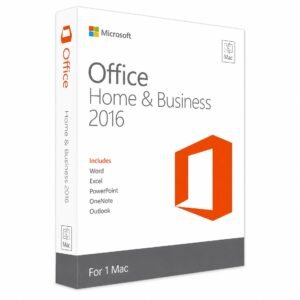
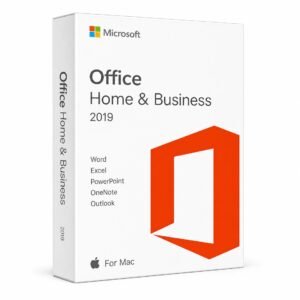
| Home & Business | Word, Excel, PowerPoint, OneNote, Outlook | Small business, professionals needing email |
| Standard | Word, Excel, PowerPoint, Outlook, Publisher | Businesses needing standard tools |
| Professional | All Standard apps + Access + Publisher | Small business power users |
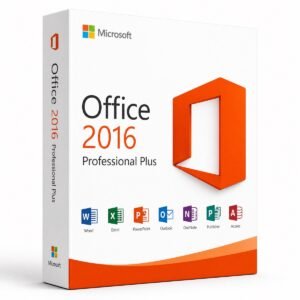
| Professional Plus | All Standard apps + Access + Publisher + Skype for Business | Enterprises, power users, IT deployments |
One of the biggest questions Office buyers face is whether to buy a lifetime license or subscribe to Microsoft 365. Here’s the honest comparison:
| Factor | Office Lifetime (Kymakers) | Microsoft 365 Subscription |
| Payment | One-time | Monthly or annual |
| Total Cost (Year 1) | Fixed low price | Comparable annual fee |
| Total Cost (Year 3) | Same as Year 1 | 3x the annual cost |
| Total Cost (Year 5) | Same as Year 1 | 5x the annual cost |
| Ownership | Permanent | Ends when you stop paying |
| Cloud Storage | Not included | 1TB OneDrive |
| Multi-Device | Depends on license | Up to 5 devices |
| Feature Updates | Only security patches | Continuous new features |
| Offline Use | Fully offline | Requires periodic sign-in |
| Best For | Users wanting to own their software | Users needing latest features and cloud storage |
For most users, a one-time Office purchase pays for itself within 12-18 months compared to subscription costs — and you never lose access to your software.
Depending on your edition, you’ll get some or all of these applications:
Microsoft Office is available for both Windows and macOS, but the two versions have some differences:
| Feature | Office for Windows | Office for Mac |
| Available Editions | All (Home & Student to Pro Plus) | Home & Student, Home & Business |
| Access & Publisher | Yes | No — Windows only |
| Interface | Windows-native UI | macOS-native UI |
| File Compatibility | 100% compatible | 100% compatible |
| Feature Parity | Complete feature set | Most features, some Windows-exclusive tools |
| VBA/Macros | Full support | Limited support |
If you switch between Mac and Windows, files created in either version open perfectly in the other — Office maintains complete cross-platform document compatibility.
| App | Home & Student | Home & Business | Standard | Pro | Pro Plus |
| Word | ✅ | ✅ | ✅ | ✅ | ✅ |
| Excel | ✅ | ✅ | ✅ | ✅ | ✅ |
| PowerPoint | ✅ | ✅ | ✅ | ✅ | ✅ |
| OneNote | ✅ | ✅ | ✅ | ✅ | ✅ |
| Outlook | ❌ | ✅ | ✅ | ✅ | ✅ |
| Publisher | ❌ | ❌ | ✅ | ✅ | ✅ |
| Access | ❌ | ❌ | ❌ | ✅ | ✅ |
| Skype for Business | ❌ | ❌ | ❌ | ❌ | ✅ |
The internet is full of suspiciously cheap Office keys — many of which are stolen, blacklisted, or one-time volume license keys that Microsoft can (and does) revoke. Kymakers sources every Office license through legitimate, verified channels and provides full support with replacement guarantees if any activation issue arises. When buying Office, always prioritize a trusted seller over the absolute lowest price.
Just built or bought a new computer? Install Windows first (Kymakers has bundles that include both), then install Office as the second app after activating your operating system.
Uninstall your old Office version first via Control Panel > Programs, restart your PC, then install the new version to avoid conflicts.
If you have a retail license, you can uninstall Office from your old PC and reinstall on the new one using the same key. OEM licenses are tied to the original device.
For deploying Office across multiple workstations, Kymakers offers volume licensing and multi-PC options — contact support for tailored solutions.
What’s the difference between Office and Microsoft 365?
Office is a one-time purchase for a specific version (2021, 2024, etc.) that you own forever. Microsoft 365 is a subscription that provides continuous updates and cloud storage but requires ongoing payment.
Which Office version should I buy?
For most users, Office 2021 or 2024 offers the best balance of features, support timeline, and value. Choose 2024 for the latest features and longest support, or 2021 for proven reliability at a lower cost.
Can I install Office on multiple computers with one key?
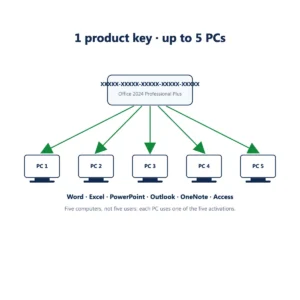
Standard licenses cover one device. Multi-PC licenses (available for select editions) can activate multiple machines under a single purchase.
Do I need Windows to install Office?
For Office for Windows, yes — you’ll need Windows 10 or newer (Office 2024 requires Windows 10/11). Office for Mac requires a recent version of macOS.
Will my documents work in older Office versions?
Documents created in newer Office versions will typically open in older ones, though some formatting or advanced features may not display correctly.
Is Kymakers Office legit and genuine?
Yes — all our Office keys are 100% genuine, sourced through verified channels, and come with full activation and replacement guarantees.
Can I transfer my Office license to a new computer?
Retail licenses can be transferred by uninstalling from the old device and reinstalling on the new one. OEM licenses cannot be transferred.
What happens if my Office key doesn’t activate?
Contact Kymakers support immediately — we’ll troubleshoot the issue and provide a replacement key if needed at no cost.
Do Office licenses expire?
No — Kymakers Office licenses are lifetime, meaning you own them forever with no recurring fees.
Can I use Office offline?
Yes — once activated, Office runs completely offline. Only initial activation requires an internet connection.
What’s the difference between Home & Business and Professional Plus?
Home & Business includes Word, Excel, PowerPoint, and Outlook. Professional Plus adds Access, Publisher, and Skype for Business — ideal for power users and enterprises.