
Buy Microsoft Software Licenses Online – Genuine Keys at the Best Price
Shop 100% Genuine Microsoft Microsoft Office Windows Office Apps Win Server ... License Keys — Instant Email Delivery, No Subscription Required
100% Genuine Keys
Instant Email Delivery
Money-Back Guarantee
Excellent Reviews
genuine microsoft keys From Kymakers!
At Kymakers, everybody can buy genuine Microsoft software at unbeatable prices. Whether you need a Windows 11 Pro key, a cheap Windows 10 Pro product key, a lifetime Microsoft Office 2021 or Office 2024 Professional Plus licence, or a Windows Server key for your business, you will find a genuine product key here — delivered instantly to your inbox with full activation support. No subscriptions and no hidden fees: pay once and own your licence for life.

BUY
Secure payment software with SSL encryption.

DOWNLOAD
Download the software immediately after purchase.
INSTALL
Install and activate the software - Done.
What Our Customers Say Verified reviews from real buyers.
Office 2024 Pro Plus Works Perfectly
Everything on my MS Office 2024 Pro Plus is functioning perfectly. Honestly I’d give this 6 or even 7 stars. Thank you!

VERIFIED BUYER
Delivered Within Minutes
Kymakers came through with flying colours! I ordered a license key and they delivered within minutes. My OS was activated in no time.

Illiana Hayden
VERIFIED BUYER
Exceeded My Expectations
I was nervous buying a key online, but Kymakers exceeded my expectations. Support replied fast and everything activated without a hitch.

VERIFIED BUYER
Fast, Professional and Reliable
I bought a Windows 11 Pro key and their team guided me step by step until activation worked perfectly. Every purchase has been fast and reliable.

VERIFIED BUYER
The Key Worked First Try
I bought a Microsoft Office 2021 license and activation was smooth — the key worked perfectly on the first try. Genuine keys and a service I can trust.

VERIFIED BUYER
Legit Keys At A Great Price
Their service exceeded my expectations — fast, professional and very easy to follow. I highly recommend them for legitimate software keys at a great price.

VERIFIED BUYER
Cheaper Than the Microsoft Store
Saved almost 80% compared to buying direct. My Windows 11 Pro key activated instantly and everything is 100% genuine. I’ll be back for Office next.

VERIFIED BUYER
Instant Delivery, Zero Hassle
The key landed in my inbox within a couple of minutes and worked straight away. Clear instructions, real support and a great price.

VERIFIED BUYER
Why Choose kymakers
At Kymakers you can buy genuine Microsoft license keys online at cheap prices, with lifetime activation and instant email delivery. We stock product keys for Windows 11 Pro, Windows 11 Home and Windows 10 Pro, the full Microsoft Office range — Office 2024 and Office 2021 Professional Plus, Office 2019 and Office for Mac — plus Windows Server 2022 and 2025, Visio and Project. Every key is legally sourced, tested before delivery and backed by 24/7 support. Whether you need a cheap Windows 11 Pro key for a new PC, a Windows 10 Pro product key to activate an older machine, or a Windows 10/11 Home to Pro upgrade key to unlock BitLocker, Remote Desktop and Hyper-V, you’ll find a genuine product key here at a fraction of the retail price. Prefer to own your software outright? Choose a one-time Office 2024 Professional Plus or Office 2021 Professional Plus product key instead of paying a monthly Microsoft 365 subscription — no renewals, no recurring fees, yours for life. Businesses and IT teams can license their infrastructure with a Windows Server 2022 Standard key or the latest Windows Server 2025 Datacenter, while power users can add Visio 2024 Professional and Project 2024 Professional. As a trusted Microsoft product key store, we deliver every licence by email within minutes of checkout, complete with a step-by-step download, install and activation guide — how thousands of customers buy genuine Microsoft software safely, legally and at the best price.
Best-Selling Microsoft License Keys
Best-Selling Windows Keys
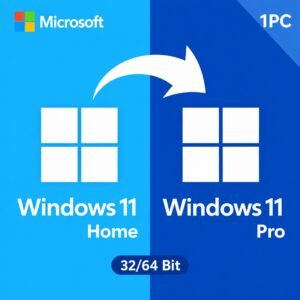
Every Windows 11 product key and Windows 10 product key below is a genuine Microsoft licence that activates directly on Microsoft’s own servers — no volume keys resold outside their agreement, no activations shared across dozens of buyers, and no subscription attached. Choose a Windows 11 Pro product key when you need BitLocker encryption, Remote Desktop hosting or domain join; a Windows 11 Home product key for a family laptop; or a Windows 10 Pro product key for hardware that cannot meet the Windows 11 requirements. Every key is a lifetime licence: you pay once, activate in minutes, and it stays valid for the life of that PC. Delivery is by email within minutes, with the official Microsoft download link and step-by-step activation instructions included.
Best-Selling Microsoft Office Keys
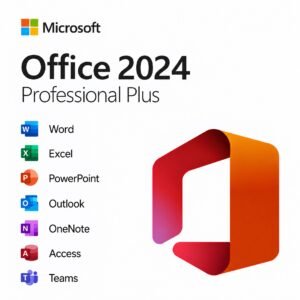
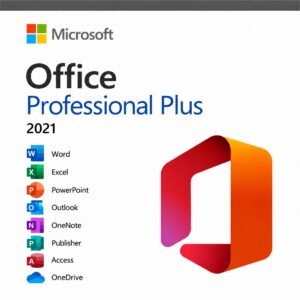
Buy a Microsoft Office product key once and keep it — no Microsoft 365 subscription, no annual renewal, no card left on file. Office 2024 Professional Plus is the current perpetual release, supported until 2029, and includes Word, Excel, PowerPoint, Outlook, Access and Publisher. Office 2021 Professional Plus gives you the same core applications for noticeably less, while Office 2019 and Office 2016 remain available for older hardware. Home & Student covers Word, Excel and PowerPoint; Home & Business adds Outlook for anyone who wants desktop email. Every Office licence key here is genuine, activates against Microsoft’s servers, and installs from Microsoft’s own official download — never a third-party mirror.
Best-Selling Windows Server Keys
A Windows Server licence has three moving parts, and we price all three openly rather than hiding two of them until checkout. The server licence itself — Windows Server 2025 Standard, Windows Server 2025 Datacenter or Windows Server 2022 — is licensed per physical core, with a minimum of 8 cores per processor and 16 per server even on smaller hardware. Every user or device that connects then needs a Windows Server CAL, and anyone connecting over Remote Desktop needs an RDS CAL in addition. Standard includes rights to two virtual machines; Datacenter removes the VM limit entirely. Unsure which edition or how many CALs you need? Ask before you buy — we would rather size it correctly than oversell you.
Best-Selling Office Apps – Visio, Project & Word
You do not need the full Office suite to get one application. A Microsoft Visio licence, a Project Professional licence, or a standalone Word, Outlook or Access key gives you exactly the app you actually use, at a fraction of the bundle price. Visio Professional 2024 and Visio 2021 handle diagrams, floor plans, org charts and network maps. Project Professional 2024 and Project 2021 cover Gantt charts, resource levelling and portfolio scheduling. Word 2024, Outlook 2024 and Access 2024 each install and activate independently of any other Office product, so they sit alongside an existing installation without conflict. All are perpetual licences — one payment, no subscription, and no feature that quietly disappears the month a renewal lapses.

Buy Microsoft Software Licenses Today
Step 1
Add Product to cart
Quickly browse and select the Microsoft license you need, then add it to your cart.
Step 2
Apply promocode at checkout
For extra savings, remember to check the homepage for any discount codes — Often, special promotions are running.
Step 3
Receive download link in mailbox
Instant email delivery with download link and Microsoft Key. Install and activate your Microsoft software within minutes.
What Is a Microsoft License Key — and Why Buy Genuine Keys?
Everything you need to know before you buy your Windows, Office or Server product key.
A Microsoft license key (product key) is the 25-character code that activates genuine Windows and Office software on your PC. When you buy a genuine key from Kymakers it registers directly with Microsoft’s official activation servers — exactly like a boxed retail copy — and stays activated for the lifetime of your device.
Unlike a Microsoft 365 subscription that charges you every month, our licenses are one-time purchases: pay once and own Windows 11 Pro, Windows 10 Pro, Microsoft Office 2024 or Office 2021 Professional Plus, or Windows Server for life. No renewals, no recurring fees.
Every key is legally sourced, tested before delivery, and sent to your inbox instantly after checkout — with a step-by-step download, install and activation guide. That is how thousands of customers get genuine Microsoft software at cheap prices, safely and legally.
Genuine, Cheap Microsoft License Keys for Every Need
Windows, Office and Server product keys with lifetime activation and instant delivery.
Windows License Keys
Get a cheap Windows 10 Pro CD key or a genuine Windows 11 Pro key with lifetime activation. We stock Windows 11 Pro, Home, Pro N and Enterprise, plus Windows 10 Pro, Home and Enterprise LTSC. Stuck on Home? A Windows 10 or 11 Home-to-Pro upgrade key unlocks BitLocker, Remote Desktop and Hyper-V in minutes.
Microsoft Office Keys
Own Microsoft Office for life instead of paying monthly. Choose a cheap Office 2021 key, the newest Office 2024 Professional Plus product key, Office 2019 Home & Student, or Office Home & Business 2021 for Mac. Single apps like Visio 2024 Professional and Project Professional too — no subscription.
Windows Server & Business
License your infrastructure with a genuine Windows Server 2022 Standard key or the latest Windows Server 2025 Datacenter key, plus Server 2019 for legacy systems. Ideal for on-premises servers, virtual machines and remote-desktop environments.
Why Thousands of Buyers Choose Kymakers
The safe, genuine and cheap way to buy Microsoft software online.
100% Genuine Keys
Every Windows, Office and Server key is genuine and activates directly with Microsoft. No cracks, no fakes.
Instant Email Delivery
Receive your product key and download link by email within minutes of checkout, 24/7. No shipping, no waiting.
Lifetime, One-Time Purchase
Pay once and own your licence for life. No monthly Microsoft 365 fees, ever.
Best Prices
Cheap Microsoft Office and Windows keys at a fraction of the Microsoft Store price.
24/7 Support
Real people ready to help you download, install and activate your software any time.
Money-Back Guarantee
Secure, encrypted checkout and a money-back guarantee on every order.
Worldwide Activation
Every license activates in any country, in any language. Download directly from Microsoft — no regional locks, no VPN tricks needed.
Trusted by 10,000+ Customers
A real US company — Makers Unity LLC — stands behind every order, with verified buyer reviews and a refund policy that actually pays out.
Kymakers vs the Microsoft Store vs Unverified Sellers
The same genuine software — for a fraction of the price.
Microsoft Store
- Genuine licence
- Full retail price
- Often a monthly subscription
- Limited support
RECOMMENDED
Kymakers
- ✔ 100% genuine licence
- ✔ Up to 90% cheaper
- ✔ Instant email delivery
- ✔ Lifetime, one-time purchase
- ✔ 24/7 real support
- ✔ Money-back guarantee
Unverified Sellers
- Unknown source
- Cheap but risky
- Often delayed delivery
- ✗ No real support
Works on Windows, macOS & Windows Server
Activate your genuine Microsoft license on any compatible PC, Mac or server.
Windows 11
Activate Windows 11 Pro, Home, Pro N and Enterprise instantly with your product key.
Windows 10
Genuine Windows 10 Pro, Home and Enterprise LTSC keys with lifetime activation.
macOS
Office Home & Business 2021 and 2024 for Mac — one-time purchase, no subscription.
Windows Server
License Server 2019, 2022 and 2025 (Standard & Datacenter) for your business.
Ready to Buy Genuine Microsoft License Keys?
Every licence on Kymakers is a genuine Microsoft key that activates on Microsoft’s own servers — not a volume key resold outside its agreement, and not a key already sold to dozens of other buyers. You get instant email delivery, the official Microsoft download link, activation help from people who actually answer, and a money-back guarantee if a key does not work. Buy a Windows 11 Pro product key, a Microsoft Office product key, a Windows Server licence, or a standalone Visio or Project key, and pay once for a licence that lasts the life of the machine rather than the length of a subscription. Browse the store below — or message us first if you are not sure which edition fits your hardware.
Why Buy From Kymakers? – FAQ
Are the Microsoft software keys genuine and legal?
Yes. Every key sold by Kymakers is a genuine Microsoft licence that activates directly against Microsoft’s own activation servers. When you enter your key, it is Microsoft — not us — that validates it and records the activation, which is the only meaningful test of whether a licence is real. We do not sell volume or MAK keys that were issued to organisations under agreements forbidding resale to consumers, and we do not sell keys that have already been activated by other buyers. Those are the two practices behind almost every story you have read about a cheap key that stopped working after a few weeks, and avoiding them is why our prices sit above the suspiciously cheap end of the market. Each listing states plainly which licence type you are buying — retail or OEM — because that distinction determines whether the licence can move to a replacement computer later. If a key you buy from us ever fails to activate, we replace it or refund you. You are buying a genuine Microsoft licence with a paper trail, not a string of characters and hope.
Which Microsoft products can I buy from Kymakers?
Kymakers sells genuine licence keys across the full Microsoft desktop and server range. On the operating system side we carry Windows 11 Pro, Windows 11 Home, Windows 11 Enterprise, Windows 11 Education and Windows 11 IoT Enterprise LTSC, plus Windows 10 Pro, Windows 10 Home, Windows 10 Enterprise and the Windows 10 LTSC releases, and older Windows 8.1 and Windows 7 keys for legacy hardware. For productivity we stock Microsoft Office 2024, Office 2021, Office 2019, Office 2016, Office 2013 and Office 2010, in Professional Plus, Home & Business and Home & Student editions, including Mac versions where Microsoft produced them. Standalone applications are available too: Visio Professional, Project Professional, Word, Outlook and Access can each be bought on their own. On the server side we supply Windows Server 2025, 2022 and 2019 in Standard and Datacenter editions, 16-core packs, User and Device CALs, and RDS CALs. We also carry SQL Server Standard and Enterprise, and Visual Studio Professional and Enterprise. If you cannot see the exact edition or version you need listed, message us — we can usually source it.
Can I buy Microsoft Digital Software without a subscription?
Yes, and for most buyers it is the better value. Microsoft sells its software two ways: as a perpetual licence you buy once, or as a Microsoft 365 subscription you rent annually. Kymakers sells perpetual licences almost exclusively. That means you pay a single price, the software is yours indefinitely, and there is no renewal date, no card on file and no risk of your applications dropping to read-only because a payment failed. A perpetual Office licence keeps receiving security updates for its full support lifetime — Office 2024 until 2029, for example — but does not receive new feature releases. That is the genuine trade-off, and for the large majority of people who use Word, Excel and Outlook for everyday work rather than the newest AI features, it is a trade worth making. Over five years, a one-time Office licence typically costs a fraction of what a family subscription does, and at the end of that period you still own something. The subscription genuinely wins in only two cases: when you need the full terabyte of OneDrive storage per person, or when you want every new feature the moment Microsoft ships it.
How long does it take to receive my order?
Minutes, in almost every case. Kymakers delivers digitally, so there is nothing to ship and nothing to wait for. Once your payment clears, an email arrives containing your 25-character product key, the official Microsoft download link for the exact edition you purchased, and step-by-step activation instructions written for someone who has never done it before. Most customers are downloading within five minutes of checkout and fully activated within twenty. There are two situations where it takes slightly longer. Occasionally a payment is held briefly for a routine fraud check by the payment processor — this is outside our control but usually clears quickly. And sometimes the delivery email lands in a spam or promotions folder rather than the inbox, particularly with corporate mail filters that treat licence keys as suspicious. If your key has not arrived within thirty minutes, check those folders first, then contact us and we will resend it immediately. Keep that email once it arrives. It is your proof of purchase, and you will want the key again if you ever reinstall Windows or Office on the same machine.
Why are your Microsoft software prices lower than retail?
Because we operate as a specialist digital reseller rather than a retail storefront, and that removes several layers of cost that Microsoft’s own store carries. There is no physical packaging to manufacture, no disc to press, no warehousing, no shipping, and no shelf space in a shop taking a margin. We also buy licence stock in volume and pass a large part of that buying advantage on rather than keeping it, because a smaller margin on more sales suits us better than the reverse. What our lower price is not is a different product. The key you receive is the same genuine Microsoft licence that activates against the same Microsoft servers — there is no such thing as a discounted or reduced-function version of a retail key. It is worth being clear about the other end of the market too. If you find the same edition somewhere for a fraction of our price, that is almost always a volume licence being resold outside its agreement, and those deactivate eventually. Our pricing sits deliberately between Microsoft’s retail price and the untrustworthy floor, because that is where genuine licences can actually be sold sustainably.
Is it safe to buy software from Kymakers?
Yes, and we would rather you verified that than took our word for it. Every transaction runs over an encrypted connection through established payment processors, so your card details never touch our systems. On the licence side, the safety question really comes down to whether the key activates and keeps working — and the answer is that ours activate directly against Microsoft’s servers and stay activated, because we do not resell volume keys or previously activated keys. We publish the licence type on every product page rather than leaving it vague, which is the single clearest signal of a seller worth trusting. Support is staffed by people who answer, not a ticket queue that swallows messages, and we back every order with a money-back guarantee. If a key fails, you get a replacement or a refund. We have also written openly about the risks in this market on our blog, including how to spot a key mill and why prices below a certain floor are always a warning sign — because a customer who understands what they are buying is a customer we keep.
What if I need help installing or activating my software?
Then you contact us and a person helps you. Installation and activation support is included with every licence at no extra cost, and it is not a chatbot or a link to a knowledge base. Most issues are quick to solve once you know the cause. The most common by far is a pre-installed Microsoft 365 trial on a new laptop conflicting with a fresh Office installation — uninstalling the trial first resolves it. The second most common is online activation failing after a hardware change, which is normal and is handled through Microsoft’s telephone activation route using the slui 4 command. Neither means your key is faulty. We will walk you through downloading from Microsoft’s official source, uninstalling conflicting versions, entering the key correctly, and handling any error code that appears. If activation genuinely cannot be completed because the key is at fault, we replace it. Our download and activation guides cover the common paths step by step, and our blog has detailed walkthroughs for specific error codes such as 0xC004F074 and 0xC004C008 if you would rather solve it yourself.
Do your Microsoft licences work worldwide?
In the great majority of cases, yes, and every product page states the region a licence covers so you are never guessing. Most of what we sell is a worldwide or global licence that activates from any country without restriction. Some keys, however, are region-locked by Microsoft to a specific territory, and attempting to activate one outside its region will fail — not because the key is fake, but because that is how Microsoft issued it. This is a genuine and widespread problem across the licence market, and it is one of the more common reasons a cheap key bought elsewhere refuses to activate. We state the region explicitly rather than burying it, so you can check before paying. The language of your Windows or Office installation is separate from the licence region: you can install and use almost any edition in any supported language regardless of where the licence was issued. If you are buying from outside the United States or European Union, or activating on a machine that travels, message us before you order and we will confirm which of our stock suits your location.
Which payment methods do you accept?
Kymakers accepts all major credit and debit cards, processed through Stripe — the same PCI-compliant payment platform trusted by millions of online businesses. Your card details go directly to Stripe over an encrypted connection and are never stored on our servers, which is both safer for you and standard practice for reputable digital stores. Every purchase is a single, one-time transaction: there is no recurring billing, no stored subscription and nothing that renews automatically later, because every licence we sell is a one-time purchase rather than a subscription. Once your payment clears, delivery is automatic and immediate — your product key and download instructions are emailed within minutes of checkout. Occasionally a payment processor holds a transaction briefly for a routine fraud check, particularly on a first order or an unusual billing location; this is normal, outside our control, and usually clears within minutes. If your card is declined, the most common causes are a typo in the billing address or a bank blocking an unfamiliar online purchase — a quick call to your bank usually fixes it. If a payment is held longer than expected, contact us and we will sort it out with you.
Can I use one key on more than one PC?
A standard licence key activates one computer. That is a Microsoft rule rather than ours, and it applies equally whether you buy from us or from Microsoft directly. Attempting to use a single-PC key on a second machine will fail activation, and doing so repeatedly can flag the key. If you need to cover several computers, buy a multi-PC licence instead of several single ones — we sell 5-PC packs for both Windows and Office, and the cost per device is considerably lower than buying five separate keys. This is the right choice for families, small offices and anyone setting up multiple workstations at once. There is one important distinction worth understanding. Using a key on more than one computer at the same time is not permitted; moving a key from one computer to another is, provided the licence is retail rather than OEM. If you replace your PC, a retail licence can be released from the old machine and activated on the new one. An OEM licence cannot — it stays permanently bound to the first motherboard it activated on, which is precisely why the licence type on each listing matters.
What is the difference between Windows 11 Home and Windows 11 Pro?
Home and Pro share the same interface, the same performance and the same application compatibility, so for everyday browsing, email and Office work you would struggle to tell them apart. The differences are all in security, management and remote access. Windows 11 Pro adds BitLocker drive encryption, which matters enormously on any laptop that leaves the house carrying work data or personal records. It adds Remote Desktop hosting, meaning you can connect to that machine from elsewhere — Home can connect out, but cannot accept incoming connections. Pro also supports joining a Windows domain or Azure Active Directory, Group Policy management, Hyper-V virtualisation, and Windows Update for Business, which lets you defer feature updates rather than receiving them whenever Microsoft decides. Pro additionally supports far more RAM and more physical processors, which only matters on serious workstation hardware. The practical rule is straightforward: if the computer is used purely at home for personal things, Home is genuinely sufficient and you are not missing anything you would use. If it holds business data, needs encryption, needs remote access, or joins a company network, buy Pro.
Can I upgrade Windows 11 Home to Pro without reinstalling?
Yes, and it is one of the smoothest upgrades Microsoft offers. Moving from Home to Pro is an in-place edition switch rather than a reinstall, which means your files, installed applications, settings and user accounts all survive untouched. The whole process takes roughly ten minutes, one of which is a restart. You do not need installation media and you do not need to back anything up first, though backing up your BitLocker or device-encryption recovery key beforehand is sensible if encryption is already switched on. To do it, open Settings, go to System, then Activation, and expand the section marked “Upgrade your edition of Windows”. Choose Change product key and enter a genuine Windows 11 Pro upgrade key. Windows verifies it against Microsoft’s servers, tells you it is preparing to upgrade your edition, and asks you to restart. The switch completes during that reboot and you come back to a fully activated Windows 11 Pro installation. An upgrade key costs less than a full Pro licence and produces an identical result, so if you already have a working, activated Home installation, that is the route to take.
Can I buy Microsoft Office as a one-time purchase instead of a Microsoft 365 subscription?
Yes. Microsoft still sells perpetual Office licences alongside Microsoft 365, and it is exactly what Kymakers specialises in. The company simply promotes the subscription far more heavily, which is why so many people now assume the one-time purchase was discontinued. It was not. Office 2024, Office 2021 and Office 2019 are all available as single purchases that never expire. You pay once, install the full desktop applications, and they continue working indefinitely with no renewal date and no card on file. Security updates arrive for the version’s full support lifetime, but new features do not — the version you buy is the version you keep. What you give up compared with Microsoft 365 is the terabyte of OneDrive storage per user, the ability to install across five devices per seat, and continuous feature updates. What you gain is ownership and, over any period longer than about two years, a substantially lower total cost. For a single user working mainly on one computer with Word, Excel, PowerPoint and Outlook, the perpetual licence is straightforwardly the better purchase, and it removes the risk of losing edit access if a payment ever fails.
Should I buy Office 2021 or Office 2024?
It depends on how long you intend to keep it and how much the newest refinements matter to you. Office 2024 is the current perpetual release and is supported until 2029, so it buys you several more years of security updates than Office 2021, which reaches end of support considerably sooner. It also performs better on modern hardware, has a cleaner interface, and includes newer Excel functions and improved accessibility tooling. If you are buying for a machine you expect to keep for years, 2024 is the sensible choice and the support runway alone justifies the difference. Office 2021, however, remains excellent value. For the work most people actually do in Word, Excel, PowerPoint and Outlook, the day-to-day experience is very close to identical, and 2021 costs meaningfully less. If your budget is the deciding factor, or you are equipping several machines at once and the per-seat difference multiplies, 2021 is a perfectly sound purchase that will serve you well. What matters more than the version number is the edition. Professional Plus adds Access and Publisher; Home & Business includes Outlook; Home & Student does not. Choose the edition first, then the year.
Do you sell Microsoft Office for Mac?
Yes. We carry Microsoft Office for Mac in the editions Microsoft actually produces for macOS, including Office 2024 Home & Business for Mac, Office 2021 Home & Business for Mac, Office 2019 Home & Business for Mac and Office 2016 Home & Business for Mac. These are genuine perpetual licences that activate against Microsoft’s servers exactly as the Windows versions do, and they install through Microsoft’s official Mac download. There is one important difference between the platforms that catches people out. Professional Plus does not exist on macOS — Microsoft has never released Access or Publisher for the Mac, so Home & Business is the most complete edition available, giving you Word, Excel, PowerPoint and Outlook. If you specifically need Access or Publisher on Apple hardware, the only routes are running Windows through Boot Camp or a virtual machine, or using the web versions. Mac licences are also tied to Mac editions: a Windows Office key will not activate a Mac installation, and vice versa. Check which platform you are buying for on the product page before you order, and message us if you are unsure.
Can I buy Word, Excel, Outlook or Access as a standalone app?
Yes, and it is often the smarter purchase. If you genuinely only use one application, buying the whole Office suite means paying for five programmes you will never open. We sell Word, Outlook and Access as individual perpetual licences, alongside standalone Visio Professional and Project Professional. Each installs and activates independently of any other Office product, so a standalone Word licence sits happily alongside an existing installation without conflicting with it. Standalone Outlook is the one people most often want on its own, usually because they need proper desktop email with offline access and multiple accounts but have no use for spreadsheets or presentations. Standalone Access is common in small businesses running an existing database that nobody wants to rebuild. Visio and Project are almost always bought separately, because Microsoft has never included either in any Office suite edition — they have always been sold as separate products. Before buying standalone, do the arithmetic: two or three individual applications often cost more than a Home & Student or Home & Business bundle, so if you need Word and Excel together the suite is usually cheaper. For one application alone, standalone wins.
Do you sell Windows Server licenses and CALs?
Yes, and we sell all the parts you actually need rather than just the headline licence. Windows Server is licensed in layers, and buying only the first layer leaves you under-licensed. The server licence itself covers the operating system and is priced per physical core, with a minimum of eight core licences per processor and sixteen per server — a rule that catches out anyone assuming a small machine needs fewer. We stock Windows Server 2025, Windows Server 2022 and Windows Server 2019 in both Standard and Datacenter editions, including 16-core packs. Standard grants rights to run two virtual machines on the licensed hardware; Datacenter removes that limit entirely, and becomes the cheaper option somewhere around twelve to fourteen virtual machines per host. Separately, every user or device that connects to the server needs a Client Access Licence, and anyone connecting over Remote Desktop Services needs an RDS CAL in addition to the standard CAL. We sell User CALs, Device CALs and RDS CAL packs. If you are unsure how many you need or which edition fits your virtualisation plans, ask us before ordering and we will work it out with you.
Will my product key still work after I reinstall Windows or change hardware?
A reinstall on the same computer is straightforward — your key will reactivate normally, and with a digital licence linked to your Microsoft account it often reactivates automatically without you entering anything. Keep your original delivery email regardless, because you will want the key to hand. A hardware change is where the answer depends on your licence type. Replacing a hard drive, adding RAM or swapping a graphics card will not affect activation at all. Replacing the motherboard is different: Windows treats that as a new computer, and the installation will deactivate. If your licence is retail, you can reactivate on the new hardware. The smoothest route is to have linked the licence to your Microsoft account beforehand, then use the activation troubleshooter and choose “I changed hardware on this device recently”. If online activation refuses, telephone activation via slui 4 resolves it in about five minutes and is a completely legitimate Microsoft process. If your licence is OEM, it cannot legally move to different hardware — it stays bound to the original motherboard permanently. That distinction is stated on every product page precisely because it matters this much.
How do I download my software after purchase?
Your delivery email contains the official Microsoft download link for the exact edition you bought, alongside your product key and written instructions. Always download from that link or from Microsoft directly — never from a third-party mirror, a torrent, or any site offering a “free download” of paid software, because those are the most reliable way to install malware on a machine you use for banking. For Windows, you will download an ISO or use Microsoft’s Media Creation Tool to build installation media on a USB drive, then enter your key during setup or afterwards through Settings. For Office, you sign in at account.microsoft.com or use Microsoft’s deployment page, choose the correct version, and run the installer; the download is around four gigabytes so allow time on a slower connection. One step people skip and then regret: uninstall any previous Office version or pre-installed Microsoft 365 trial before installing, because overlapping installations are the single most common cause of activation failure. Our download and activation guides walk through each path in detail, and if anything goes wrong our support team will take you through it.
Can I still buy Windows 10 keys?
Yes, and they still activate normally. Windows 10 reached end of support on 14 October 2025, but that milestone stopped the free security updates — it did not switch off Microsoft’s activation servers. Existing and newly purchased Windows 10 keys continue to activate exactly as before, and we still stock Windows 10 Pro, Windows 10 Home, Windows 10 Enterprise and the Windows 10 LTSC editions. Whether you should buy one is a separate question worth thinking through honestly. If your hardware can run Windows 11, buy Windows 11 instead: it costs much the same, it is still receiving security updates, and you avoid having to migrate again shortly. Our guide to the Windows 11 requirements will tell you in about two minutes whether your machine qualifies. Windows 10 remains the right answer in two situations: hardware that genuinely fails the Windows 11 requirements and cannot be upgraded, and specialised setups where a particular application or peripheral only works correctly on Windows 10. The LTSC editions are also worth considering for industrial or embedded use, since they carry much longer support windows than the standard consumer releases.
Download & Activation Guides
Step-by-step instructions for downloading, installing and activating your software — the same guides linked in every delivery email.
Windows 11 Pro
Download, install and activate Windows 11 Pro step by step.
Windows 10 Pro
Full walkthrough for Windows 10 Pro from download to activation.
Office 2024 Pro Plus
Install the full Office 2024 suite and activate with your key.
Office 2021 Pro Plus
Download, install and activate Office 2021 Professional Plus.
Microsoft Licensing Guides & Resources
Everything you need to choose, activate and get the most from your genuine Microsoft keys.
Activation & Install
Step-by-step guides to activate and install Windows and Office with your product key.
Buying Guides and Comparisons
Office 2021 vs 2024, Windows Home vs Pro and how to pick the right license.
Troubleshooting and Fix-it
Fix activation errors, the not-activated watermark and common product-key problems.
Trust and Safety
Is it legal and safe to buy cheap genuine Microsoft keys? Everything explained.
Product Deep-Dives and What is New
Feature breakdowns and what is new in the latest Microsoft releases.
From the KYMakers Blog
Buying guides and honest answers — written from the questions real customers ask.
Visual Studio 2026 vs 2022: What’s New, What Changed, and Should You Upgrade?
Visual Studio 2026 vs 2022 compared: new AI features, Fluent UI, performance, side-by-side install, system requirements, editions and price, plus a step-by-step upgrade guide.
Read Guide
What Is Office LTSC Professional Plus 2024? LTSC vs Microsoft 365 vs Retail Office 2024
Office LTSC Professional Plus 2024 is the one-time-purchase Office 2024 sold as Pro Plus. What LTSC means, how it differs from Microsoft 365 and retail...
Read Guide
Windows 11 Pro Generic Key vs Activation Key: What Each One Actually Does
The generic Windows 11 Pro key and a real activation key look identical but do different jobs: one selects an edition, the other licenses it....
Read Guide
Windows Server 2025 Licensing Explained: Cores, VMs, CALs and Pricing
Windows Server 2025 licensing in three rules: core minimums, VM rights for Standard and Datacenter, and CALs. Plus Microsoft list prices and pay-as-you-go.
Read Guide