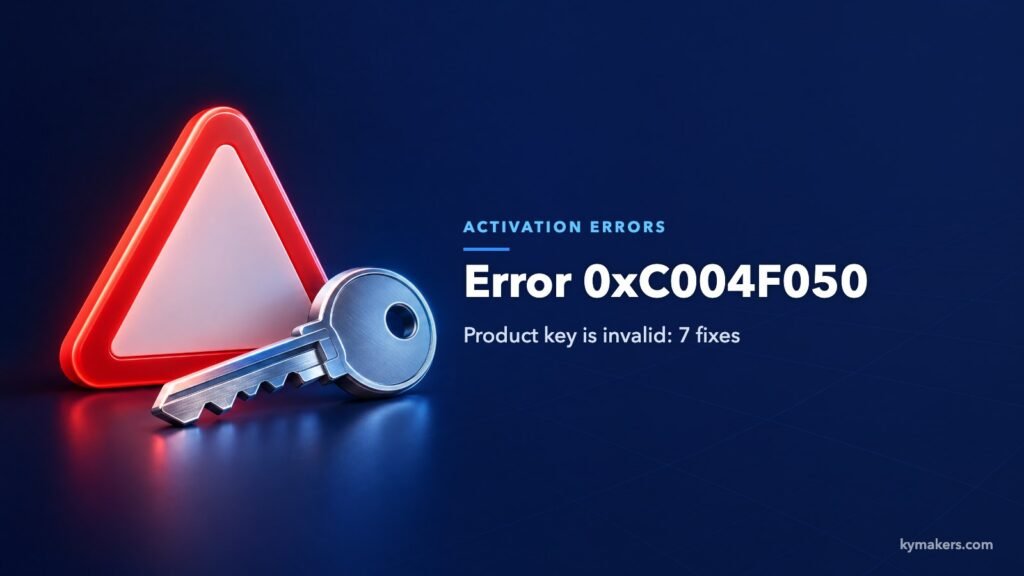
Error 0xC004F050 means Windows looked at the product key you entered and decided it is not valid for the copy of Windows that is installed. The full text is “The Software Licensing Service reported that the product key is invalid”, and in Settings it usually appears as “The product key you entered didn’t work. Check the product key and try again, or enter a different one.” In most cases the key itself is fine. It belongs to a different edition or version, or it is not an activation key at all. This article goes through the causes in the order they are worth checking and gives the fix for each, including the Windows Server case that catches a lot of administrators.
Key takeaways
- 0xC004F050 is a mismatch error. The key does not fit the installed edition, version or channel.
- The most common cause is a Pro key on a Home installation or a standard key on an N or LTSC edition.
- Windows keys never contain the letters A, E, I, O, U, L or S, or the digits 0, 1 or 5. If you typed one of those, it is a misread character.
- Windows 7 and Windows 8 keys stopped activating Windows 10 and 11 in 2023 and now produce this error.
- On Windows Server evaluation installs, you have to convert the edition with DISM. Typing the key into Settings fails with this code.
Contents
- What 0xC004F050 means
- Causes at a glance
- Fix 1: rule out a typing error
- Fix 2: match the key to the edition
- Fix 3: Home to Pro when the key is refused
- Fix 4: Windows 7 or 8 keys on Windows 10 or 11
- Fix 5: check that it is a real activation key
- Fix 6: Windows Server evaluation editions
- Fix 7: install the key from the command line
- When the key really is invalid
- Frequently asked questions
- Sources
What 0xC004F050 means
Activation happens in two stages. First, Windows checks the key locally against the edition that is installed. Only if it fits does Windows contact Microsoft to activate. 0xC004F050 is a failure at the first stage. The licensing service on your PC has rejected the key before any server was asked.
That is useful to know, because it tells you what the problem is not. It is not a network fault, not a busy activation server and usually not a blocked key. Those produce other codes, such as 0xC004F074 for an unreachable activation server or 0xC004C003 for a key the server has refused.
Causes at a glance
| Cause | How to recognize it | Fix |
|---|---|---|
| Mistyped character | Key was typed by hand from a photo or sticker | Copy and paste, or check the character rules below |
| Wrong edition | Settings › System › About shows a different edition from the one on your order | Change the edition or get a key for the installed one |
| N, KN or LTSC edition installed | Edition name ends in N or contains LTSC | Use a key for that exact edition |
| Windows 7 or 8 key | Key came from an old PC or sticker | Use a Windows 10 or 11 key |
| Generic or KMS client key | Key was copied from a website or shown by a key finder | Use your purchased key |
| Server evaluation install | Desktop shows “Evaluation” in the corner | Convert with DISM |
| Office key entered in Windows | The key was bought for Office | Enter it in an Office app instead |
Fix 1: rule out a typing error
If the key reached you by email, copy and paste it. If you are reading it from a sticker or a photo, use the alphabet rule. Windows product keys are built from 24 characters only:
B C D F G H J K M P Q R T V W X Y 2 3 4 6 7 8 9
Keys for Windows 8 and later also contain exactly one letter N. Everything else is excluded on purpose, to avoid look-alikes. So there is never a zero or a letter O, never a 1, I or L, never a 5 or an S, and no A, E or U. If your reading of the key contains one of those, that character is wrong. The usual mix-ups are 8 for B, 6 for G, 2 for Z (which does not exist) and V V for W.
Fix 2: match the key to the edition
Open Settings › System › About and read the Edition line. Compare it word for word with what you bought.
- A Home key activates Home. A Pro key activates Pro.
- Pro N, Pro Education and Pro for Workstations are separate editions with their own keys. A standard Pro key gives 0xC004F050 on Pro N. Our article on Windows 11 Pro N explains the difference.
- Enterprise and Education need their own keys.
- LTSC and IoT Enterprise LTSC are separate again. An Enterprise key does not activate Enterprise LTSC.
- Windows 10 and Windows 11 keys are interchangeable for the same edition. A Windows 10 Pro key activates Windows 11 Pro.
If the installed edition is not the one you have a key for, you have two choices. Either reinstall the correct edition, which is the clean answer when the difference is something like Pro versus Enterprise LTSC, or buy a key for what is installed. For an ordinary PC that means a Windows 11 Pro key or a Windows 11 Home key. If you are not sure which edition you have or how to read the screen, see what Windows do I have.
Fix 3: Home to Pro when the key is refused
Normally you can type a Pro key into a Home installation and Windows upgrades the edition and activates in one go. Occasionally the upgrade step is refused with 0xC004F050 even though the key is a good Pro key. The reliable way round it is to separate the two steps.
- Disconnect the PC from the internet. Unplug the cable or turn off Wi-Fi.
- Open Settings › System › Activation › Change product key.
- Enter Microsoft’s generic Windows 11 Pro installation key, the widely published one ending in 3V66T. It carries no license. It only switches the edition to Pro.
- Let the PC restart. Confirm with
winverthat it now says Windows 11 Pro. - Reconnect to the internet, return to Change product key and enter your own Pro key. It should now activate.
The background to that generic key is in generic key vs activation key, and the full upgrade procedure is in our Home to Pro upgrade guide. Note that some keys are sold specifically as upgrade keys. A Home to Pro upgrade key expects an activated Home installation underneath.
Fix 4: Windows 7 or 8 keys on Windows 10 or 11
For years, a key from a Windows 7, 8 or 8.1 sticker would activate the matching edition of Windows 10 or 11. Microsoft ended that in autumn 2023. Those keys are now rejected on new installations, commonly with 0xC004F050.
If the PC was upgraded before the change and is being reinstalled on the same hardware, you do not need the key. Skip the key screen, install the same edition as before and let the digital license activate it once the PC is online. If the PC never ran Windows 10 or 11, it needs a current license.
Fix 5: check that it is a real activation key
Three kinds of 25-character strings look like product keys and are not licenses:
- Generic installation keys select an edition during Setup.
- KMS client keys tell Windows to activate against a company server on the local network.
- The key shown by a key finder on a PC with a digital license is usually one of the two above.
Entering one of these produces either 0xC004F050 or an installation that stays unactivated. Your real key is in your order email or on the retail card. If you have neither, how to find your Windows product key shows where else to look.
Fix 6: Windows Server evaluation editions
This is the most common cause on servers. The ISO from Microsoft’s Evaluation Center installs an evaluation edition. If you open Settings and type a retail or volume key for Standard or Datacenter, activation fails with 0xC004F050, because the installed edition is “Standard Evaluation”, not “Standard”.
The fix is to convert the edition. Open an administrator Command Prompt and check what is installed and what it can become:
DISM /Online /Get-CurrentEdition
DISM /Online /Get-TargetEditions
Then convert, using your own key in place of the placeholder:
DISM /Online /Set-Edition:ServerStandard /ProductKey:XXXXX-XXXXX-XXXXX-XXXXX-XXXXX /AcceptEulaUse ServerDatacenter for Datacenter. The command takes several minutes and asks for a restart. After the restart the server is on the full edition and activates with the key. Two restrictions apply: a domain controller cannot be converted, so demote it first, and you cannot convert Datacenter Evaluation down to Standard.
Our guides for Windows Server 2022 Standard and Windows Server 2025 Standard include this conversion step.
Fix 7: install the key from the command line
If Settings keeps rejecting a key that matches the edition, bypass the dialog. In an administrator Command Prompt:
slmgr /ipk XXXXX-XXXXX-XXXXX-XXXXX-XXXXX
slmgr /ato
The first command installs the key and the second activates. Each shows a message box with the result. If /ipk returns 0xC004F050 as well, the mismatch is real and one of the earlier causes applies. If it returns a different code, look that one up instead. Windows product key not working lists the common codes and what each means.
You can also run the Activation troubleshooter under Settings › System › Activation. It will not turn a mismatched key into a matching one, but it does catch cases where the PC already has a digital license for another edition and offers to switch.
When the key really is invalid
If the edition matches exactly, the key is typed correctly, it is a current Windows 10 or 11 key and slmgr /ipk still returns 0xC004F050, contact whoever sold it. Send the error code, the edition from the About page and a screenshot of the message. A reputable seller will check the key and replace or refund it. For keys bought from us, support is available around the clock, and the terms are on the refund policy page.
In the meantime the PC stays usable. What happens if you don’t activate Windows explains what is restricted while you sort it out.
Frequently asked questions
Does 0xC004F050 mean my key is fake? Usually not. It means the key does not match the installed edition or version. Check the edition before assuming the key is bad.
Can I use a Windows 10 key to activate Windows 11? Yes, for the same edition. A Windows 10 Pro key activates Windows 11 Pro. A Windows 10 Home key does not activate Windows 11 Pro.
Why do I get 0xC004F050 after a clean install? The installer probably put on a different edition from the one your key is for. On PCs with a Home key in the firmware, Setup installs Home automatically, and a Pro key then has to be entered through Change product key.
Does this error appear in Office too? A similar message appears when an Office key is entered for the wrong Office edition, for example a Professional Plus key in a Standard installation. The principle is the same: match the key to the installed product.
Will resetting the PC fix 0xC004F050? No. A reset reinstalls the same edition, so the same mismatch remains.
How do I convert Windows Server evaluation to full without reinstalling? Run DISM /Online /Set-Edition:ServerStandard /ProductKey:your-key /AcceptEula from an administrator Command Prompt and restart.
Sources
- Microsoft Support, “Get help with Windows activation errors”: support.microsoft.com
- Microsoft Learn, “Upgrade and conversion options for Windows Server”: learn.microsoft.com
- Microsoft Learn, “Slmgr.vbs options for obtaining volume activation information”: learn.microsoft.com
- Microsoft Support, “Activate Windows”: support.microsoft.com/help/12440