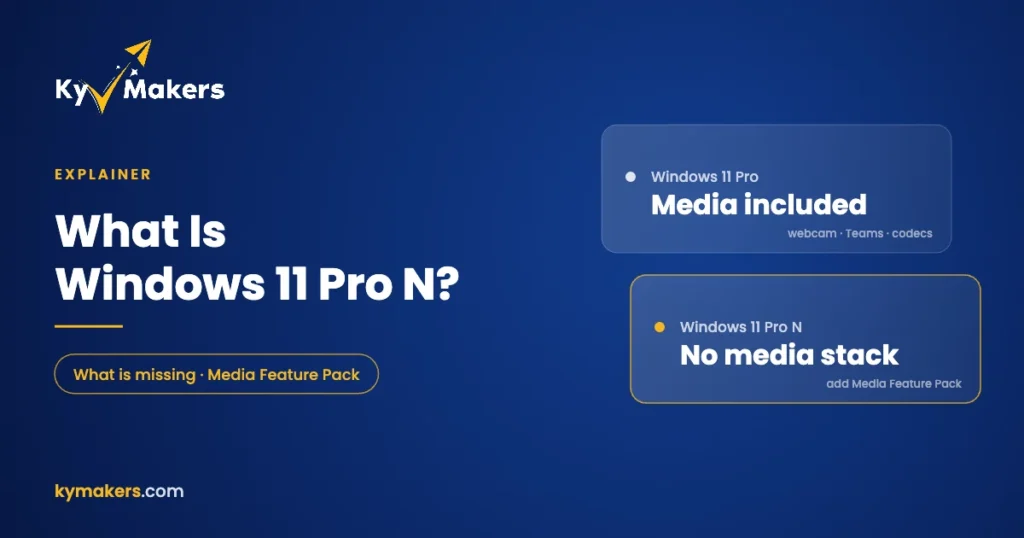
Windows 11 Pro N shows up in product lists right next to regular Pro, usually at the same price, with no explanation of what the “N” means. It’s not a newer version, a business edition or a typo. It’s Windows 11 Pro with Microsoft’s media technology taken out.
That sounds harmless, and for some people it is. For others it quietly breaks things like the webcam and Teams calls until they know what to install. Here’s what’s missing, how to put it back, and who should actually choose N.
Where the “N” editions came from
In 2004 the European Commission ruled that Microsoft had abused its dominant position by bundling Windows Media Player with Windows. One of the remedies was a version of Windows without it. The “N” stands for “not with Media Player”, and every Windows release since has had N editions sold mainly in Europe. Korea has its own variant, the KN editions.
Apart from the media components, Windows 11 Pro N is identical to Pro: same BitLocker, Hyper-V, Remote Desktop, domain join and updates.
What Windows 11 Pro N leaves out
Microsoft’s support page for the Media Feature Pack lists what’s excluded from N editions. The main items are:
- Windows Media Player and the Windows Media Player runtime.
- Media codecs: MP3, AAC, WMA, FLAC, ALAC, Dolby Digital audio, and H.264, H.265, VC-1 and MPEG-4 video.
- Media Foundation and Windows Media DRM, which apps use for video playback and protected content.
- Windows Portable Devices support for phones, cameras and music players.
- Media sharing and Play To.
- Media apps like Voice Recorder and the Movies & TV player.
What breaks as a result
This is the part most people don’t see coming. Because so much of Windows relies on the media stack, Microsoft lists a long chain of features that won’t work properly on an N edition until you add the missing pieces:
| Feature | Without the Media Feature Pack |
|---|---|
| Webcam | Doesn’t work |
| Windows Hello face sign-in | Doesn’t work |
| Microsoft Teams | Audio and video calls don’t work |
| Voice typing and Live Captions | Don’t work |
| Wireless Display (casting) | Doesn’t work |
| Alarms & Clock | No alarm or timer sounds |
| Photos and OneDrive | Can’t play videos |
| Some streaming sites in Edge | Incomplete playback |
| Xbox Game Bar / Game DVR | Partly broken |
If you’ve installed Windows and your laptop camera “doesn’t exist”, check whether you’re on an N edition before you start reinstalling drivers.
How to add the Media Feature Pack on Windows 11 N
Microsoft offers everything back as a free optional feature:
- Open Settings > Apps > Optional features.
- Next to Add an optional feature, select View features.
- Find Media Feature Pack, tick it and install.
- Restart your PC. Windows won’t prompt you, but the install isn’t complete until you restart.
Afterwards, Microsoft suggests installing a few free codec extensions from the Microsoft Store for full playback in apps and the browser, such as VP9 Video Extensions, Web Media Extensions and HEIF Image Extensions. Once that’s done, a Pro N PC behaves almost exactly like regular Pro.
Who should buy Windows 11 Pro N?
- Organizations in Europe that standardize on N editions for policy or procurement reasons.
- People who deliberately avoid Microsoft’s media stack and plan to use their own player and codecs, such as VLC, and don’t need a webcam or Teams.
- Locked-down machines like kiosks or lab PCs where removing media components is a feature, not a bug.
Everyone else should buy regular Windows 11 Pro. You get the same features without the extra setup, and in our store it currently costs the same as Windows 11 Pro N.
Can you switch from Pro N to regular Pro?
Not just by changing the key. N and non-N editions use different keys and different installation images, so moving from Pro N to regular Pro usually means a clean install from standard Windows 11 media. Back up first. If all you need is the missing media features, installing the Media Feature Pack is much quicker.
Installing Pro N from scratch? Our Windows 11 Pro N install and activation guide covers the download, the edition choice during setup and activation. Keys arrive by email within minutes, and if anything goes wrong our support team will sort it out.
Pro N vs other editions
N is only about media components. If you’re deciding between editions for other reasons, these guides go deeper: Windows 11 Home vs Pro, Pro for Workstations vs Pro and what every Windows 11 edition costs.
Windows 11 Pro N: FAQ
What does the N in Windows 11 Pro N mean?
It’s short for “not with Media Player”. N editions leave out Windows Media Player and related media technology, following a 2004 European Commission ruling.
Is Windows 11 Pro N worse than Pro?
Not worse, just missing the media components. After you install the free Media Feature Pack, it works almost exactly like Pro.
Why doesn’t my webcam work on Windows 11 N?
The webcam depends on media components that N editions leave out. Install the Media Feature Pack from Settings > Apps > Optional features, then restart.
Can I game on Windows 11 Pro N?
Most games run fine, but some rely on Windows media components for video cutscenes or voice chat. Install the Media Feature Pack first to avoid problems.
Does a regular Windows 11 Pro key activate Pro N?
No. N editions need an N key, and regular editions need a regular key.