Office 2016 reached the end of its support on 14 October 2025, the same day as Office 2019 and Windows 10. A year on, plenty of PCs still run it, and plenty of people still search for Office 2016 keys. So is it still usable? Is it safe? And when does it make sense to buy it in 2026?
Here’s the honest answer, without the scare tactics you’ll find in most upgrade pitches.
The dates
These come from Microsoft’s lifecycle pages.
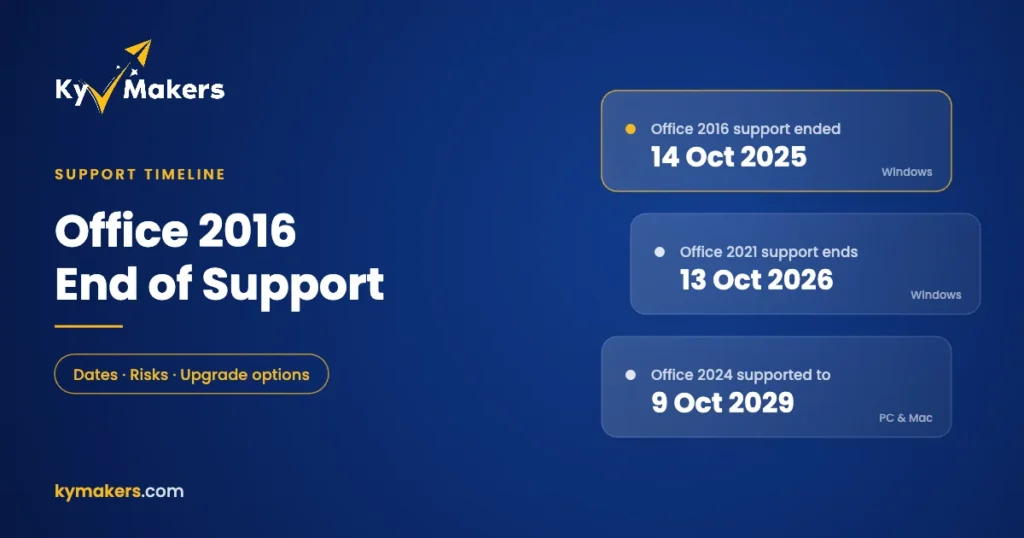
| Version | Released | Mainstream support ended | Extended support ended |
|---|---|---|---|
| Office 2016 (Windows) | Sept 2015 | 13 Oct 2020 | 14 Oct 2025 |
| Office 2016 for Mac | 2015 | 13 Oct 2020 | |
| Office 2019 (Windows) | Sept 2018 | 10 Oct 2023 | 14 Oct 2025 |
| Office 2021 | Oct 2021 | 13 Oct 2026 | |
| Office 2024 | Oct 2024 | 9 Oct 2029 | |
Office 2021 and 2024 follow a different policy with a single end date and no separate extended phase. Note how close Office 2021 is to its own deadline: just days from now.
What “end of support” means for Office 2016
Nothing switches off. Office 2016 still installs, still activates with a genuine key, and Word, Excel, PowerPoint and Outlook keep opening your files exactly as before.
What stopped in October 2025 is the flow of fixes:
- No more security updates. Any new vulnerability found in Office 2016 stays open.
- No bug fixes or technical support from Microsoft.
- No guaranteed connection to Microsoft 365 services. Microsoft doesn’t support using out-of-support Office with services like Exchange Online and OneDrive. It may keep working for a while, but if something breaks, it won’t be fixed.
Is it safe to keep using Office 2016?
It depends on what you open with it. Office documents are one of the most common ways attackers get into a PC: a booby-trapped Word attachment, an Excel file with a malicious macro, a link in Outlook. An unpatched Office is more exposed to those tricks every month.
So a rough rule:
- Fine: an offline PC, a workshop or lab machine, a kiosk, a child’s homework laptop that only opens its own files.
- Acceptable with care: a home PC that mostly creates documents and rarely opens attachments from strangers, with macros left disabled and Windows itself fully patched.
- Not a good idea: a business PC that opens email attachments from customers and suppliers all day, especially with Outlook 2016 handling the mail.
If you’re staying on 2016 for now, keep macros disabled unless you trust the source, leave Protected View on, and make sure Windows and your antivirus are fully up to date.
When buying Office 2016 still makes sense
We still sell Office 2016, and we’re upfront about why people buy it:
- Legacy macros and add-ins that were built for 2016 and break on newer versions.
- Offline and industrial PCs where security updates matter less than stability.
- Matching an existing setup, such as a small office where every other PC runs 2016.
- Tight budgets for basic home use.
If one of those is you, the options are Office 2016 Professional Plus for 1 PC, the Office 2016 Professional Plus 5-PC pack, Office 2016 Home & Student and Office 2016 Home & Business for Mac. Install guides are here for Professional Plus and Mac.
One caution on the Mac version: Office 2016 for Mac has been out of support since October 2020, and Microsoft doesn’t support it on current versions of macOS. Check that it suits your Mac before buying.
For everyone else: skip 2021 and go to 2024
If none of those reasons apply, upgrade. The obvious step looks like Office 2021, but its support ends on 13 October 2026, so you’d be back in the same position in a matter of days. Office 2024 is supported until October 2029, opens all your 2016 files, and works the same way: pay once, no subscription.
| You used… | Upgrade to |
|---|---|
| Office 2016 Professional Plus | Office 2024 Professional Plus (still includes Access) |
| Office 2016 Home & Student | Office 2024 Standard or Professional Plus |
| Office 2016 on several PCs | Office 2024 Professional Plus 5-PC pack |
| Office 2016 for Mac | Office 2024 Home & Business for PC/Mac |
One thing that doesn’t carry over: Publisher. Office 2016 Professional Plus included it, but no Office 2024 edition does. Our Office 2024 edition guide explains what’s in each version, and our Office versions overview lines up every release from 2010 onwards.
Will Office 2024 open my old files?
Yes. Word, Excel and PowerPoint 2024 open .docx, .xlsx and .pptx files from 2016 without conversion, and older .doc and .xls files in compatibility mode. Most macros carry over too, though very old add-ins are worth testing first. Uninstall Office 2016 before installing 2024 on the same PC. Running two versions side by side causes more trouble than it saves.
Office 2016 end of support: FAQ
Is Office 2016 still supported?
No. Microsoft ended support for Office 2016 on 14 October 2025. It no longer gets security updates.
Can I still install and activate Office 2016?
Yes. Office 2016 still installs and activates with a genuine product key.
Does Office 2016 work on Windows 11?
Yes, it installs and runs on Windows 11. It just won’t get security updates.
Will Outlook 2016 still connect to my email?
For most IMAP and POP accounts, yes. Connections to Microsoft 365 and Exchange Online aren’t supported any more, so they could stop working without notice.
What’s the best replacement for Office 2016?
Office 2024, which is supported until October 2029. Skip Office 2021, whose support ends on 13 October 2026.
Did Office 2019 lose support at the same time?
Yes. Office 2019 support also ended on 14 October 2025.