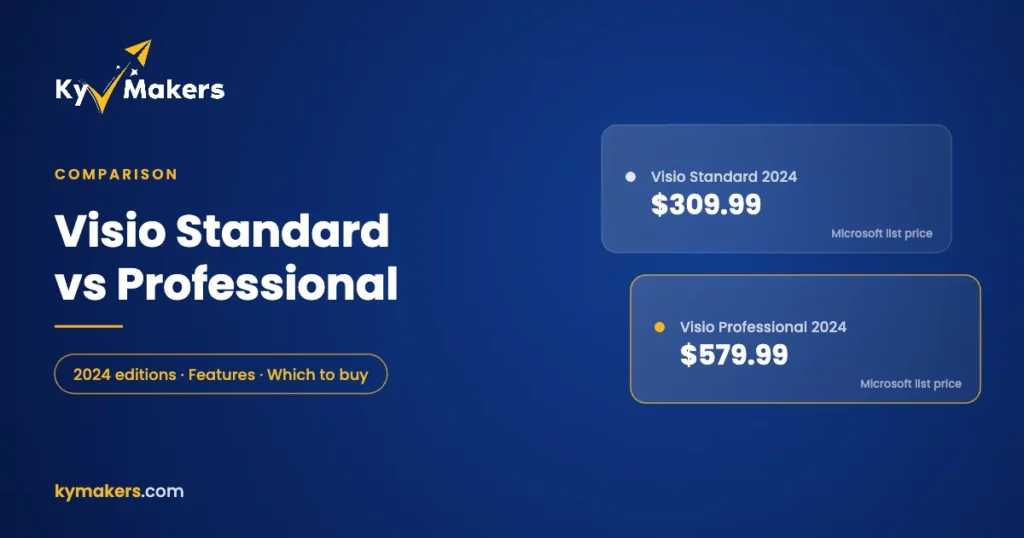
Visio comes in two desktop editions, Standard and Professional, and Microsoft charges almost twice as much for Professional: $579.99 against $309.99 for the 2024 versions. Most comparison pages list dozens of rows and leave you to work out what matters. Here’s the short version first, then the detail.
Standard is for business diagrams: flowcharts, org charts, basic network diagrams, floor plans and brainstorming. Professional adds technical diagrams (software, database, cloud and engineering), live data linked to shapes, and validation against standards like BPMN and UML. If your diagrams stay inside a slide deck, Standard is enough. If they describe systems or pull in real data, you want Professional.
Visio Standard 2024 vs Professional 2024
| Visio Standard 2024 | Visio Professional 2024 | |
|---|---|---|
| Microsoft one-time price (US) | $309.99 | $579.99 |
| Flowcharts, swimlanes, org charts, mind maps | Yes | Yes |
| Basic network diagrams, floor plans, office layouts | Yes | Yes |
| Detailed network and rack diagrams | No | Yes |
| Azure and AWS cloud architecture shapes | No | Yes |
| Software and database diagrams (ERD, UML) | No | Yes |
| Engineering: electrical, P&ID, HVAC, plant layout | No | Yes |
| BPMN 2.0, IEEE and UML 2.5 support, diagram validation | No | Yes |
| Link shapes to live data (Excel, SharePoint, SQL Server) | No | Yes |
| Data graphics and automatic data refresh | No | Yes |
| Wireframes for web and mobile apps | No | Yes |
| Licensed for | 1 PC | 1 PC |
All of this comes from Microsoft’s own Visio comparison for the one-time-purchase editions. Both are Windows desktop apps. There’s no Visio desktop app for Mac.
What Visio Standard is good at
Standard covers what most office workers mean when they say “I need to draw a diagram”:
- Process flowcharts and cross-functional swimlane diagrams.
- Organization charts, including ones generated from an Excel list.
- Mind maps and sticky-note brainstorming boards.
- Simple network sketches and office floor plans.
- Business frameworks like value chains and PESTLE analysis, plus basic Gantt and PERT charts.
If that list covers your work, Standard does the job and costs a lot less at Microsoft’s prices.
What you only get in Visio Professional
Technical diagram libraries
Professional adds the shape sets technical teams actually need: hundreds of Azure and AWS icons, Kubernetes shapes, entity-relationship diagrams and UML class diagrams, detailed network and server rack templates, electrical schematics, piping and instrumentation diagrams, and HVAC plans.
Live data in your diagrams
This is the feature people underestimate. In Professional, shapes can be linked to rows in Excel, SharePoint lists or SQL Server. A network diagram can show which servers are down. A floor plan can show who sits where. A process map can colour each step by how long it takes. Refresh it on a schedule and the diagram stays current without anyone redrawing it.
Standards and validation
Professional supports BPMN 2.0, IEEE and UML 2.5, and can check a diagram against built-in or custom rules. That catches a process map with a dead end or a flowchart with a missing branch before someone else does.
Which one should you buy?
| You are… | Get |
|---|---|
| A manager or analyst drawing processes and org charts | Standard is enough |
| An IT admin documenting networks or cloud setups | Professional |
| A developer or database designer | Professional |
| An engineer drawing electrical or P&ID diagrams | Professional |
| Someone who wants diagrams that update from data | Professional |
At Kymakers we carry Visio Professional 2024 and Visio Professional 2021, so you get the full feature set without paying Microsoft’s Professional premium. If you also need Office and Project, the Office 2024 + Visio + Project bundle covers all three.
Visio 2024 or Visio 2021?
Pick 2024 if you can. Visio 2024 is supported until 9 October 2029. Visio 2021 reaches end of support on 13 October 2026, a matter of days away, after which it gets no more security updates. Visio 2021 still installs and works fine, so it’s reasonable for an offline PC or to match an existing team, but it’s not the version to standardize on now.
Will Visio work alongside my version of Office?
Usually yes, with one rule: Visio and Office on the same PC need to match in bitness (both 32-bit or both 64-bit) and installation type. Microsoft’s own FAQ covers this. The simplest way to avoid trouble is to install Visio 2024 next to Office 2024. Our Visio 2024 install and activation guide takes you through it step by step.
Related guides
Visio often comes up alongside Project. If you plan schedules as well as drawing them, see Project Standard vs Professional 2024. Both are sold separately from Office, and our Office 2024 edition guide explains what each Office edition does include. Browse every option on the Visio and Project page.
Visio Standard vs Professional: FAQ
What is the main difference between Visio Standard and Professional?
Professional adds technical diagram libraries (cloud, software, database, engineering), live data linking with automatic refresh, and support for BPMN, IEEE and UML standards with validation.
Can Visio Standard open files made in Professional?
Yes, Standard opens .vsdx files from Professional, though Professional-only features like data links won’t be editable.
Is there Visio for Mac?
No desktop version. Mac users can view and make light edits in Visio for the web with a Microsoft 365 plan, or run Visio in a Windows virtual machine.
Is Visio included in Office?
No. Visio is sold separately from every Office edition, including Office 2024 Professional Plus.
Can I upgrade from Standard to Professional later?
You’d buy a Professional license and install it in place of Standard. Your diagrams carry over unchanged.