Visual Studio 2026 became generally available in November 2025, and it’s the biggest update to Microsoft’s IDE in years. It starts faster, freezes far less on large solutions, has GitHub Copilot built deep into debugging and profiling, and opens every Visual Studio 2022 project and extension without a migration step.
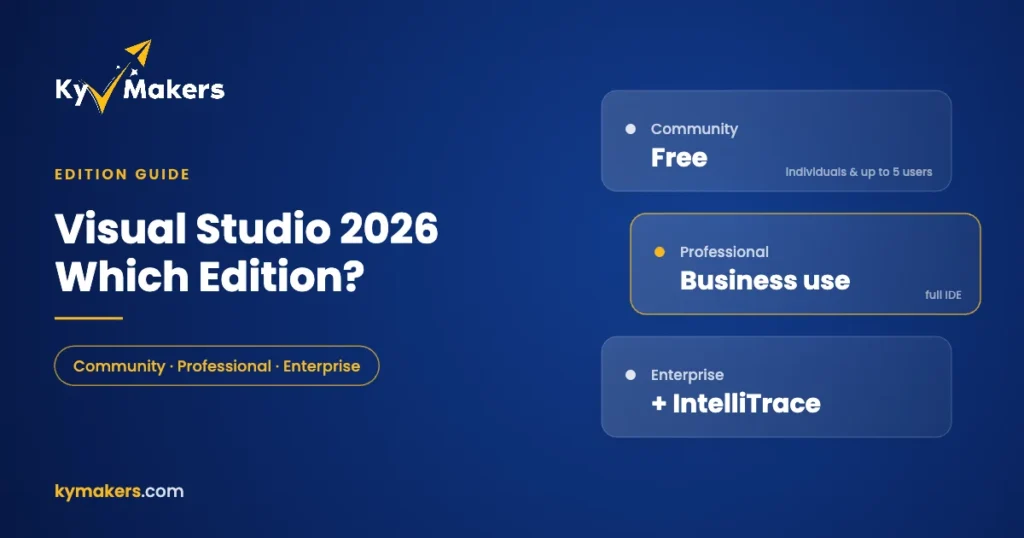
It still comes in the same three editions: Community, Professional and Enterprise. The good news is that the choice is easier than the pricing pages make it look. For most developers it comes down to one licensing question and a short list of Enterprise-only tools.
The three editions at a glance
| Community | Professional | Enterprise | |
|---|---|---|---|
| Price | Free | Paid (standalone license or subscription) | Paid (mostly subscription) |
| Individual developers | Yes | Yes | Yes |
| Students, classrooms, academic research | Yes | Yes | Yes |
| Open-source projects | Yes | Yes | Yes |
| Small non-enterprise company | Up to 5 users | Yes | Yes |
| Enterprise organizations | No | Yes | Yes |
| Core IDE, debugging, unit testing, code coverage | Yes | Yes | Yes |
| Advanced debugging, testing and architecture tools | No | No | Yes |
Those rows come from Microsoft’s own edition comparison. The key point hides in the middle: Community and Professional have almost the same features. What separates them is who is allowed to use them.
Can you use Visual Studio Community for work?
Often, yes. Community is free for individual developers (including paid work), for classroom learning, for academic research and for open-source contributions. A company can also use it, as long as it isn’t an “enterprise” and no more than five people are using it.
Microsoft’s Community license terms define an enterprise as an organization, together with its affiliates, that has more than 250 PCs or users, or more than one million US dollars in annual revenue. Cross either line, or grow past five developers in a smaller company, and you need Professional or Enterprise.
That’s the real reason most businesses buy Professional. They don’t need extra features. They need the right license.
Professional vs Community: same tools, different license
Professional includes the full IDE that most developers use every day: CodeLens, refactoring, the standard debugger and profiler, the Performance and Diagnostics Hub, unit testing, code coverage, static code analysis, Live Share and .NET MAUI tooling. Community has all of those too.
So if you’re a freelancer or work at a small company today, you can use Community legally. Once you grow out of it, move to Visual Studio Professional 2026 and you lose nothing you were used to.
What Enterprise adds
Enterprise is where the extra features are. According to Microsoft’s comparison, these tools are Enterprise-only:
Debugging and diagnostics
- IntelliTrace, which records your app’s execution so you can step back through events after a failure.
- Snapshot Debugger for inspecting a live cloud app without stopping it.
- Time Travel Debugging (preview) for replaying a recorded process.
- .NET memory dump analysis and Code Map debugger integration.
- Tier Interaction Profiling in the performance tools, which shows time spent in database calls.
Testing
- Live Unit Testing, which runs affected tests in the background as you type.
- IntelliTest, which generates unit tests for your code.
- Microsoft Fakes, for isolating code under test from dependencies.
Architecture
- Architecture layer diagrams, architecture validation and live dependency validation, which flag code that breaks your intended layering as you write it.
- Code Clone detection, which finds duplicated logic across a solution.
- Creating Code Maps and dependency graphs. Community and Professional can only open them read-only.
If you work on a large, long-lived codebase with a team, hunt production bugs in cloud services, or lean on mocking frameworks, those tools save real time. A solo developer building a web API usually won’t miss any of them.
What’s new in Visual Studio 2026 for every edition
- Speed. Microsoft reports that large .NET solutions load to an interactive state faster than in VS 2022, and that UI hangs have been cut by more than half.
- AI built in. GitHub Copilot is integrated into the editor, the debugger and the profiler, with new C# and C++ agents. Copilot itself is billed separately by GitHub, and it has a free tier with usage limits.
- Full compatibility with VS 2022. Existing solutions open as they are, and Microsoft says the more than 4,000 extensions that work with VS 2022 also work with 2026.
- The IDE is separate from the build tools. You can update Visual Studio every month without being forced onto a new .NET or C++ toolchain.
- A refreshed interface and a new settings system.
Subscription or standalone license?
Microsoft sells Professional and Enterprise mainly as Visual Studio subscriptions, which bundle the IDE with extras such as Azure credits, dev/test pricing and access to Microsoft software for development. Since 1 December 2025, Microsoft has also offered a standalone Visual Studio 2026 Professional license through the Microsoft Store for developers who just want the IDE.
A product key from Kymakers is that second kind: it activates the IDE. It doesn’t include subscription benefits like Azure credits or the subscriber download portal. For most small teams that’s exactly the point. You pay once for the tool you use and skip the yearly renewal.
Which edition should you buy?
| Your situation | Edition |
|---|---|
| Student, hobbyist, open-source contributor | Community (free) |
| Freelancer or company with up to 5 developers, not an enterprise | Community, or Professional if you want a clear commercial license |
| Company over 250 PCs or $1M revenue, or more than 5 developers | Professional 2026 |
| Team using IntelliTrace, Live Unit Testing, Fakes or architecture validation | Enterprise 2026 |
Both keys are on our Visual Studio 2026 page.
Activating Visual Studio 2026 with a product key
- Download the Visual Studio 2026 installer for your edition from Microsoft and pick your workloads, such as ASP.NET, .NET desktop or C++.
- Open Visual Studio and go to Help > Register Visual Studio.
- Choose Unlock with a Product Key and enter the key from your Kymakers email.
Keys arrive within minutes of payment. If anything goes wrong, reply to the delivery email and our support team will help. Kymakers is operated by Makers Unity LLC, a Microsoft partner, and every key comes with a free replacement if it stops working through no fault of yours.
Setting up a development PC
Visual Studio runs on any edition of Windows 11, but developers usually want Pro for Hyper-V, Windows Sandbox and Remote Desktop. Our Windows 11 Home vs Pro guide explains why. If you work with databases, SQL Server 2022 Standard pairs naturally with Visual Studio. And for multi-socket workstations with huge amounts of RAM, see Pro for Workstations vs Pro.
Visual Studio 2026 editions: FAQ
Is Visual Studio 2026 free?
The Community edition is free for individuals, students, open-source work and small non-enterprise organizations with up to five users. Professional and Enterprise are paid.
What’s the difference between Visual Studio Professional and Enterprise?
Enterprise adds advanced debugging (IntelliTrace, Snapshot Debugger, Time Travel Debugging), testing tools (Live Unit Testing, IntelliTest, Microsoft Fakes) and architecture validation. The core IDE is the same.
Do I need Enterprise for code coverage?
Not any more. Microsoft now lists code coverage in all three editions.
Will my Visual Studio 2022 projects open in 2026?
Yes. Microsoft says VS 2026 is fully compatible with VS 2022 projects and extensions.
Is there a Visual Studio 2026 for Mac?
No. Microsoft retired Visual Studio for Mac on 31 August 2024. On a Mac, developers use VS Code or run Visual Studio in a Windows virtual machine.
Does a Visual Studio key include GitHub Copilot?
No. Copilot is a separate GitHub subscription, with a free tier you can try first.