Microsoft Access is the Office app most people have never opened, and the one a surprising number of small businesses quietly depend on. If you’ve found an old .accdb file on a shared drive, been asked to “update the database”, or noticed that Access only comes with certain editions of Office, you’ve probably wondered what it’s actually for.
The short answer: Access is a desktop database. It stores information in linked tables, lets you build simple data-entry screens and reports on top of them, and runs on a normal Windows PC without a server or an IT department. Here’s what that looks like in practice, when it beats Excel, and whether Access 2024 is worth buying.
What Access does, in plain English
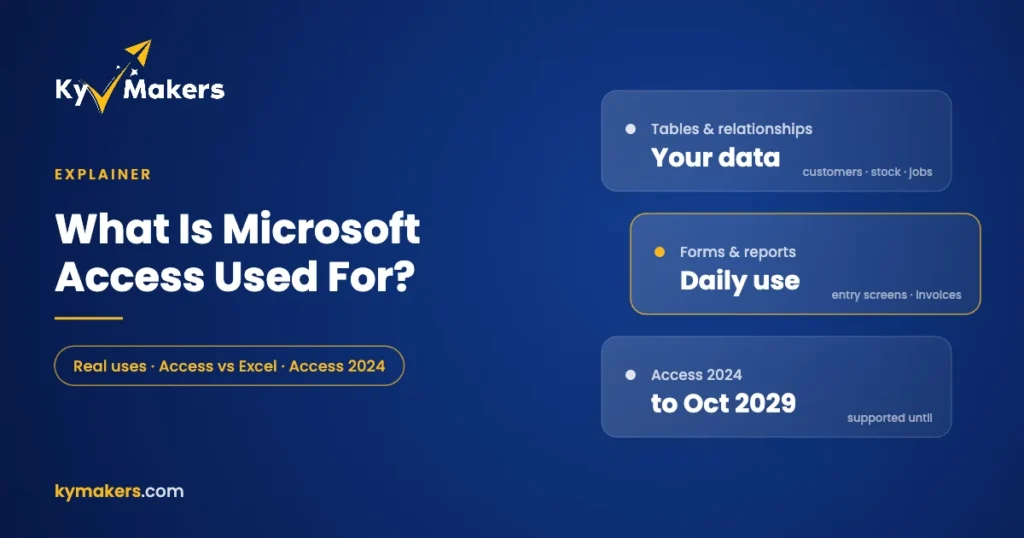
An Access database is a single file that holds four kinds of things:
- Tables hold the data, such as customers, products, orders or jobs, with rules about what each field can contain.
- Relationships link those tables, so an order knows which customer placed it and which products were on it, without typing the customer’s address twice.
- Forms are data-entry screens with drop-downs, date pickers and validation, so staff can’t put “N/A” in a price field.
- Queries and reports answer questions like “which customers haven’t ordered in six months?” and turn the answer into a printable report or invoice.
Behind all that sits VBA, the same macro language used in Excel, for anyone who wants to automate things. Many Access databases were built by someone in the office who was “good with computers” rather than by a developer, and that’s exactly what it was designed for.
Real examples of what people use Access for
- Stock and inventory. Items, suppliers, stock movements and reorder alerts for a shop, warehouse or workshop.
- Customers and orders. A lightweight CRM with order history, quotes and printable invoices.
- Jobs and work orders. Trades businesses tracking jobs, engineers, parts used and time spent.
- Asset registers. IT equipment, vehicles or tools, who has them and when they’re due for service.
- Membership and bookings. Clubs, charities and churches managing members, subscriptions and events.
- School and training records. Courses, attendance and results.
- Lab and research data. Samples, test results and the reports that come out of them.
- A front end for bigger databases. Access can connect to SQL Server or Microsoft Dataverse and act as the forms-and-reports layer on top.
Access vs Excel: when a spreadsheet stops being enough
Most Access databases start life as a spreadsheet that got out of hand. Here’s when it’s time to switch:
| Stick with Excel when… | Move to Access when… |
|---|---|
| You have one list of things | You have several lists that relate to each other |
| One person edits the file | Several people enter data at the same time |
| You mostly calculate and chart | You mostly record, look up and report |
| A few thousand rows | Hundreds of thousands of rows |
| Typos don’t matter much | Data needs validation and consistent entry |
If you see the same customer typed five different ways in a spreadsheet, or two people overwriting each other’s changes in a shared workbook, that’s an Access problem waiting to be solved.
What Access isn’t good at
- Macs. Access is Windows only. There’s no Mac version.
- The web. Access web apps were retired years ago. An Access database runs on desktops, not in a browser.
- Large teams. A database on a shared network drive works well for a small team. If dozens of people need it at once, keep the data in SQL Server and use Access as the front end.
- Very large data. A single Access database file is limited to 2 GB.
What’s new in Access 2024
Microsoft’s “What’s new in Access 2024” page lists these improvements:
- Modern charts, with ten new chart types including waterfall, funnel, box and whisker, and word cloud.
- A new SQL editor with syntax highlighting, auto-complete and formatting.
- The Edge browser control, so a form can show a live web page.
- The Dataverse connector for linking Access to Microsoft’s Power Platform.
- Digital signing for VBA code, so signed databases can run under strict macro security settings.
- Higher limits. Up to 4,096 open tables (from 2,048) and 512 connections (from 256).
- Small time-savers, like opening a query straight into SQL View from the navigation pane.
Access 2024 is supported until 9 October 2029. Access 2021 reaches end of support on 13 October 2026, so if you’re buying today, 2024 is the version to get.
How to get Access
Access isn’t in every version of Office, which catches a lot of people out. It is not included in Office Home, Office Home & Business or Office Standard. You can get it three ways:
| Option | Best for |
|---|---|
| Access 2024 on its own | You already have Office and just need Access |
| Office 2024 Professional Plus | You need Access plus Word, Excel, PowerPoint and Outlook |
| Office 2024 Professional Plus, 5 PCs | A small team sharing one database |
| Microsoft 365 Business Standard or Premium | You prefer a monthly subscription |
For older databases or older PCs, Access 2021 is also available, but keep its October 2026 end-of-support date in mind. Our Office 2024 edition comparison shows exactly which editions include Access, and you’ll find every option in Microsoft Access keys.
Is Microsoft Access being discontinued?
Not as far as anyone knows. Microsoft hasn’t announced any plan to retire Access, and it’s still adding features in Access 2024 and Microsoft 365. It’s a mature product that changes slowly, which is exactly what you want from the thing holding your business records.
Microsoft Access: FAQ
What is Microsoft Access used for?
Building small databases on Windows: tracking customers, stock, jobs, assets or members, with forms for data entry and reports for printing.
Is Access included in Office 2024?
Only in Office 2024 Professional Plus. Home, Home & Business and Standard don’t include it. You can also buy Access 2024 on its own.
Can I use Access on a Mac?
No. Access only runs on Windows. Mac users sometimes run it in a Windows virtual machine.
Will my old Access database open in Access 2024?
Databases in the .accdb format from Access 2007 onward open normally. Very old .mdb files from Access 97 need converting first.
How many people can use an Access database at once?
It works well for a small team on a shared network drive. For larger teams, keep the data in SQL Server and use Access as the front end.
How long is Access 2024 supported?
Until 9 October 2029.