$42.00 Original price was: $42.00.$14.50Current price is: $14.50.
Instant email delivery — your key and download link arrive within minutes.
100% secure payments with SSL encryption via Stripe

Activates on Microsoft’s servers

Word, Excel and PowerPoint for home and school, paid for once.
| Edition | Office Home and Student 2019 for Windows |
| Apps included | Word, Excel, PowerPoint |
| Use rights | Personal, non-commercial use only |
| License term | Lifetime, single payment |
| Devices | 1 PC |
| Platform | Windows 10 or 11; not for Mac |
| Support status | Microsoft support ended Oct 14, 2025 |
| Delivery | Emailed, usually within minutes |
Office Home and Student 2019 is Microsoft’s entry-level desktop suite for families and learners. This listing gives you one genuine product key that installs and activates Word 2019, Excel 2019 and PowerPoint 2019 on a single Windows 10 or Windows 11 PC. It is licensed for personal, household and school work, it is paid for once, and it never asks for a renewal. The apps live on your computer, so homework, budgets and slide shows open even when the Wi-Fi is down.
Two honest caveats come with it. First, Office 2019 reached the end of Microsoft support on October 14, 2025, and the suite no longer gets security patches. Second, the license excludes commercial use, so it is not meant for running a business, freelancing or invoicing clients. If either point rules it out, the alternatives further down this page cover both situations.
Three: Word, Excel and PowerPoint, the programs most students and households reach for every day.
Outlook, Access and Publisher are not part of this edition. Most families already use web-based email, and few home users need a database. If you do want those programs, Office 2019 Professional Plus includes all seven desktop apps.
No. Microsoft licenses Home and Student for non-commercial use, meaning personal projects, schoolwork and household tasks. Producing invoices, client deliverables or anything you are paid for falls outside that license, even if you work alone from home. For commercial use on a supported suite, Office 2024 Home and Business adds Outlook, permits business use and receives updates until October 2029. If you need business rights on a budget and accept an older version, Office 2019 Professional Plus also allows commercial work.
| Home and Student 2019 | Professional Plus 2019 | Office 2024 Home and Business | |
|---|---|---|---|
| Apps | Word, Excel, PowerPoint | Word, Excel, PowerPoint, Outlook, OneNote, Access, Publisher | Word, Excel, PowerPoint, Outlook, OneNote |
| Commercial use | No | Yes | Yes |
| Microsoft support | Ended Oct 14, 2025 | Ended Oct 14, 2025 | Until Oct 9, 2029 |
| Platform | Windows 10/11 | Windows 10/11 | PC or Mac |
| Best for | Homework and household tasks on a budget | Budget users who need Outlook, Access or Publisher | Freelancers and small businesses |
For a household that mainly writes and calculates, Home and Student 2019 does the job with the smallest commitment. Families who want a suite that stays patched until 2029 should look at the 2024 line, and our guide to the best Microsoft Office for home use compares every option. If your computer is still on Windows 8.1 or Windows 7, Office 2019 will not install there; Office 2016 Home and Student supports those systems.
Yes. Home and Student is a one-time purchase rather than a subscription, so the license for this 2019 version does not expire, there is no yearly fee, and Word, Excel and PowerPoint keep working for the life of the PC. What lifetime does not include is a jump to future releases: Office 2021 or 2024 would need a new key. Reinstalling on the same computer after a Windows reset is fine. Read how to buy Microsoft Office without a subscription for a wider look at one-time licenses.
One. Each key activates Word, Excel and PowerPoint on a single Windows PC, and after activation the license stays with that computer. A family with a desktop and a laptop therefore needs two keys, one for each machine. Reinstalling on the original PC, for example after replacing its drive or resetting Windows, does not use up the license. If you are equipping several computers and also need Outlook or Access, the Office 2019 Professional Plus 5 PC pack bundles five keys in one order.
Yes, and this is one of its practical strengths. You need an internet connection to download the installer and to activate the key once. After that, Word, Excel and PowerPoint run entirely from your hard drive, so you can write, calculate and present on a train, in a library with weak Wi-Fi or on a PC that you deliberately keep offline. Saving to OneDrive is optional; files can live in your Documents folder or on a USB stick.
Microsoft’s support for every Office 2019 suite ended on October 14, 2025. In practice your Word, Excel and PowerPoint apps carry on exactly as before, but newly found security holes will not be patched. On a student or family PC, sensible habits keep the risk low: leave Windows Update and Microsoft Defender switched on, open attachments only from people you know, and keep macros disabled in downloaded files. If the computer is shared by children who download lots of files, a supported suite is the more comfortable choice.
For coursework it covers the essentials: Word handles essays and citations, Excel handles lab data and statistics, and PowerPoint handles presentations, all in the file formats teachers expect. Before buying, check whether your school or college already gives you Microsoft 365 through your student email, since many institutions do. If it does not, or once you graduate and that access ends, a one-time key like this keeps your files editable without a monthly bill. Our article on Microsoft Office for students explains the choices, including free ones.
| Component | Minimum |
|---|---|
| Operating system | Windows 10 or Windows 11 (not Windows 7/8.1, not macOS) |
| Processor | 1.6 GHz or faster, 2-core |
| Memory | 4 GB RAM for 64-bit, 2 GB for 32-bit |
| Disk space | 4 GB available |
| Display | 1280 × 768 or higher |
| Internet | Needed to download, install and activate |
This is a Windows-only edition. Mac owners should browse our Microsoft Office for Mac range instead, where each license is built for macOS.
Microsoft 365 Personal and Family are subscriptions: you pay every year and get the latest apps on several devices, plus OneDrive cloud storage. Home and Student 2019 costs a single payment for one PC and includes no cloud storage, which suits a desktop used mainly for school and paperwork. Over three or four years the one-time license is usually far cheaper, while the subscription wins if you also need Office on phones, tablets and Macs. Our breakdown of one-time Office vs Microsoft 365 compares the two models in detail.
Yes, when the seller is accountable. Our store belongs to Makers Unity LLC, a Microsoft partner, and every key comes with free activation support, a free replacement if it ever stops working through no fault of yours, and a 180-day refund if the key has not been redeemed. To hold any store to the same standard, read is it safe to buy cheap Microsoft license keys?.
| Product | Microsoft Office Home and Student 2019 product key |
| Apps | Word 2019, Excel 2019, PowerPoint 2019 |
| License | Lifetime, one-time purchase, 1 PC, non-commercial use |
| Platform | Windows 10 or Windows 11 |
| Support status | Microsoft support ended October 14, 2025 |
| Activation | Online via your Microsoft account or inside an Office app |
| Delivery | Key, download link and setup guide by email, typically in minutes |
More 2019 suites are listed in our Microsoft Office 2019 category, and how it works at Kymakers explains each step of an order.
Still deciding? Our guides cover Office 2016 and 2019 end of support and which Office 2024 edition to buy.
Look in your inbox for the email with your Home and Student 2019 key and download link. Uninstall any older Office first, then pick one of the two installation methods.
A message saying the key belongs to a different product usually means a Professional Plus or Microsoft 365 installer was used; remove it and install Home and Student instead. If activation still fails online, pick phone activation when the wizard offers it (our Get Confirmation ID tool makes that part easier), or answer your delivery email and we will walk you through it for free.
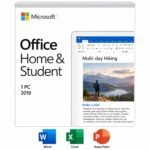 Microsoft Office 2019 Home and Student Product Key – Lifetime License | 1 PC
Sorry, no reviews match your current selections
$42.00 Original price was: $42.00.$14.50Current price is: $14.50.
One-Time Payment · No Subscription
$42.00 Original price was: $42.00.$14.50Current price is: $14.50.





The license arrived in my inbox before I’d even closed the browser tab. The order page was clear about what I was buying, no surprises at checkout. Found Kymakers through a quick search and I’m glad I did. The product activated right away and hasn’t given me trouble since. I was pleasantly surprised by how simple this was. Bookmarking this for the next time I need a license.
Simple, fast, and it just worked. On top of that, the key landed in my inbox within minutes of paying, and the order page was clear about what I was buying, no surprises at checkout. Already recommended this to a coworker.
I’ve bought a few keys online before and this was the smoothest. I had it fully set up before my coffee got cold. It ran smoothly alongside everything else I already had installed. Would order again in a heartbeat.
Couldn’t be happier with how this went. Everything played nicely with my other programs right away. Reached out to support once and they responded quickly and helpfully. The price point made this an easy decision. Would happily go through this whole process again.
I’ve had bad luck with third-party keys before, but not this time. It integrated with the rest of my software without a hitch. This won me over as a repeat customer.