$22.49
Instant email delivery — your key and download link arrive within minutes.
100% secure payments with SSL encryption via Stripe

Activates on Microsoft’s servers

Word, Excel, PowerPoint and OneNote for homework and home admin, paid once.
| Edition | Microsoft Office Home and Student 2016 for Windows |
| Apps included | Word, Excel, PowerPoint, OneNote (no Outlook) |
| License term | Lifetime, one-time payment |
| Devices | 1 Windows PC |
| Use | Home and school only, not business |
| Platform | Windows 11, 10, 8.1 or 7 SP1 |
| Activation | Via setup.office.com and a Microsoft account |
| Delivery | By email, usually within minutes |
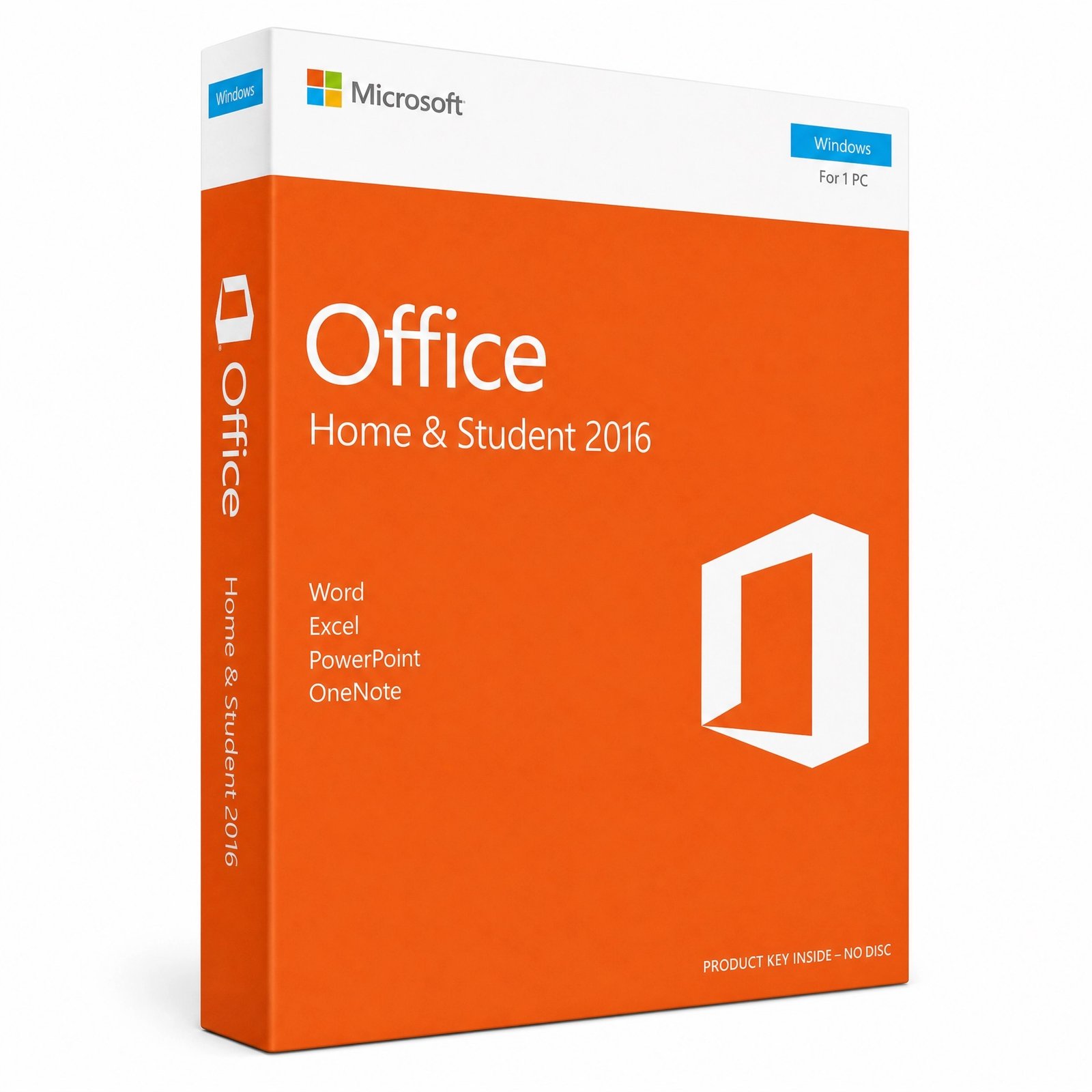
Microsoft Office Home and Student 2016 is the classic family edition of Office: Word, Excel, PowerPoint and OneNote installed on one Windows PC and licensed for non-commercial use. This page sells a genuine product key for it. You redeem the key on Microsoft’s setup site with a free Microsoft account, install the apps from Microsoft’s servers, and they stay activated on that computer with no subscription and no renewal reminders.
Be clear about the age of this edition before you order. Office 2016 left Microsoft support on October 14, 2025, so it no longer receives security updates. It remains a fully working, offline-capable suite and one of the lowest-cost ways to get genuine Office onto a child’s laptop, an older family desktop or a PC that still runs Windows 7 or 8.1. Families on Windows 10 or 11 who want years of updates should look at the newer editions we compare further down.
Four desktop apps, each the full Windows version rather than a web or mobile edition:
Outlook, Access and Publisher are not part of Home and Student. If you need a desktop email program, see the comparison below.
Yes. Office Home and Student 2016 is a perpetual license: you pay once, and the apps stay activated on the PC you install them on, with no yearly fee. After you redeem the key it is attached to your Microsoft account, which is how you download Office again after resetting the same PC. The license covers one PC, and it never upgrades itself to Office 2019, 2021 or 2024; a newer version requires a new purchase.
Activation happens on Microsoft’s side when you redeem the key. At setup.office.com you sign in to a Microsoft account, type the 25-character key and pick your language; Microsoft then records Office Home and Student 2016 in that account and offers the installer. Because the license lives in your account, you do not need the key again to reinstall on the same PC, and the product stays listed under Services & subscriptions. Use an account you plan to keep, ideally a parent’s personal account rather than a school account that may be deleted when a student leaves. The exact clicks are in the How to Download tab.
Yes. Word, Excel and PowerPoint 2016 use the same .docx, .xlsx and .pptx formats as Office 2024 and Microsoft 365, so assignments started on a school computer open normally at home. A few newer elements degrade gracefully: a spreadsheet built with recent functions such as XLOOKUP shows errors once it recalculates, and the Morph transition in newer PowerPoint plays as a simple fade. For typical essays, worksheets and slide decks you will not notice any difference.
| Edition | Outlook | Business use | Windows | Microsoft support |
|---|---|---|---|---|
| Office 2016 Home and Student (this key) | — | — | 7 SP1 to 11 | Ended Oct 14, 2025 |
| Office 2019 Home and Student | — | — | 10 and 11 | Ended Oct 14, 2025 |
| Office 2024 Home and Business | ✔ | ✔ | 10, 11 or Mac | Until Oct 9, 2029 |
| Office 2016 Professional Plus | ✔ | ✔ | 7 SP1 to 11 | Ended Oct 14, 2025 |
For a supported family suite on a modern PC, Office 2024 Home and Business adds Outlook, permits business use and receives updates until October 9, 2029. If you want to stay on 2016 but need Outlook, Access or Publisher, choose Office 2016 Professional Plus. Office 2019 Home and Student is one version newer, yet it needs Windows 10 or 11 and is also out of support, so it only beats 2016 if your files depend on Office 2019 features. Our guide to the best Microsoft Office for home use walks through every choice.
No. Microsoft licenses every Home and Student edition for personal use and excludes commercial, nonprofit and revenue-generating activities. Schoolwork, household paperwork and hobby projects are fine. Running a business, freelancing, or doing paid work on the PC requires a commercial license such as Home and Business or Professional Plus, so a home-based freelancer who invoices clients from the family computer should skip this edition.
Very likely. Office 2016 asks for far less than current Windows releases, which is why it is popular for older family hardware:
| Component | What Office Home and Student 2016 needs |
|---|---|
| Windows | Windows 7 SP1, 8.1, 10 or 11 |
| Processor | 1 GHz or faster with SSE2 support |
| Memory | 2 GB RAM |
| Free disk space | 3 GB |
| Screen | 1280 × 800 or higher |
| Account and internet | Microsoft account and internet to redeem and install |
Laptops from the Windows 7 era usually meet these numbers comfortably. If yours is still on Windows 7, remember that Windows itself stopped receiving updates in January 2020, so keep web browsing and email on that machine to a minimum.
It is safe to use with sensible habits, but it is not updated anymore. Since October 14, 2025, Microsoft has not fixed newly found security flaws in Office 2016, and the main risk comes from booby-trapped documents sent by email or downloaded from the web. Leave Protected View switched on so downloaded files open read-only, don’t click Enable Editing or Enable Content on files you were not expecting, and keep Windows and your antivirus up to date. For a computer that mostly writes homework and opens your own files, those steps keep the risk small.
Microsoft 365 Family is a yearly subscription for up to six people, with the latest apps, Outlook and 1 TB of OneDrive storage per person. A family with several computers and phones that relies on cloud storage may get good value from it. A household that needs Office on one PC and saves files locally pays for features it never opens. This key is a single payment at the price at the top of this page, and once activated, Office works without an internet connection. Read how to buy Microsoft Office without a subscription for a side-by-side view.
Yes. Kymakers is run by Makers Unity LLC, a Microsoft partner, and every key activates on Microsoft’s own servers. If you change your mind before redeeming the key, our 180-day refund policy for unredeemed keys applies. A key that stops working through no fault of yours is replaced free, and you can reply to your delivery email at any point for activation help. Our checklist on buying Microsoft keys safely works for any store.
| Product | Microsoft Office Home and Student 2016 product key |
| Apps | Word, Excel, PowerPoint, OneNote |
| License | Lifetime, one-time purchase, 1 Windows PC |
| Permitted use | Personal, household and school use; no commercial use |
| Platform | Windows 7 SP1, 8.1, 10, 11 |
| Activation | Redeem at setup.office.com with a free Microsoft account |
| Support status | Microsoft support ended October 14, 2025 |
| Delivery | Email with key and instructions, usually within minutes |
See every 2016 edition in our Office 2016 category, or check how Kymakers orders work.
Office Home and Student 2016 installs from Microsoft’s own servers once you redeem the key from your delivery email against a free Microsoft account.
If setup stops because a different Office version is present, remove it with our SetupProd_OffScrub.exe guide; Home and Student 2016 uses Microsoft’s Click-to-Run installer, explained in what is Microsoft Office Click-to-Run. If setup.office.com says the key was already used, sign in with the account you redeemed it on. For anything else, reply to your delivery email and we will help you finish the activation.
Sorry, no reviews match your current selections
$22.49
One-Time Payment · No Subscription
$22.49



Key was delivered super fast, maybe 5 minutes after checkout. Product activated successfully. No errors, no drama. Happy to recommend this to friends.
Received the code pretty quickly after the payment went through. Activation was straightforward — entered the key and it went through first try. The team answered my query quickly and clearly. Already recommended it to a colleague.
Very happy with how this went. Product activated successfully. No errors, no drama.
Received the code pretty quickly after the payment went through. Followed the instructions on the site and it activated without problems. The team answered my query quickly and clearly. Would buy from kymakers again.
Delivery was quick. Had the code in my email before I even made a coffee. Activation was straightforward — entered the key and it went through first try. Support team was helpful when I had a quick question before buying. Happy to recommend this to friends.