Windows 11 Education is one of those editions people stumble across in a product list and assume must be a cut-down version of Windows for students. It’s actually the opposite. Education is built on Windows 11 Enterprise, the edition big companies use, and it has more features than Pro, not fewer.
Here’s how it compares with Pro, who it’s meant for, and how to move a PC onto it.
Windows 11 Education vs Pro: the short version
| Windows 11 Pro | Windows 11 Education | |
|---|---|---|
| Based on | Pro | Enterprise |
| Intended for | Professionals and small businesses | Schools, students and staff |
| BitLocker, Hyper-V, Remote Desktop, domain join | Yes | Yes |
| Credential Guard and advanced Defender protection | No | Yes |
| Multi-app kiosk mode | No | Yes |
| Education themes | No | Yes |
| Diagnostic data can be fully turned off | No (Required minimum) | Yes |
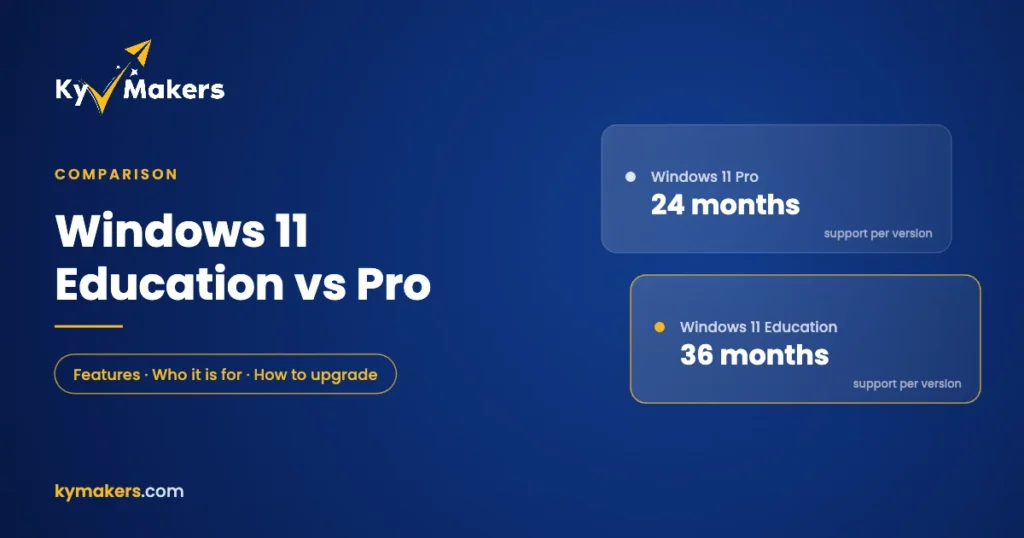
| Support per yearly feature update | 24 months | 36 months |
| Hardware requirements | Windows 11 standard | Same as Pro |
The feature rows follow Microsoft’s own comparison of Windows 11 Pro with Education and Enterprise. In everyday use, Education looks and feels exactly like Pro. The extra pieces are about security and management.
What Education adds over Pro
Enterprise-grade security
Education includes Credential Guard, which isolates login secrets so malware can’t easily lift them, and integrates with Microsoft Defender’s advanced threat protection used by large organizations. For schools with thousands of student logins, that’s a meaningful layer.
Classroom tools
Schools can lock a PC down to a curated Start menu of approved apps with multi-app kiosk mode, and use education themes designed for student devices. Both are management features you won’t miss on a home PC.
More privacy control
On Pro, the lowest diagnostic data level is “Required”. Education, like Enterprise, can be set to send none. For schools with strict data-protection rules, that matters.
Longer support for each version
Microsoft supports each yearly Windows 11 feature update for 24 months on Home and Pro, and for 36 months on Enterprise and Education. IT teams get an extra year before they have to move to the next version.
Windows 11 Education vs Pro Education
There’s also an edition called Windows 11 Pro Education, which is a Pro-based version that often comes preinstalled on school laptops. It has the education-friendly defaults but not the Enterprise features. Schools with the right Microsoft 365 licenses can step Pro Education up to full Education automatically through subscription activation.
Who Windows 11 Education is for
Microsoft licenses Education for academic use: schools, colleges and universities, and their students, teachers and staff. Schools usually get it through Microsoft’s academic licensing programs.
For students and teachers who want the fuller edition on their own laptop, a Windows 11 Education key is the simplest route. If you’re a business or a home user with no school connection, the right license is Windows 11 Pro, or Windows 11 Enterprise if you want the same Enterprise-grade security that Education has. Windows 11 Enterprise vs Pro explains the difference.
Moving from Home or Pro to Education
You don’t need to reinstall. Microsoft documents an in-place upgrade from Windows Home to Education for student-owned devices, and Pro works the same way:
- Back up your files, just in case.
- Open Settings > System > Activation.
- Choose Change product key and enter your Education key.
- Windows applies the new edition and restarts. Your files and apps stay where they were.
Education has the same hardware requirements as any Windows 11 edition: TPM 2.0, Secure Boot and a supported processor. If you’re unsure about your PC, run our Windows 11 requirements check first.
Is Education better for gaming or performance?
No. Games, drivers and apps run the same on Education as on Pro or Home. The differences are all in security, management and privacy controls. If a gaming PC is all you need, our Windows 11 price guide shows the cheapest legitimate way to get Pro.
Windows 11 Education: FAQ
Is Windows 11 Education better than Pro?
It has more features, because it’s based on Enterprise. For everyday use they feel identical. The extras are security and management tools.
Can I upgrade Windows 11 Home to Education without reinstalling?
Yes. Enter the Education key under Change product key and Windows switches editions in place.
Does Windows 11 Education include Office?
No. Office is separate. Many schools provide Microsoft 365 to students, or you can buy Office 2024 Professional Plus. See our Office for students guide for the options.
Is Windows 11 Education a subscription?
Through a school’s agreement it can be. A product key from Kymakers is a one-time license for one PC.
Does Education get updates for longer?
Each yearly feature update is supported for 36 months on Education, compared with 24 months on Pro.