Windows 11 — Microsoft’s Most Advanced Operating System
Windows 11 represents a major leap forward from previous Windows generations, combining a modern, centered interface with deep performance and security improvements. Released as the successor to Windows 10, it was designed to be more user-friendly and intuitive, introducing a redesigned Start Menu, rounded window corners, and smarter multitasking tools like Snap Layouts and Snap Groups that let you organize multiple windows with a single click.
Beyond aesthetics, Windows 11 is built for the hardware of today and tomorrow — better optimized for multi-core processors and SSD storage, resulting in faster boot times, quicker app launches, and smoother overall performance compared to Windows 10 on the same hardware.
Security Built Into the Core
Windows 11 mandates TPM 2.0 (Trusted Platform Module) and Secure Boot at the hardware level, creating a much stronger defense against firmware-level attacks, ransomware, and unauthorized access than previous Windows versions. Combined with Windows Hello biometric sign-in, Microsoft Defender, and virtualization-based security, Windows 11 is the most secure consumer version of Windows Microsoft has ever released.
Windows 11 Editions Compared
| Edition | Ideal For | Key Extras |
|---|
| Home | Personal/family use | Core apps, Microsoft Store, basic security |
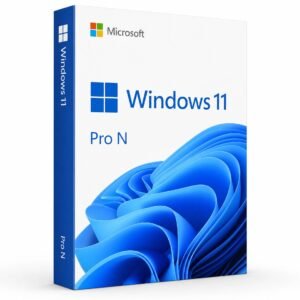
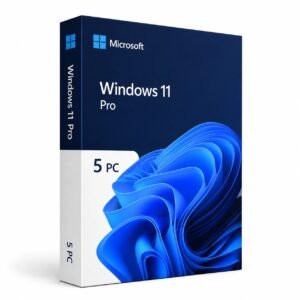
| Pro | Freelancers, small business | BitLocker, Remote Desktop, Hyper-V, Group Policy |
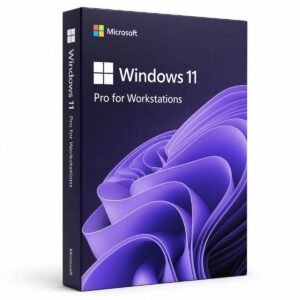
| Pro for Workstations | Power users, engineers | Support for high-end CPUs, ReFS, extra RAM support |
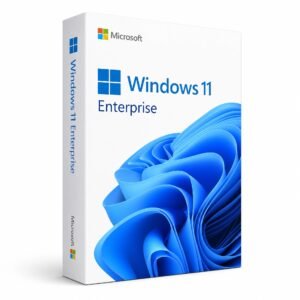
| Enterprise | Large organizations | Advanced device management, AppLocker, Credential Guard |
| Education | Schools & universities | Classroom tools, academic pricing |
Step-by-Step: How to Install and Activate Windows 11
- Buy Your Key — Select Home, Pro, or another edition based on your needs.
- Instant Email Delivery — Receive your product key within minutes.
- Check System Requirements — Confirm TPM 2.0, Secure Boot, and a compatible processor via the PC Health Check app.
- Download the Installer — Use the Media Creation Tool or Installation Assistant from Microsoft.
- Install Windows 11 — Follow the setup wizard for a clean install or in-place upgrade.
- Activate — Go to Settings > System > Activation and enter your key.
- Update Your System — Run Windows Update immediately after activation to install the latest security patches.
What’s New Compared to Windows 10?
Windows 11 introduces Snap Layouts, a redesigned Microsoft Store, integrated Microsoft Copilot for AI-assisted tasks, Android app support (region-dependent), and a unified Widgets panel — all while maintaining broad compatibility with the software and peripherals you already use on Windows 10.
System Requirements at a Glance
- 1 GHz or faster processor with 2+ cores on a compatible 64-bit CPU
- 4 GB RAM minimum
- 64 GB storage minimum
- TPM version 2.0
- UEFI, Secure Boot capable
- DirectX 12 compatible graphics
Why Choose Kymakers for Windows 11?
- Genuine, Microsoft-authenticated product keys
- Instant delivery — no waiting
- One-time payment, lifetime activation
- Step-by-step installation support from our team
- Competitive pricing versus retail and other resellers
Frequently Asked Questions
Is Windows 11 better than Windows 10? Yes — it offers a more modern interface, improved performance on compatible hardware, stronger built-in security, and longer future support from Microsoft.
Can I upgrade to Windows 11 without losing my data? Yes, as long as your device meets the minimum system requirements, you can upgrade directly while keeping your files, apps, and settings intact.
What if my PC doesn’t have TPM 2.0? Some older devices can have TPM enabled through BIOS/UEFI settings; if your CPU is unsupported, a clean install may still be possible using workarounds, though it’s not officially recommended by Microsoft.
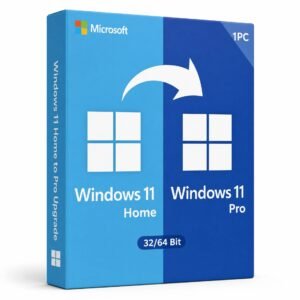
What’s the difference between Windows 11 Home and Pro? Pro includes business-focused features like BitLocker encryption, Remote Desktop, Hyper-V virtualization, and domain join, while Home is designed for personal, everyday use.
Can I install Windows 11 on a virtual machine? Yes, Windows 11 can run in a virtual machine, though TPM 2.0 emulation may need to be enabled depending on your virtualization software.
Does Windows 11 support all my old Windows 10 software? Most applications that run on Windows 10 will run on Windows 11 without issue, though it’s always good practice to check compatibility for specialized or older software.
How often does Windows 11 receive updates? Windows 11 receives regular feature updates roughly once a year, along with monthly security patches through Windows Update.
Is a digital license the same as a product key? Not exactly — a digital license is tied to your Microsoft account or hardware and doesn’t require manual key entry, while a product key is a 25-character code you enter manually to activate.