Choosing the best Microsoft Office for home use comes down to one question most buying guides skip: do you want to pay once, or pay every year? Answer that and the shortlist collapses from a dozen confusing product names to two or three real options.
This guide covers what each home edition actually includes, what it costs over five years, and which one fits the way you genuinely work — whether that is school assignments, household budgets, or running a small business from the kitchen table.
The Short Answer
- Most households: Office 2024 Home & Business — Word, Excel, PowerPoint and Outlook, one payment, no renewal.
- Students and simple use: Office 2019 Home & Student — Word, Excel and PowerPoint only, cheapest entry point.
- Home office or freelance work: Office 2021 or 2024 Professional Plus — adds Access and Publisher.
- Multiple family members on several PCs: a 5-PC licence rather than five single ones.
If you want the reasoning rather than the verdict, keep reading.
One-Time Purchase vs Microsoft 365
Microsoft sells Office two ways, and this is the single decision that matters most.
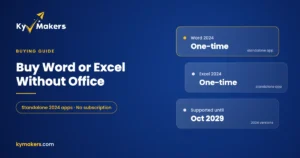
A perpetual licence — Office 2019, 2021, or 2024 — is bought once and yours permanently. It never expires, never asks for a card, and keeps working if you cancel nothing. What you give up is feature updates: the version you buy is the version you keep, plus security patches.
A Microsoft 365 subscription bills annually, includes 1 TB of OneDrive storage per person, and continuously adds features. Stop paying and the apps drop to read-only.
Over five years the maths is not close. A one-time Office licence typically costs less than two years of a family subscription. Unless you specifically need the cloud storage or want every new feature the moment it ships, the perpetual licence is the better value for home use. We break the comparison down further in our guide to Office one-time purchase vs Microsoft 365.
What Each Home Edition Includes
Home & Student — Word, Excel, PowerPoint. No Outlook. Fine for coursework, letters, and household spreadsheets. The cheapest legitimate way into Office.
Home & Business — everything in Home & Student plus Outlook. If you want your email in a desktop app rather than a browser tab, this is the edition you want, and it is the one most households should buy.
Professional Plus — adds Access (databases) and Publisher (layout and print design), plus the full Excel toolset including Power Pivot. Overkill for casual use, genuinely useful if you run anything resembling a business.
Version numbers matter less than edition. Office 2024 has a cleaner interface and better performance on modern hardware, but a 2021 licence runs the same core Word and Excel most people use daily. Our Office 2021 vs Office 2024 comparison covers exactly what changed, and our rundown of every MS Office version puts the whole timeline in order.
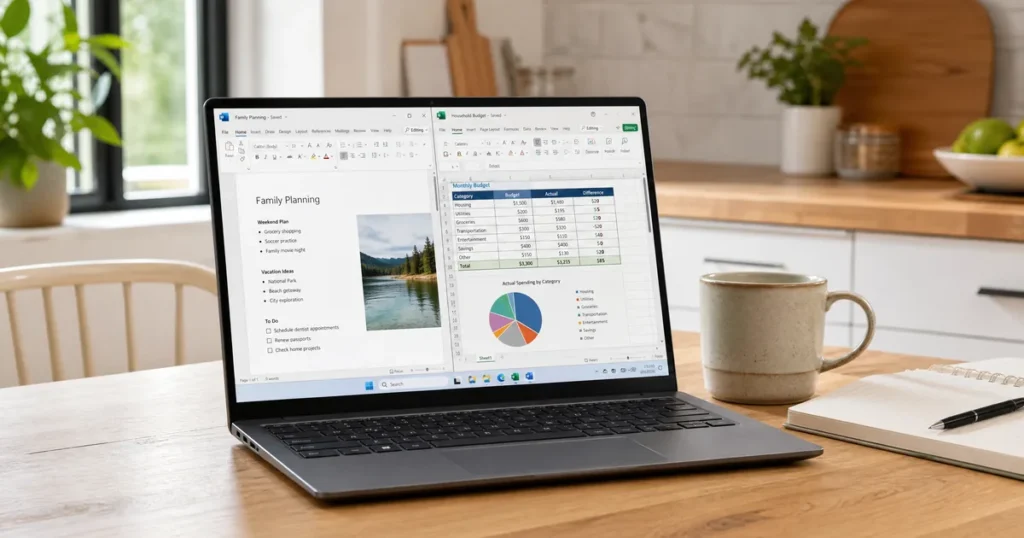
I Just Bought a New Laptop and Need Word and Excel
This is the most common situation we see, and new HP, Dell, and Lenovo laptops all create the same confusion.
Your new machine almost certainly shipped with a trial — a Microsoft 365 shortcut sitting in the Start menu that stops working after a month and then nags you to subscribe. That trial is not a licence, and letting it lapse does not damage anything.
To get Word and Excel permanently, do this:
- Uninstall the preinstalled Microsoft 365 trial from Settings > Apps. Leaving it there causes activation conflicts later.
- Buy a perpetual Office licence — Office 2024 Home & Business if you want Outlook too, or Office 2019 Home & Student if Word, Excel and PowerPoint are enough.
- Download the installer from Microsoft directly, install, and enter your key when prompted.
The whole process takes about fifteen minutes on a decent connection, and you never see a renewal prompt again.
Best Microsoft Office Version by Household Type
A family with school-age children. Home & Student on a multi-PC licence. Coursework needs Word and PowerPoint, and nothing in the pricier editions changes that. An Office 2019 Home & Student key covers it at the lowest cost per seat.
A household that lives in email. Home & Business, for Outlook. Managing several addresses in one desktop app beats juggling browser tabs, and Outlook works offline.
Someone freelancing or running a side business. Professional Plus. Access handles client and inventory records properly, Publisher produces print-ready material without a design subscription, and Excel gains the analysis tools the lighter editions omit.
A Mac household. Editions differ on macOS — Professional Plus does not exist there, so Home & Business is the ceiling. See our notes on Microsoft Office for MacBook before buying.
What to Watch Out For When Buying
Office keys are sold everywhere, and the market has genuine traps in it.
A retail licence can be moved to a new computer when you replace your machine. An OEM licence is bound permanently to the first PC it activates on. For a home buyer who upgrades hardware every few years, that difference is worth real money — our explainer on OEM vs retail licences covers the detail.
Be wary of prices that make no sense. Volume keys sold as retail, region-locked keys sold as worldwide, and keys resold to dozens of buyers all deactivate eventually. We wrote honestly about where the line falls in is it safe to buy cheap Microsoft license keys.
Microsoft’s own installation guidance is the authoritative reference for getting the software onto your machine once you have a key.
Questions & Answers
What is the best Microsoft Office for home use in 2026?
Office 2024 Home & Business for most households — it includes Word, Excel, PowerPoint and Outlook for a single payment. Drop to Home & Student if you do not need Outlook, or step up to Professional Plus if you need Access and Publisher.
Which Microsoft Office version is best if I only need Word and Excel?
Home & Student. It is the cheapest edition that includes both, and adding Outlook or Access costs more for apps you would not open.
Can I use one Office licence on more than one computer?
A standard licence covers one PC. For several machines, buy a 5-PC licence — it works out considerably cheaper per device than buying five singles.
Do I need Microsoft 365 to use Word and Excel?
No. A perpetual Office licence gives you the full desktop apps permanently with no subscription. Microsoft 365 adds cloud storage and rolling feature updates, which many home users never use.
Will an older Office version still work in 2026?
Yes. Office 2019 and 2021 both run normally on Windows 11 and open modern file formats. Office 2016 and earlier are out of support, so they no longer receive security updates — worth knowing before choosing one.
Is the Office trial on my new laptop worth keeping?
Only if you intend to subscribe. Otherwise uninstall it before installing a perpetual licence, as leaving it in place is a common cause of activation errors.
Why Buy From Kymakers
- Genuine Microsoft licences that activate on Microsoft’s own servers
- Instant delivery — key and download link by email within minutes
- One payment, lifetime licence, no renewals
- Installation and activation support from real people
- Money-back guarantee if a key does not work