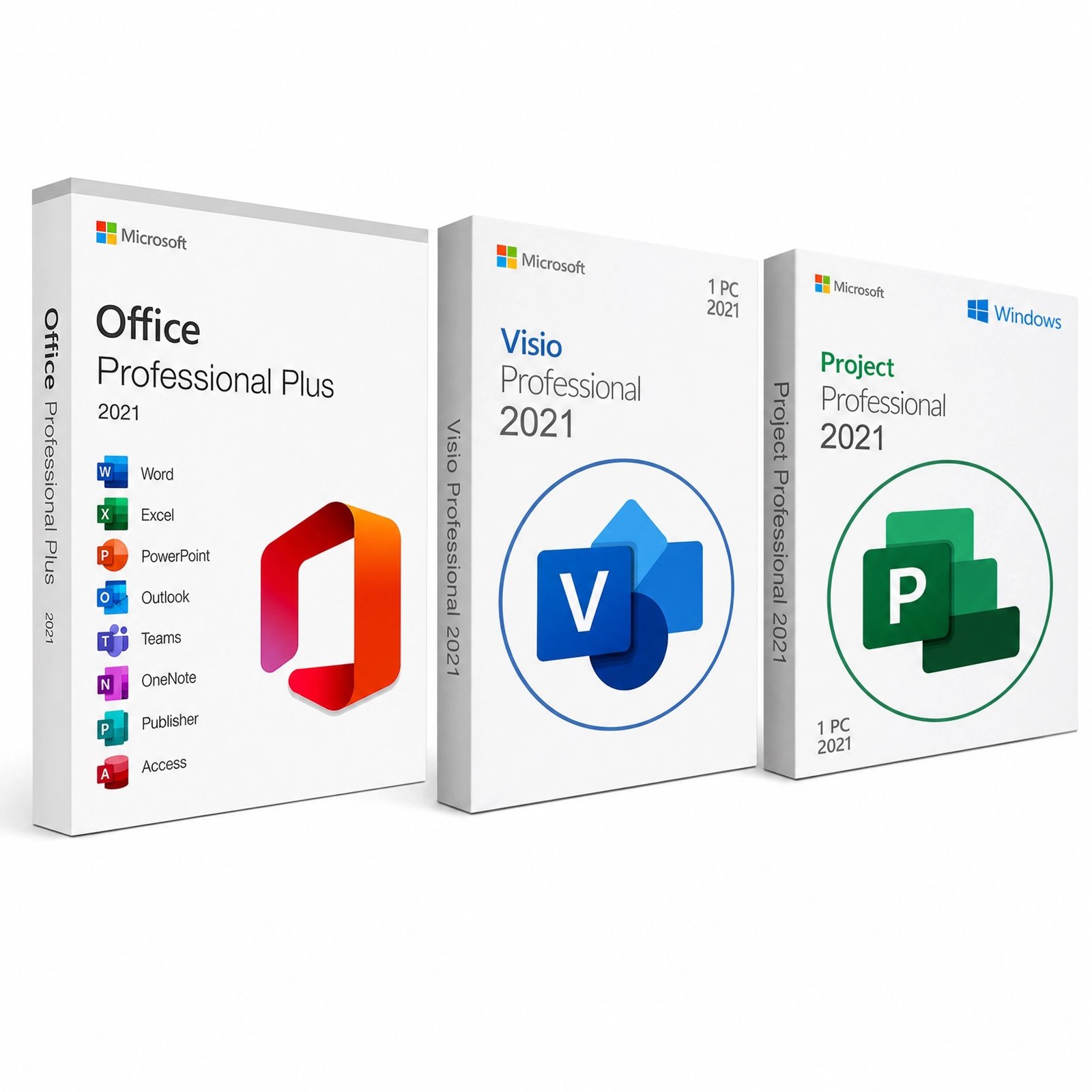
$111.00 Original price was: $111.00.$21.99Current price is: $21.99.
Instant email delivery — your key and download link arrive within minutes.
100% secure payments with SSL encryption via Stripe

Activates on Microsoft’s servers

Three keys for Office, diagrams and project schedules on one PC.
| Bundle | Office 2021 Pro Plus, Visio 2021 Professional, Project 2021 Professional |
| Keys | 3 genuine product keys, one per product |
| Devices | 1 Windows PC for all three |
| License term | Lifetime, one-time payment |
| Platform | Windows 10 or 11 |
| Microsoft support | Ends Oct 13, 2026 (apps still run) |
| Delivery | Keys and install guide by email |
This bundle delivers Office 2021 with Visio and Project as three separate genuine product keys: one for Office 2021 Professional Plus, one for Visio Professional 2021 and one for Project Professional 2021. All three install on the same Windows PC, so a single workstation gets the full Office suite plus Microsoft’s desktop tools for diagrams and project schedules. Each key is a one-time purchase, so the whole toolkit is paid for once instead of through three subscriptions.
Neither Visio nor Project is part of any Office suite, and that is the gap this bundle fills. It suits the person who writes the proposal in Word, models costs in Excel, draws the process or network in Visio and then plans the delivery in Project. One date applies to all three products: Microsoft support for the 2021 versions ends on October 13, 2026.
All three 2021 products share Microsoft’s support calendar, so they leave support together on October 13, 2026. Diagrams, schedules and documents keep opening after that date and the keys keep activating; what stops is the flow of security patches and bug fixes. For a planning workstation that also handles daily email, the Office 2024 + Visio + Project 2024 bundle is the longer-lived option, supported until October 9, 2029. The 2021 bundle still makes sense for a defined project, a PC that is mostly offline, compatibility with clients on the 2021 tools, or Publisher, which only the 2021 suite includes. Read Office 2021 end of support for the full picture.
Visio is Microsoft’s diagramming application. Instead of drawing boxes and arrows by hand in PowerPoint, you drag shapes from purpose-built stencils that snap, connect and re-route themselves as the drawing changes. Visio Professional 2021, the edition in this bundle, covers:
Professional is the edition to have, because Visio Standard lacks data linking, BPMN, UML and many technical stencils. If diagrams are all you need, the standalone Visio 2021 Professional key is also available.
Microsoft Project is a scheduling and resource-planning tool, and Project Professional 2021 is a full desktop application that installs on your PC rather than running in a browser. You enter tasks, durations and dependencies, and Project calculates the timeline for you. Its core capabilities:
People often ask whether Microsoft Planner is the same thing. It is not: Planner is a lightweight task board inside Microsoft 365, while Project Professional handles dependencies, budgets and resources across long schedules. Microsoft has folded Project for the web into Planner, but the desktop Project Professional app continues. Our article on Microsoft Planner vs Project explains which tool fits which job, and the standalone Project 2021 Professional key is there if you only need scheduling.
No. Office 2021 Professional Plus, Office 2024 and the consumer Microsoft 365 plans do not include the desktop Visio Professional or Project Professional applications; Microsoft sells them separately or as add-on subscriptions. That is why many buyers end up placing three orders. This bundle combines the three into one checkout, with one delivery email and one support contact.
| Option | What you get | Support until | Good to know |
|---|---|---|---|
| This 2021 bundle | Office 2021 Pro Plus + Visio 2021 Pro + Project 2021 Pro, 3 keys | Oct 13, 2026 | Includes Publisher; one order |
| Separate 2021 keys | Office 2021 Pro Plus, Visio 2021 and Project 2021 bought one by one | Oct 13, 2026 | Buy only the parts you are missing |
| 2024 bundle | Office 2024 Pro Plus + Visio 2024 + Project 2024 | Oct 9, 2029 | Newest features; no Publisher |
If you already own a licensed Office suite, buying only the Visio or Project key avoids paying for Office twice. Otherwise the bundle is the simpler route. For the differences between the two Office generations, see Office 2021 vs Office 2024.
Colleagues without Visio cannot edit .vsdx drawings in the desktop app, but you can share the result in formats anyone opens: save a diagram as PDF, PNG or SVG, or paste it straight into a Word report or PowerPoint deck from the same bundle. Project plans work the same way, exporting to PDF for stakeholders or to Excel for further analysis. Visio 2021 and Project 2021 also open files created in earlier versions such as 2016 and 2019, so older drawings and schedules carry over.
| Component | Requirement |
|---|---|
| Windows | Windows 11 or Windows 10 |
| Processor | Dual-core, 1.1 GHz or faster |
| Memory | 4 GB RAM for 64-bit; more helps with large schedules |
| Disk space | 4 GB minimum; allow extra room for all three products |
| Display | 1280 × 768 or higher |
| Permissions | Administrator rights to run the Office Deployment Tool |
The three products must be the same generation and installed the same way. A PC that already has Microsoft 365 apps should have them removed first, otherwise setup may refuse to mix versions; Office Click-to-Run explained explains why.
Each of the three keys is a perpetual license for its 2021 product. There are no renewals, and reinstalling on the same workstation is fine. The bundle is sized for one PC, with all three apps running side by side. The keys do not upgrade to the 2024 releases, and “lifetime” refers to the license, not to Microsoft’s update schedule, which ends in October 2026.
Three keys in one order means three chances for something to go wrong, so check what happens after the sale. The store behind this page is Makers Unity LLC, a Microsoft partner. If any of the three keys stops working through no fault of yours, we replace it free; keys you have not redeemed can be refunded within 180 days under our refund and returns policy; and our team helps you activate each product. The independent checklist in is it safe to buy cheap Microsoft license keys? is worth a read before buying from any store.
| Products | Office Professional Plus 2021, Visio Professional 2021, Project Professional 2021 |
| Keys | Three genuine product keys, one per product |
| License | Lifetime keys, one-time purchase, all on 1 Windows PC |
| Platform | Windows 11 or 10, installed with the Office Deployment Tool |
| Support | Microsoft security updates end October 13, 2026 for all three |
| Delivery | By email with the install guide, usually within minutes |
| Help | Free activation support for each product |
Browse more in our Visio & Project category, or see how ordering works at Kymakers.
Still deciding? Our guides cover Visio Standard vs Professional and Project Standard vs Professional.
Your email holds three product keys plus our guide. Microsoft’s Office Deployment Tool installs all three products in one pass, and you then activate each with its own key.
Open Command Prompt as administrator in the Office folder (usually C:\Program Files\Microsoft Office\Office16) and run cscript ospp.vbs /dstatus to see the status of each license. Re-enter any missing key with cscript ospp.vbs /inpkey: followed by the key, then run cscript ospp.vbs /act. If Microsoft 365 was installed before, remove it and re-run the configuration; SetupProd_OffScrub.exe deals with stubborn leftovers and the Get Confirmation ID tool helps when phone activation is offered. Reply to your delivery email if anything still fails.
Sorry, no reviews match your current selections
$111.00 Original price was: $111.00.$21.99Current price is: $21.99.
One-Time Payment · No Subscription
$111.00 Original price was: $111.00.$21.99Current price is: $21.99.





Really happy with this purchase. Activation was straightforward — entered the key and it went through first try.
Received the code pretty quickly after the payment went through. Product activated successfully. No errors, no drama. Support team was helpful when I had a quick question before buying. Recommended.
It worked out in the end. The key took a little while to arrive, maybe 20 minutes, but it showed up. Probably use them again but with lower expectations on timing.
Pleasantly surprised by how smooth the whole thing was. For the price, this is a solid deal. It’s been reliable since day one. Happy to recommend this to friends.
Glad I went with kymakers for this. For the price, this is a solid deal. Everything works exactly as expected. Already recommended it to a colleague.