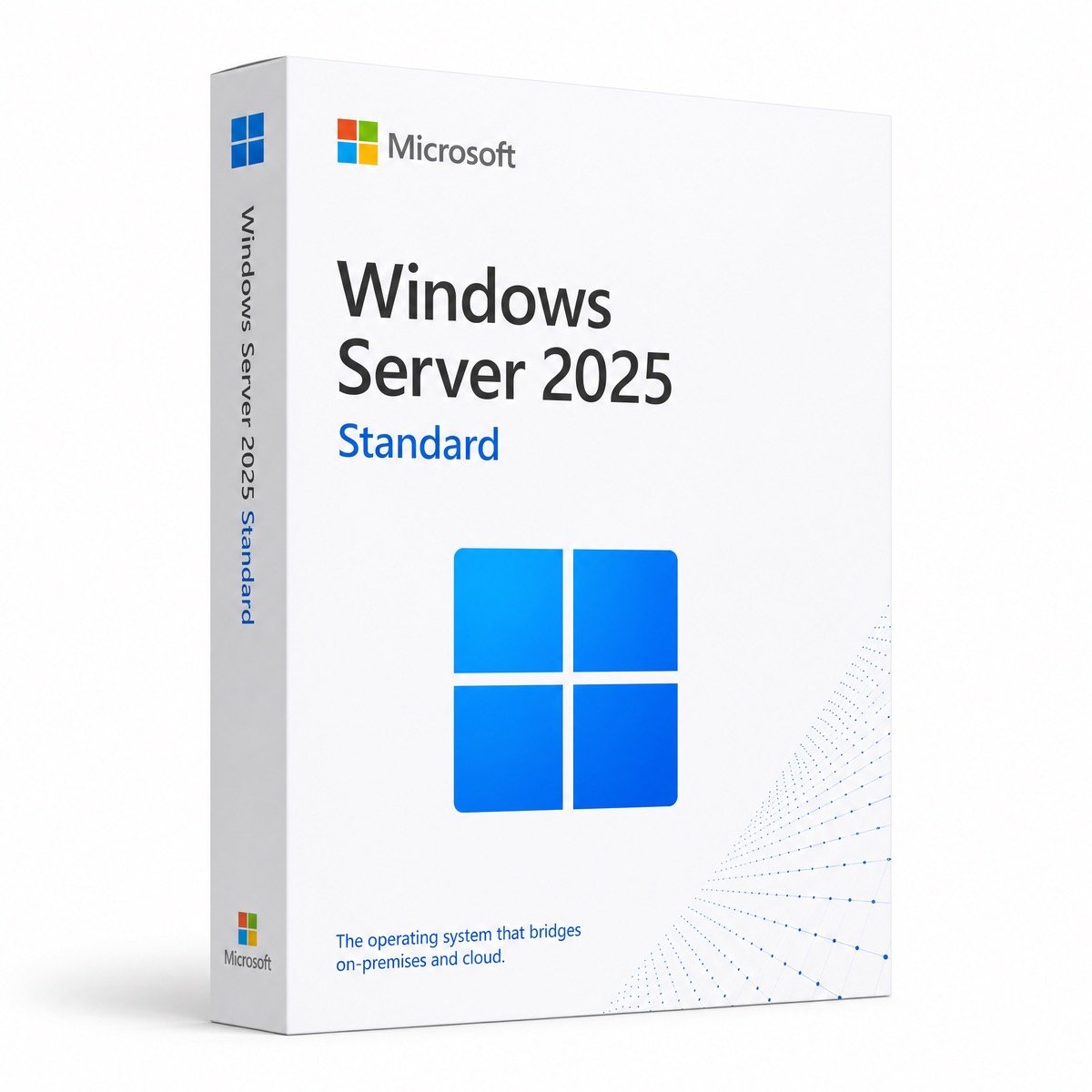
Microsoft Windows Server 2025 Standard – Product Key (Lifetime)

Original price was: $73.50.Current price is: $15.50.

-
+

Instant email delivery — your key and download link arrive within minutes.

  • Genuine Windows Server 2025 Standard key, lifetime license, no subscription
  • All core server roles plus Hyper-V with 2 Windows Server VMs
  • Email delivery in minutes; Microsoft support until November 2034

100% secure payments with SSL encryption via Stripe

Guarantee Safe Checkout​

Activates on Microsoft’s servers

Genuine Windows Server 2025 Standard Product Key – Lifetime License for 1 Server

The current Windows Server for one business server, licensed once, no subscription.

EditionWindows Server 2025 Standard (not Datacenter or Evaluation)
License termLifetime, one-time payment
Server1 physical server (host)
CoresPer-core licensing; 16-core minimum per server
VM rights2 Windows Server VMs per fully licensed host
VersionWindows Server 2025, 64-bit, Desktop Experience or Core
ActivationOnline, phone, or DISM from Evaluation
DeliveryBy email, usually within minutes

What you get

  • 25-character Windows Server 2025 Standard key
  • Official Microsoft ISO link
  • Install, DISM and slmgr guide
  • Free activation support

Standard features you unlock

  • Active Directory, DNS, DHCP, file and print roles
  • Hyper-V host with 2 Windows Server VMs
  • SMB over QUIC, now included in Standard
  • Hotpatching via Azure Arc (paid add-on)

Buy with confidence

  • 180-day refund on unredeemed keys
  • Free replacement if a key ever stops working
  • Operated by Makers Unity LLC, a Microsoft partner
Unsure between Standard and Datacenter? The Features tab compares both.

Windows Server 2025 Standard: What You Are Buying

This page sells a genuine Windows Server 2025 Standard product key: the 25-character code that activates Microsoft’s current general-purpose server operating system on one physical server. It is the edition most small and mid-sized businesses run on the machine in the comms cupboard or the rack, handling sign-in, shared folders, printers, internal websites and a couple of virtual machines. You pay once, there is no annual renewal, and the activated installation remains licensed for as long as you run it.

Your order email contains the key, a link to Microsoft’s official Windows Server 2025 ISO and our activation guide. You can install Desktop Experience (the full graphical desktop) or Server Core (the minimal, command-line installation). If you start from Microsoft’s free evaluation media, one DISM command converts it to the full Standard edition without a reinstall.

In short: a Windows Server 2025 Standard key from Kymakers is a lifetime license for Microsoft’s newest Standard edition. It covers one server with every core role, gives you the right to run two Windows Server virtual machines on that host, is supported by Microsoft until November 15, 2034, and arrives by email with free activation help.

What’s New in Windows Server 2025?

Windows Server 2025 is the long-term servicing release that followed Windows Server 2022, and the changes that matter most to a Standard buyer are about security, uptime and storage speed:

  • Hotpatching through Azure Arc: on servers connected to Azure Arc, many monthly security updates install without a restart. It is a separately billed Azure service, not part of the license.
  • Active Directory upgrades: a new domain and forest functional level, plus an optional 32k database page size that lifts long-standing limits in very large directories.
  • SMB over QUIC in Standard: secure access to file shares over the internet without a VPN, a feature previously limited to the Azure Edition.
  • Faster NVMe storage: a reworked storage stack gets noticeably more I/O out of NVMe SSDs than Windows Server 2022 on the same hardware.
  • Hyper-V and GPU partitioning: one physical GPU can be shared between several virtual machines, and Hyper-V gains higher scale limits.
  • Windows 11-style desktop: Desktop Experience now looks and works like Windows 11, so routine administration feels familiar.

Our Windows Server 2019 vs 2022 vs 2025 comparison lists the changes generation by generation.

Which Roles Does Windows Server 2025 Standard Include?

Standard is not a cut-down edition. Every core server role ships with it, and for a single business server it usually covers everything you need:

  • Active Directory Domain Services, DNS and DHCP for user accounts, sign-in and network addressing.
  • File and Storage Services and Print Services for shared drives, quotas, DFS namespaces and print queues.
  • Internet Information Services (IIS) for intranet sites, line-of-business web apps and APIs.
  • Remote Desktop Services for published desktops and RemoteApp programs (RDS CALs required).
  • Hyper-V, with the right to run two Windows Server guest operating systems.
  • Failover Clustering, Windows Server Update Services and management through Windows Admin Center.

Windows Server 2025 Standard vs Datacenter: Which Do You Need?

Choose Standard if the server runs mostly physical workloads or just a couple of virtual machines; choose Datacenter if it is a virtualization host for many Windows Server VMs or needs software-defined storage and networking.

CapabilityStandardDatacenter
Windows Server VMs per licensed host2Unlimited
Core roles (AD DS, DNS, DHCP, file, IIS, RDS)✔✔
Hotpatching via Azure Arc, SMB over QUIC✔✔
Storage Spaces Direct, Software-Defined Networking—✔
Automatic VM Activation (AVMA) host—✔
Typical buyerOffice server, small VM hostHyper-V clusters, private cloud

If you are leaning towards the bigger edition, see Windows Server 2025 Datacenter or read our Windows Server Standard vs Datacenter guide, which works through the virtual machine math step by step.

Which Windows Server Version Is Best: 2025, 2022 or 2019?

For a new deployment, Windows Server 2025 is the best choice because it has the longest remaining support and the newest security features; 2022 and 2019 make sense mainly when an application or an existing fleet requires them.

VersionMainstream support endsExtended support endsGood fit
Windows Server 2025November 14, 2029November 15, 2034New servers and hardware refreshes
Windows Server 2022October 13, 2026October 14, 2031Matching existing 2022 servers
Windows Server 2019Ended January 9, 2024January 9, 2029Software certified only for 2019

Mainstream support for Windows Server 2022 ends on October 13, 2026, after which it receives security fixes only. That gap is the main reason most of our business customers now start on 2025.

How Many Virtual Machines Can Windows Server 2025 Standard Run?

Two. When every physical core in the server is licensed, Standard lets you run two Windows Server virtual machines, and the physical installation may be used only to host and manage them. To run four Windows Server VMs you license all cores a second time, for six a third time, and so on. Linux guests do not count against the limit. The Windows Server 2025 Standard 16 Core page explains core counts and multi-license setups in more depth.

Who Should Buy Windows Server 2025 Standard?

  • Small businesses setting up a first domain that want central sign-in, Group Policy and shared folders on one machine.
  • Companies replacing a 2012 R2, 2016 or 2019 server that is running out of security updates or hardware warranty.
  • Accounting, ERP and practice-management users whose software vendor now supports Windows Server 2025.
  • IT providers building a small Hyper-V host with a domain controller VM and an application VM.
  • Home lab and certification students who want a properly licensed, long-supported server to learn on.

Do You Need CALs for Windows Server 2025 Standard?

Usually, yes. The product key licenses the server itself, while each user or device that authenticates to it needs a Windows Server Client Access License (CAL) of version 2025 or later. Anonymous public access, such as a website on IIS, does not need CALs. People who log on through Remote Desktop Services also need RDS CALs, for example our Windows Server 2025 RDS CAL 50 user pack. Our guides to Windows Server CALs and RDS CALs explain how to count them.

Windows Server 2025 Standard System Requirements

ComponentMinimumPractical recommendation
Processor1.4 GHz 64-bit CPU with SSE4.2 and POPCNT supportCurrent Xeon, EPYC or modern desktop-class CPU
Memory512 MB (Server Core) / 2 GB (Desktop Experience)16 GB or more for roles plus VMs
Storage32 GBSSD or NVMe, 120 GB+ for the system volume
NetworkGigabit Ethernet adapterTwo NICs for a Hyper-V host
Firmware and securityUEFI with Secure Boot; TPM 2.0 for BitLocker and other security featuresSame, enabled in firmware

Very old processors without SSE4.2 and POPCNT cannot run Windows Server 2025, so check the CPU first when you plan to reuse an older server.

Is Windows Server 2025 Ready for Production?

Yes. Windows Server 2025 became generally available on November 1, 2024, has received nearly two years of monthly cumulative updates, and is now the version Microsoft and most software vendors target for new deployments. As with any server upgrade, test your line-of-business applications and confirm vendor support first, especially for older accounting, backup or antivirus software.

Lifetime License or Pay-As-You-Go?

A Windows Server 2025 Standard key is a perpetual license: one payment, no renewal, and Microsoft security updates until November 15, 2034. Microsoft now also offers pay-as-you-go Windows Server billing through Azure Arc, which suits short projects but keeps charging for as long as the server runs. For a server you plan to keep for several years, the one-time license is normally the cheaper route. It does not include upgrade rights to a future Windows Server release, which would need a new license. You will find the current price for this key at the top of the page.

Is It Safe to Buy a Windows Server Key Online?

It is, as long as the seller still stands behind the key once the sale is done. Kymakers is run by Makers Unity LLC, a Microsoft partner, and every order includes a 180-day refund on keys that have not been redeemed, free replacement if a key stops working through no fault of yours, and activation help from people who know Windows Server. Our article on legit vs scam Windows keys lists the warning signs to look for at any store.

Windows Server 2025 Standard License Details

ProductMicrosoft Windows Server 2025 Standard product key
LicenseLifetime, one-time purchase, 1 server
VM rights2 Windows Server VMs per fully licensed host
InstallationDesktop Experience or Server Core, 64-bit
ActivationOnline, by phone, or DISM conversion from the Evaluation edition
SupportMicrosoft updates until November 15, 2034; free activation help from Kymakers
Not includedWindows Server CALs and RDS CALs (sold separately)

See every edition in our Windows Server 2025 category or read how ordering works at Kymakers.

Still deciding? Our guides cover Windows Server 2025 licensing explained and Windows Server 2022 end of life.

How to Download, Install and Activate Windows Server 2025 Standard

Your order email holds the Windows Server 2025 Standard key, the link to Microsoft’s ISO and our guide. Choose the path that matches your server.

A. Fresh install from Microsoft’s ISO, then convert with DISM (about 45 minutes)

  1. Download the Windows Server 2025 ISO from the Microsoft Evaluation Center (or use your volume-licensing media).
  2. Create a bootable USB stick (8 GB or larger) with a tool such as Rufus, or mount the ISO in your hypervisor if the server is a virtual machine.
  3. Boot from the USB or ISO, choose Windows Server 2025 Standard (Desktop Experience) for the full GUI or the plain Standard entry for Server Core, accept the license terms, pick Custom install and select the target disk.
  4. Set the Administrator password at first sign-in.
  5. Media from the Evaluation Center installs an evaluation edition. Open Command Prompt as administrator and run DISM /online /Get-CurrentEdition (it shows ServerStandardEval), then convert it: DISM /online /Set-Edition:ServerStandard /ProductKey:XXXXX-XXXXX-XXXXX-XXXXX-XXXXX /AcceptEula.
  6. Restart when prompted. Convert before you promote the server to a domain controller, because an evaluation domain controller cannot be converted.

B. Server already installed from full (non-evaluation) media

  1. Open Settings › System › Activation and click Change product key.
  2. Enter your 25-character Windows Server 2025 Standard key and click Next.
  3. Prefer the command line? Open Command Prompt as administrator, run slmgr /ipk XXXXX-XXXXX-XXXXX-XXXXX-XXXXX, then slmgr /ato.
  4. Confirm with slmgr /xpr; it should report that the machine is permanently activated.

C. Activation fails or shows an error

Check the installed edition first with DISM /online /Get-CurrentEdition: a Datacenter installation will not accept a Standard key. If online activation is blocked, run slui 4 to activate by phone and use our Get Confirmation ID tool if you need help with the Confirmation ID. Error codes are covered in activation error 0xC004F074 and Windows key not working?. Still stuck? Answer the delivery email and our team will get the server activated with you.
Before you buy
How quickly will I receive my Windows Server 2025 Standard key?
Normally within a few minutes of payment, at any hour. One email brings the key, the link to Microsoft’s Windows Server 2025 ISO and our installation guide; if it seems to be missing, look in your spam or junk folder.
Should I buy Windows Server 2025 or stay on 2022?
For a new server, 2025 is the better buy: Microsoft supports it until November 15, 2034, while Windows Server 2022 leaves mainstream support on October 13, 2026. Stay on 2022 only if an application vendor has not approved 2025 yet; the Windows Server 2022 Standard key is still available.
Is this a genuine Microsoft license?
Yes. It is a genuine Microsoft product key that activates through Microsoft’s activation servers, sold by Makers Unity LLC, a Microsoft partner. If it ever stops working through no fault of yours, we replace it at no cost.
Can I run virtual machines with Server 2025 Standard?
Yes: two Windows Server VMs per fully licensed host, with the physical installation used only to host and manage them. For more, license the cores again or move up to Windows Server 2025 Datacenter for unlimited VMs.
Do I need CALs with this key?
Yes, one Windows Server 2025 CAL for each user or device that signs in to the server; CALs are not included. Remote Desktop users also need RDS CALs, as explained in our Windows Server CAL guide.
Is the license a subscription?
No. It is a one-time purchase that keeps the server activated permanently, with Microsoft security updates until November 2034. It does not include a free upgrade to the next Windows Server version.
How is this different from the Standard 16 Core listing?
Both activate the same Windows Server 2025 Standard edition with identical roles and the same 2-VM right. The 16 Core listing is sold explicitly as Microsoft’s 16-core base license, so pick it when you need core coverage documented for a specific host; ask us if you are unsure.
Install, activation & troubleshooting
What’s new in Windows Server 2025?
The headline changes are hotpatching through Azure Arc, Active Directory improvements such as the optional 32k database page size, faster NVMe storage, SMB over QUIC in Standard, GPU partitioning in Hyper-V and a Windows 11-style desktop.
Can I upgrade in place from Windows Server 2022 or 2019?
Yes. Microsoft supports in-place upgrades to Windows Server 2025 from Windows Server 2012 R2 and later, keeping roles, files and settings. Take a full backup and check application support first; on new hardware a clean install followed by a migration is often tidier.
Should I install Desktop Experience or Server Core?
Desktop Experience gives you the full Windows 11-style desktop and is easiest for small teams; Server Core has no desktop, uses less disk and RAM and needs fewer patches. You choose during setup and cannot switch afterwards, and the same key activates both.
What is hotpatching and do I need it?
Hotpatching applies most monthly security updates in memory without a restart, so only the quarterly baseline updates need a reboot. On Windows Server 2025 Standard it requires connecting the server to Azure Arc and paying for the service; it is optional.
Will SQL Server run on Windows Server 2025 Standard?
Yes, SQL Server 2022 is supported on Windows Server 2025. It is licensed separately, for example with our SQL Server 2022 Standard key.
I installed from the Evaluation Center. Do I have to reinstall?
No. Convert the evaluation edition in place with DISM /online /Set-Edition:ServerStandard /ProductKey:your-key /AcceptEula and restart. Do it before the server becomes a domain controller.
What is your refund policy?
Any key you have not yet redeemed qualifies for a full refund for 180 days after purchase. Once activated, a working key is not refundable, but a key that stops working through no fault of yours is replaced; the details are in our refund policy.
Add a review
Microsoft Windows Server 2025 Standard – Product Key (Lifetime) Microsoft Windows Server 2025 Standard – Product Key (Lifetime)
Rating*
0/5
* Rating is required
Your review
* Review is required
Name
* Name is required
4.7
Based on 29 reviews
5
69
69%
4
28
28%
3
3
3%
2
0%
1
0%
1-5 of 29 reviews
  1. KL
    Reliable and Fast

    Typed in the code and it was verified almost instantly. I didn’t have to refresh my inbox more than once. My coworker recommended this and now I get why. This won me over as a repeat customer.

  2. JA
    Exactly as described

    Very happy with how this went. Saved a lot of money versus the official store price. The software runs perfectly, no issues to report. Happy to recommend this to friends.

  3. DM
    Painless Process

    I honestly wasn’t expecting it to be this easy. It integrated with the rest of my software without a hitch. Genuinely impressed with how this all went.

  4. EB
    Easy Activation

    This just worked, which sounds boring but is exactly what I wanted. Activation was seamless, exactly how it should be. The activation guide made the whole thing painless. Definitely worth it.

  5. TM
    Simple and Effective

    I’ve told two friends about this already. Activation was smooth, no popups or errors to deal with. The confirmation and license key arrived in the same email, no waiting around. I walked away from this purchase genuinely satisfied.

⚡ Instant Email Delivery — KEY IN MINUTES
Microsoft Windows Server 2025 Standard – Product Key (Lifetime)

Original price was: $73.50.Current price is: $15.50.

One-Time Payment · No Subscription​

-
+

Related products

Original price was: $73.50.Current price is: $15.50.