Windows 11 LTSC is the version of Windows 11 that most people never hear about until they go looking for a way around something. Maybe their PC fails the TPM check. Maybe they’re tired of a feature update rearranging the Start menu every autumn. Or maybe they’re setting up a kiosk that has to run, unchanged, for the next eight years.
For all of those, Windows 11 IoT Enterprise LTSC 2024 is worth a serious look. It’s supported until October 2034, it runs on hardware that regular Windows 11 refuses, and it comes without most of the extras. Here’s how it works and where the catches are.
What “LTSC” means in Windows 11
LTSC stands for Long-Term Servicing Channel. Microsoft takes one Windows release, freezes the features, and then delivers only monthly security and quality updates for the rest of its life. There are no yearly feature updates.
Windows 11 LTSC 2024 came out on 1 October 2024 and matches Windows 11 version 24H2. That means you get the modern Windows 11 basics: tabbed File Explorer, Snap layouts, Sudo for Windows, built-in 7-Zip and TAR support and the current Edge browser. It stays at that level for good.
LTSC also leaves out the parts of Windows that change constantly. The Microsoft Store and the Copilot app aren’t part of the install, and neither is most of the consumer software that comes with Home and Pro. You get a quiet, predictable desktop.
Enterprise LTSC vs IoT Enterprise LTSC
There are two editions of Windows 11 LTSC 2024. On screen they’re nearly identical. On paper they’re very different.
| Windows 11 Enterprise LTSC 2024 | Windows 11 IoT Enterprise LTSC 2024 | |
|---|---|---|
| Released | 1 Oct 2024 | 1 Oct 2024 |
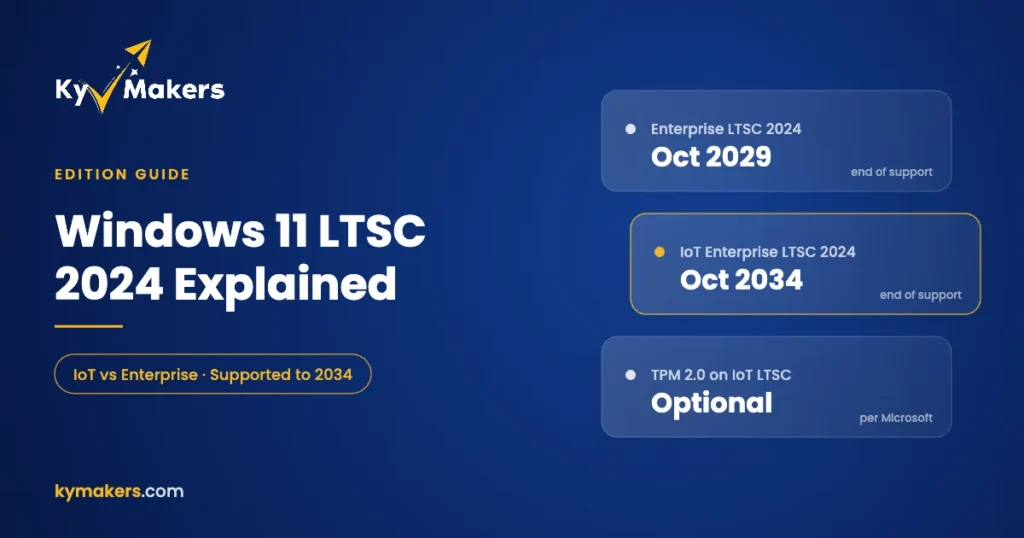
| Support ends | 9 Oct 2029 (5 years) | 10 Oct 2034 (10 years) |
| Based on | Windows 11 24H2 | Windows 11 24H2 |
| TPM 2.0 | Required | Optional |
| Secure Boot / UEFI | Required | Optional (legacy BIOS allowed) |
| Minimum RAM / storage | 4 GB / 64 GB | 2 GB / 16 GB (optional minimum) |
| How it’s sold | Volume licensing | Through device makers and distributors |
The IoT edition’s hardware figures come from Microsoft’s own Minimum System Requirements for Windows IoT Enterprise page. Microsoft lists a “preferred” set that matches normal Windows 11 and an “optional” set for specialized devices, and the optional set is where TPM 2.0 and Secure Boot become optional.
Why people run it on PCs that fail the Windows 11 check
Ordinary Windows 11 Home and Pro need TPM 2.0, Secure Boot and a supported processor, which rules out a lot of perfectly capable PCs from before 2018. IoT Enterprise LTSC 2024 doesn’t enforce those checks. A seventh-generation Intel desktop with an SSD and 8 GB of RAM can run it well and stay supported until 2034.
That’s a big deal for small offices and workshops with a few older machines that still do their job. Instead of replacing them, or running an unsupported Windows 10, you get a current, patched Windows 11 on hardware you already own.
One honest caveat. Microsoft designed IoT Enterprise for fixed-purpose devices like point-of-sale systems, kiosks, signage, medical and industrial equipment, and licenses it through device makers. Its LTSC documentation says plainly that LTSC isn’t meant for every PC in an organization. Lots of people use it on general-purpose desktops anyway, and it works, but go in knowing that’s not the scenario Microsoft built it for.
The trade-offs
- No Microsoft Store out of the box. Store-only apps, including the Xbox app and Game Pass, aren’t available the normal way. Regular desktop installers work fine.
- Frozen features. Whatever Microsoft adds to Windows 11 after 24H2 won’t come to LTSC 2024. If you want the newest features, LTSC is the wrong choice.
- Older hardware has limits. Without a TPM you can’t use some security features like full BitLocker with TPM protection or Windows Hello with hardware-backed keys. Software that checks for TPM, such as some anti-cheat systems, may refuse to run.
- Switching usually means a reinstall. Moving from Home or Pro to LTSC changes the servicing channel, so plan on a clean install and back up first.
LTSC vs regular Windows 11 Pro
| Windows 11 Pro | Windows 11 IoT Enterprise LTSC 2024 | |
|---|---|---|
| Feature updates | Every year | None, security updates only |
| Support | Rolling, as long as you take updates | Fixed, to 10 Oct 2034 |
| Microsoft Store and Copilot app | Included | Not included |
| TPM 2.0 / Secure Boot | Required | Optional |
| Best for | Everyday PCs, laptops, gaming | Single-purpose PCs, older hardware, locked-down setups |
| Kymakers key | Windows 11 Pro | Windows 11 IoT Enterprise LTSC 2024 |
If your PC passes the Windows 11 requirements and you use it for everything, Pro is the easier life. If you want to understand the edition differences in more depth, see Windows 11 Enterprise vs Pro.
Who should buy Windows 11 IoT Enterprise LTSC 2024
- Businesses with kiosks, tills, reception PCs or signage that must not change.
- Workshops and labs running machine-control or measurement software.
- Owners of older PCs that fail the Windows 11 check but still have plenty of life left.
- Anyone setting up a PC for a parent or relative who just wants it to stay the same.
It’s a poor fit for gaming PCs, for anyone who relies on Store apps, and for people who like trying new Windows features as they arrive.
Installing and activating LTSC 2024
LTSC isn’t offered through the regular Windows 11 Media Creation Tool, so the process is a little more hands-on:
- Download the Windows 11 IoT Enterprise LTSC 2024 ISO from Microsoft in your language.
- Write it to an 8 GB or larger USB stick with Rufus.
- Boot from the USB, choose a custom install, and skip the product key during setup.
- After setup, open Settings > System > Activation > Change product key and enter your key from the Kymakers email.
Keys arrive by email within minutes, with the official download link. If activation needs a hand, reply to the email and our support team will walk you through it. Every key is covered by a free replacement if it stops working through no fault of yours, and a 180-day refund if it hasn’t been redeemed.
What about Windows 10 LTSC?
Windows 10 IoT Enterprise LTSC 2021 is still supported until January 2032 and runs on even older hardware. If you’re choosing between the two for a PC that can handle Windows 11 LTSC, pick 2024. It gets two more years of support and a much more current base. Our Windows 10 LTSC 2021 guide covers when the older version still makes sense.
Windows 11 LTSC: FAQ
Does Windows 11 IoT Enterprise LTSC 2024 need TPM 2.0?
No. Microsoft lists TPM 2.0 and Secure Boot as optional for IoT Enterprise LTSC. Regular Windows 11 Enterprise LTSC 2024 still requires them.
How long is Windows 11 LTSC supported?
Windows 11 Enterprise LTSC 2024 until 9 October 2029. Windows 11 IoT Enterprise LTSC 2024 until 10 October 2034.
Can I add the Microsoft Store to LTSC?
It isn’t included, and Microsoft doesn’t officially support adding it. If you need Store apps, Windows 11 Pro is the better choice.
Does Office work on Windows 11 LTSC?
Yes. Office 2024 Professional Plus installs and activates normally.
Is Windows 11 LTSC faster than Pro?
It feels a little lighter because fewer apps run in the background, but the core of Windows is the same. Don’t expect a big benchmark difference.
Will there be a newer Windows 11 LTSC?
Microsoft has released a new LTSC version every two to three years. When one arrives, you can move to it with a new license, or stay on 2024 until its support ends.