Deciding to buy Windows Server is rarely the hard part. Working out which edition, how many core licences, and whether you also need CALs is where most people get stuck — and where overspending happens.
This guide walks through the licensing model in plain terms, so you buy exactly what your environment needs and nothing more.
Pick the Edition First
Standard covers most businesses. It includes rights to run two virtual machines (or two Hyper-V containers) on the licensed hardware. If you run a file server, a domain controller, and little else, Standard is the correct answer.
Datacenter costs considerably more and grants unlimited virtualisation rights on that hardware, plus Storage Spaces Direct and Software-Defined Networking. The break-even is roughly 12–14 VMs per host — below that, stacking Standard licences is cheaper; above it, Datacenter wins outright.
Essentials is a single-server, 25-user, 50-device edition for very small businesses. No virtualisation rights worth speaking of, but the cheapest legitimate entry point.
Our full breakdown of Windows Server Standard vs Datacenter works through the maths with real numbers.
Then Count Your Cores
Windows Server has been licensed per physical core since 2016, and the rules trip people up constantly:
- Every physical core in the server must be licensed.
- There is a minimum of 8 core licences per processor.
- There is a minimum of 16 core licences per server, even for a single 4-core CPU.
- Licences are sold in 2-core and 16-core packs.
So a dual-socket server with 10 cores per processor needs 20 core licences, not 16. A single-socket 6-core machine still needs the 16-core minimum. Getting this wrong is the most common licensing mistake we see, and it surfaces during audits rather than at install time.
Do Not Forget CALs
The server licence covers the server. It does not cover the people connecting to it. Every user or device accessing the server needs a Client Access Licence.
User CALs suit staff who connect from several devices — a laptop, a phone, a desktop. Device CALs suit shared machines used by multiple people across shifts. Count whichever number is lower.
Remote Desktop is licensed separately again: if users connect over RDS, they need an RDS CAL on top of the standard CAL. Our guides to Windows Server CALs and RDS CALs cover the counting in detail.
Which Version to Buy in 2026
Server 2025 is current, with support running well into the 2030s. It is the right choice for new deployments — hotpatching, better SMB security, and improved Active Directory.
Server 2022 remains fully supported and is often meaningfully cheaper. Sensible if you are matching an existing estate.
Server 2019 left mainstream support in January 2024. Extended support continues, but new purchases here rarely make sense — see Windows Server 2019 end of life and our 2019 vs 2022 vs 2025 comparison.
Ready to buy: Windows Server 2025 Standard for most businesses, or Windows Server 2025 Datacenter for dense virtualisation.
Where to Buy and What to Check
Windows Server licences come through the same channels as desktop Windows, and the same caution applies. Volume licences resold to individuals breach the agreement they were issued under and deactivate later, usually at the worst moment.
Before paying anywhere, confirm the listing states the licence type and core count, that CALs are priced separately and clearly, and that support exists if activation fails. Microsoft’s own activation error reference is worth keeping to hand.
Questions & Answers
How much does it cost to buy Windows Server?
It depends on edition and core count, not a single sticker price. A 16-core Standard licence covers a typical single or dual-socket server; Datacenter costs several times more for the same cores but removes VM limits. Add CALs on top of whichever you choose.
Do I need CALs if I buy Windows Server?
Yes, in almost every case. The server licence permits the software to run; CALs permit people to connect to it. The only common exception is a server reachable purely by anonymous external web traffic.
Can I buy Windows Server for a home lab?
Yes, and Standard is normally the right pick. The 16-core minimum applies even on small hardware, so budget for that rather than the core count you actually have.
Should I buy Windows Server 2022 or 2025?
2025 for anything new — the longer support runway is worth the difference. 2022 only if you need to match an existing estate or the saving is substantial.
Is Windows Server licensed per user or per core?
Both, in different ways. The server itself is licensed per physical core with 8-per-processor and 16-per-server minimums. The people connecting are licensed per user or device through CALs.
What happens if I under-licence the cores?
Nothing immediately — Windows installs and runs. The problem appears at audit, where the shortfall is billed retroactively, often with penalties. It is not a risk worth carrying to save a small amount upfront.
Why Buy From Kymakers
- Edition, core count and licence type stated plainly on every listing
- Genuine Microsoft licences activating on Microsoft’s servers
- Instant email delivery with download links included
- CALs and RDS CALs available alongside the server licence
- Real activation support and a money-back guarantee
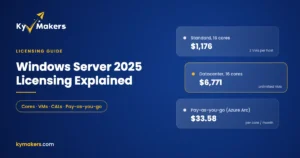
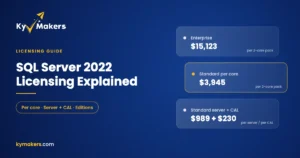
Before you buy, check what your hardware needs in Windows Server 2025 licensing explained, and if a database is part of the plan, SQL Server 2022 licensing explained.