Written by: Kymakers Support Team · Reviewed by: Kymakers Technical Team
Last updated: July 2026 · Applies to: Windows 10 Home, Windows 10 Pro
Difficulty: Buyer’s guide · Estimated time: 8 minutes
The short answer on Windows 10 Home vs Pro: both run the same core Windows, the same apps, and perform identically. Pro adds security, remote access, and business management tools — BitLocker, Remote Desktop hosting, Hyper-V, and Group Policy. If you don’t need at least one of those four, Home is enough and cheaper.
This guide covers the seven differences that actually matter, skips the ones that don’t, and answers the question most Windows 10 Home vs Pro comparisons ignore in 2026: whether you should be buying Windows 10 at all.
⚠️ First, the 2026 context
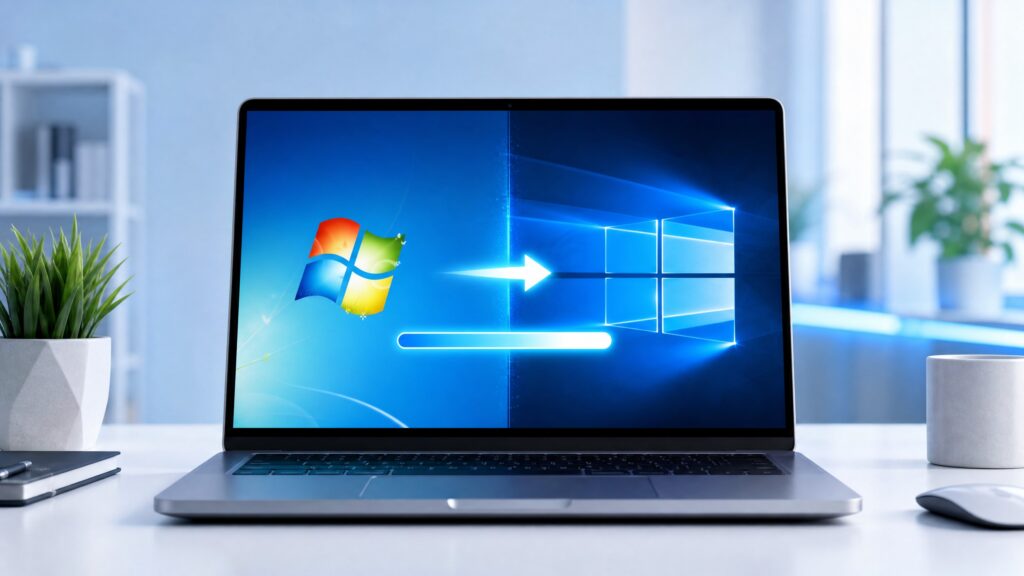
Windows 10 reached end of support on October 14, 2025. It still runs and still activates, but it no longer gets free security updates. Before choosing between Home and Pro, check whether your hardware can run Windows 11 — if it can, that’s the supported choice and the better long-term buy. If it can’t (common on pre-2018 machines), the comparison below applies, and Extended Security Updates are worth looking into.
Table of Contents
- What’s identical on both editions
- Difference 1: BitLocker drive encryption
- Difference 2: Remote Desktop hosting
- Difference 3: Hyper-V virtualisation
- Difference 4: Group Policy and domain join
- Difference 5: Update control
- Difference 6: Kiosk mode (Assigned Access)
- Difference 7: Hardware limits and price
- Full comparison table
- Which edition should you buy?
- FAQ
What’s Identical on Both Editions
Before the Windows 10 Home vs Pro differences, it’s worth knowing how much is the same — because it’s most of what you actually use.
Both editions share the same interface, Start menu, taskbar, Microsoft Store, Windows Security (antivirus, firewall, SmartScreen), Edge browser, and performance. Gaming is identical: same DirectX, same drivers, same frame rates. Office, browsers, and everyday applications behave exactly the same.
So if you’re expecting Pro to be a “better Windows” generally, it isn’t. It’s the same Windows with business and security tools added. Whether you need those tools is the entire decision.
Difference 1: BitLocker — the Biggest Windows 10 Home vs Pro Gap
The first of the Windows 10 Home vs Pro differences that genuinely matters for most people: BitLocker is Pro-only.
BitLocker encrypts your whole drive, so a lost or stolen laptop doesn’t hand over your files. Home includes a lighter “device encryption” on some hardware, but the full, manageable BitLocker is Pro.
If you carry client data, work documents, or anything sensitive on a laptop, this alone can justify Pro. If the PC sits at home with family photos on it, it probably doesn’t. Note that if you do enable BitLocker, keep your recovery key backed up — our guide on finding your BitLocker recovery key explains why that matters.
Difference 2: Remote Desktop Hosting
In the Windows 10 Home vs Pro comparison, both editions can connect to another PC — but only Pro can be connected to.
That’s the key distinction: Remote Desktop hosting lets you reach this specific PC from elsewhere — working from home into an office machine, or accessing your desktop while travelling. Home can’t act as the host.
If you need remote access into this computer, you need Pro. If you only ever connect out to other machines, Home is fine.
Difference 3: Hyper-V Virtualisation
Hyper-V, Microsoft’s built-in virtual machine platform, is another Windows 10 Home vs Pro split — it’s Pro-only. It matters to a specific group and to nobody else.
With Hyper-V you run a complete second operating system in a window — useful for developers, IT testing, or running legacy software in isolation. Home users can still use third-party virtualisation tools, but the native stack requires Pro.
If “virtual machine” means nothing to you, this difference doesn’t affect your decision.
Difference 4: Group Policy and Domain Join
This is the most business-focused of the Windows 10 Home vs Pro differences. Pro can join a Windows domain or Azure Active Directory and supports Group Policy for centralised management. Home cannot.
For a company managing dozens of PCs, this is essential — it’s how IT enforces consistent settings everywhere. For a single home machine, it’s irrelevant. This difference is the main reason workplaces standardise on Pro.
Difference 5: Update Control in Windows 10 Home vs Pro
Pro gives you meaningfully more control over when updates install. Through Windows Update for Business and Group Policy, Pro can defer feature updates and schedule installation windows.
Home installs updates on Microsoft’s schedule with limited deferral. For a home user that’s usually fine — arguably better, since it keeps the machine patched. For a business machine where an unexpected restart mid-presentation is a real problem, or where updates need testing before deployment, Pro’s control is worth having.
Difference 6: Kiosk Mode (Assigned Access)
Another Windows 10 Home vs Pro difference: Pro supports Assigned Access, which locks a PC into running a single application — the setup you see on public terminals, digital signage, and shop displays.
Niche, but decisive if you need it. If you’re deploying a machine for a single purpose in a public space, Pro is the only option of the two.
Difference 7: Windows 10 Home vs Pro Hardware Limits and Price
On paper, Pro supports more hardware: up to 2 physical CPUs (Home supports 1) and far more RAM (2TB for Pro, 128GB for Home).
For virtually every real PC, this never matters — 128GB of RAM and a single CPU cover essentially all home and gaming builds. It’s only relevant on workstation-class machines.
Which leaves price as the practical difference. Pro costs more, and everything above buys business and security features rather than a better everyday experience. In the Windows 10 Home vs Pro decision, that gap is the whole question: don’t pay it unless you’ll use a Pro feature. And if you buy Home now and later need Pro, an upgrade key costs less than a full Pro licence.
Full Comparison Table
| Feature | Home | Pro |
|---|---|---|
| Interface, Store, Edge | ✅ | ✅ |
| Windows Security (antivirus, firewall) | ✅ | ✅ |
| Gaming performance | Identical | Identical |
| BitLocker drive encryption | ❌ | ✅ |
| Remote Desktop (host) | ❌ | ✅ |
| Hyper-V virtualisation | ❌ | ✅ |
| Group Policy / domain join | ❌ | ✅ |
| Windows Update for Business | ❌ | ✅ |
| Assigned Access (kiosk mode) | ❌ | ✅ |
| Max RAM | 128GB | 2TB |
| Max CPU sockets | 1 | 2 |
| Best for | Home, gaming, everyday | Business, security, IT |
Which Edition Should You Buy?
Cutting the Windows 10 Home vs Pro question down to a decision:
Buy Home if you browse, email, work on documents, stream, and game. That covers most people, and you lose nothing in daily use or performance.
Buy Pro if you need at least one of: BitLocker encryption, Remote Desktop into this PC, Hyper-V virtual machines, domain/Group Policy for work, update deferral control, or kiosk mode. Also buy Pro if your employer requires it.
Not sure? Start with Home. The features that push people to Pro are specific and easy to recognise — if none applies to you now, Home is right, and you can upgrade later.
And before either: check Windows 11 compatibility. Since Windows 10 is out of support, a Windows 11 licence on capable hardware is the better long-term purchase. Our Windows 11 Home vs Pro comparison covers the same decision on the supported version.
FAQ About Windows 10 Home vs Pro
What is the main difference between Windows 10 Home and Pro?
Pro adds business and security features — BitLocker, Remote Desktop hosting, Hyper-V, Group Policy, and update control. Home covers everyday use. Performance and the day-to-day experience are identical.
Is Windows 10 Pro worth it for home users?
Usually not. Unless you need drive encryption, remote access into the PC, virtual machines, or business management, Home covers everything a typical home user does — for less money.
Does Windows 10 Home vs Pro matter for gaming?
No. Gaming performance is identical: same DirectX, same drivers, same frame rates. There’s no FPS advantage to Pro.
Can I upgrade from Windows 10 Home to Pro later?
Yes. An upgrade key costs less than buying a full Pro licence, so there’s no reason to overbuy upfront if you’re unsure.
Should I buy Windows 10 at all in 2026?
Only if your hardware can’t run Windows 11 — Windows 10 lost support in October 2025 and no longer receives free security updates. If your PC meets the Windows 11 requirements, buy Windows 11 instead.
What’s the difference in price between Home and Pro?
Pro costs more, reflecting the added business and security features. If you won’t use those features, that extra spend buys you nothing you’ll notice.
Once you know which side of the Windows 10 Home vs Pro decision you’re on, Kymakers has both as genuine keys: Windows 10 Home for everyday and gaming use, or Windows 10 Pro if you need encryption, remote access, or business features — both with a stated licence type, instant delivery, and activation support. Already on Home? The Home to Pro upgrade costs less than starting over. And if your hardware supports it, Windows 11 Pro is the supported, longer-term choice.
Buy the edition your use actually needs — and check Windows 11 compatibility before buying Windows 10 at all.
Official reference: Compare Windows editions — Microsoft