Loading...

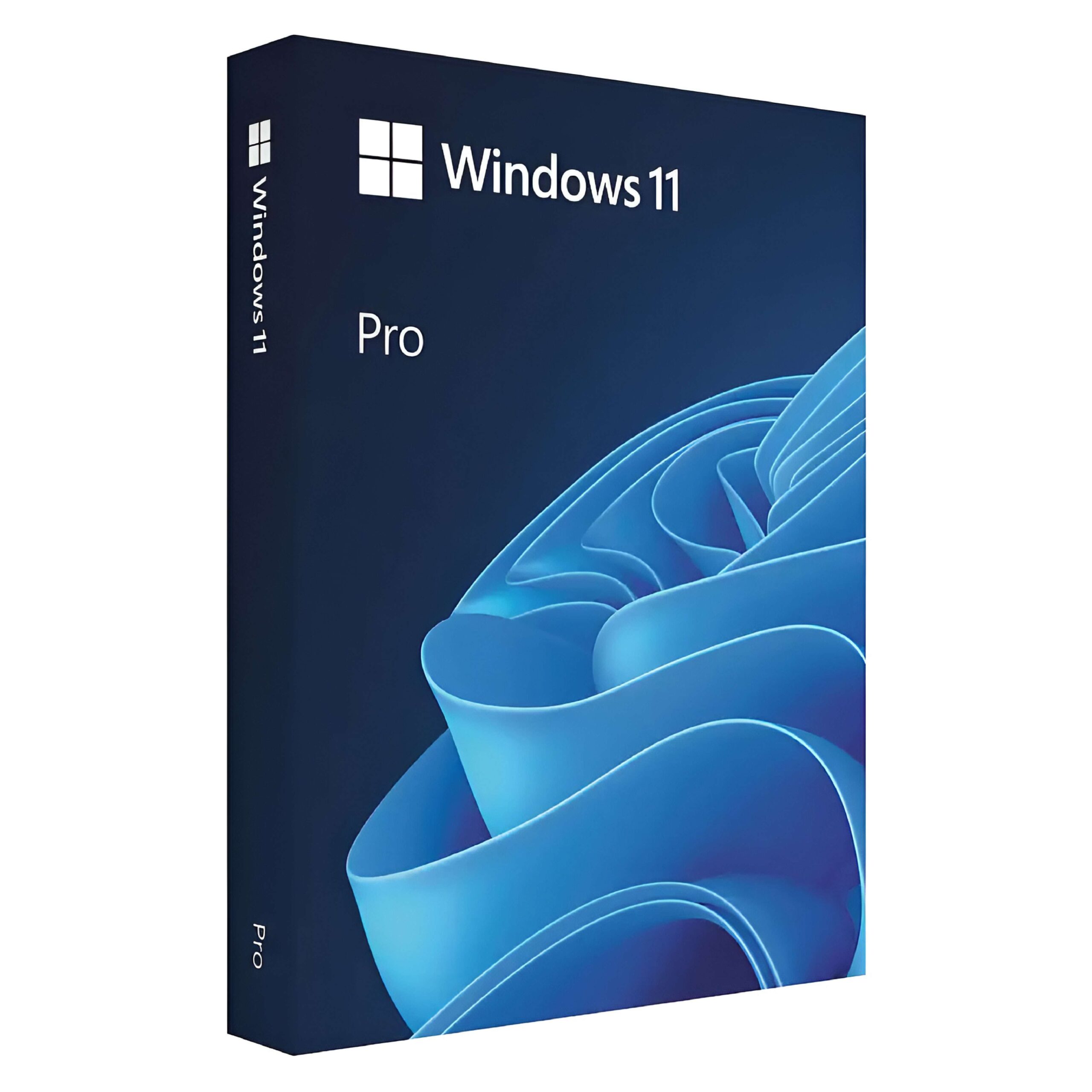
Microsoft Windows 11 Pro 32/64 Bit – Professional License key

Original price was: $45.00.Current price is: $10.50.

34.5$ OFF

Genuine Microsoft Windows 11 Pro lifetime license key for 1 PC. Includes BitLocker, Remote Desktop, Hyper-V and Group Policy. Instant email delivery. One-time purchase, no subscription. Compatible with 32-bit and 64-bit systems.

100% secure payments with SSL encryption via Stripe

Kymakers - Guarantee Safe Checkout

Authentic Microsoft license key for activation

Genuine Microsoft Product Key

Microsoft Windows 11 Pro Key

Buy Microsoft Windows 11 Professional at KyMakers and receive your genuine product key and official Microsoft download link by email within seconds of purchase. One-time payment, lifetime activation, no subscription required.

Key Features

  • Instant delivery — product key and download link sent to your email within seconds
  • Lifetime activation and product guarantee
  • Compatible with 32-bit and 64-bit Windows systems
  • Activates on 1 PC — genuine single-device license
  • One-time purchase — no monthly or annual fees
  • Global license key — works on all Microsoft Windows 11 Pro language versions worldwide
  • Online activation — the easiest and fastest way to download, install, and activate Windows 11 Pro
  • Friendly and professional support included with every order

What’s Included

  • Genuine Windows 11 Pro license key — 1 PC
  • Official Microsoft download link — direct from Microsoft’s servers
  • Step-by-step installation and activation guide
  • 24/7 expert support — free activation assistance included
  • 30-day money-back guarantee — risk-free purchase
Looking to upgrade from Windows 11 Home to Pro? Purchase our dedicated Upgrade to Windows 11 Pro product instead. Questions? Contact our team: Contact Us  

What is Microsoft Windows 11 Pro?

Microsoft Windows 11 Pro is the professional edition of Microsoft’s latest operating system, designed for business professionals, IT administrators, remote workers, and advanced users who need more than the standard Home edition offers. Built on the powerful foundation of Windows 10 and redesigned from the ground up, Windows 11 Pro delivers a faster, cleaner, and more secure computing experience. It includes the complete set of Pro-exclusive features — BitLocker encryption, Remote Desktop, Hyper-V virtualization, Windows Sandbox, Group Policy Management, and Azure Active Directory join — making it the most capable and secure version of Windows available for personal and professional use.

Microsoft Windows 11 Pro — Features & Benefits

  • BitLocker Drive Encryption — protect your files and data with Pro-exclusive drive encryption
  • Remote Desktop — access your PC from anywhere, on any device
  • Hyper-V Virtualization — run virtual machines on a single PC, no extra hardware needed
  • Windows Sandbox — test apps safely in an isolated environment with no system risk
  • Group Policy Management — full control over users, settings, and security policies
  • Azure AD and Domain Join — connect to your company network or Microsoft infrastructure instantly
  • Secure Boot and TPM 2.0 — enterprise-grade hardware security built in from the start
  • Snap Layouts — manage multiple apps side by side and stay productive all day
  • Windows Update for Business — control updates on your schedule
  • 32-bit and 64-bit support — compatible with all modern hardware
  • Clean install or upgrade — works on new PCs and Windows 10 or Windows 11 Home upgrades
  • Global license key — all languages, all regions, 1 PC
  • Lifetime activation — one-time purchase, no subscription, no expiry date

System Requirements — Microsoft Windows 11 Pro

Processor 1 GHz or faster, 2 or more cores, 64-bit compatible
RAM 4 GB minimum (8 GB recommended)
Storage 64 GB or larger
Firmware UEFI, Secure Boot capable
TPM Trusted Platform Module (TPM) version 2.0
Graphics DirectX 12 compatible, WDDM 2.0 driver
Display 720p or higher, 9 inch or larger screen
Internet Required for initial setup and Windows Update

How to Activate Your Windows 11 Pro License

  1. Check your email — your license key and official download link arrive within seconds of purchase
  2. Download and install — use the included Microsoft download link to install Windows 11 Pro directly from Microsoft’s servers
  3. Enter your key — during setup go to Settings → System → Activation → Enter product key. Your license activates instantly online
  4. You are ready — all Pro features unlocked, lifetime activation confirmed, no Microsoft account required
Full installation guide → How to Install Windows 11 Pro Secure Boot and USB boot guide → How to Enable Secure Boot & Boot from USB

Perfect For

  • Business Professionals — who need BitLocker, Remote Desktop, and Group Policy for a secure and managed work environment
  • Remote Workers — who access their office PC from home or while travelling using Remote Desktop
  • IT Administrators — who manage multiple devices and users across a business network using Group Policy and Azure AD
  • Developers and Testers — who use Hyper-V to run virtual machines and Windows Sandbox to test applications safely
  • Students and Power Users — who want the most complete version of Windows with all features unlocked
  • Small Business Owners — who need a reliable, secure operating system without paying a monthly subscription
  • PC Builders and Upgraders — doing a clean install on a new build or upgrading from Windows 10 or Windows 11 Home

Frequently Asked Questions — Windows 11 Pro

  • Q: Is the Windows 11 Pro key safe to install on my PC? A: Yes. Windows 11 Pro is a fully stable and secure operating system released by Microsoft. The license key sold at KyMakers is 100% genuine, sourced directly from Microsoft, and activates a clean, authentic installation. Windows 11 Pro includes advanced security features such as BitLocker encryption, Secure Boot, and Windows Defender to keep your device and data protected from the moment of installation.
  • Q: Do I need a Microsoft account to use Windows 11 Pro? A: Windows 11 Pro allows you to complete the initial setup using a local account without signing in to a Microsoft account, unlike the Home edition. This gives business users and IT administrators greater flexibility when deploying the OS across managed environments. A Microsoft account may be used optionally for cloud services such as OneDrive and Microsoft Store access.
  • Q: Does Microsoft Office come included with Windows 11 Pro? A: No. Microsoft Office is not included with Windows 11 Pro. Applications such as Word, Excel, PowerPoint, and Outlook must be purchased separately. KyMakers offers a full range of genuine Microsoft Office licenses — including Office 2024 and Office 2021 — available for instant digital delivery alongside your Windows 11 Pro key.
  • Q: Can I upgrade from Windows 10 or Windows 11 Home using this key? A: Yes. This Windows 11 Pro key works for clean installations on a new PC and as a direct upgrade from Windows 10 Pro or Windows 11 Home. If your PC currently runs Windows 11 Home, use our dedicated Upgrade to Pro key for the fastest route.
  • Q: Is this a one-time purchase or does it require a subscription? A: This is a one-time purchase with no subscription fees. Windows 11 Pro is a perpetual lifetime license — once activated, it never expires and requires no monthly or annual payments.
  • Q: How long will Microsoft support Windows 11 Pro with security updates? A: Microsoft has committed to supporting Windows 11 through at least 2031, ensuring your license continues to receive regular security patches and feature improvements delivered through Windows Update for many years to come.
  • Q: Is the Windows 11 Pro key valid globally? A: Yes. The product key is valid for all language versions of Windows 11 Professional worldwide, including the USA, UK, Canada, and Australia.

Why Buy from KyMakers?

  • 100% Genuine Microsoft License — every key is legally sourced and authentic. We are a verified Microsoft Certified Partner and your key activates directly on Microsoft’s official servers
  • Instant Email Delivery — your license key and download link are sent automatically within seconds of payment, 24 hours a day, 7 days a week
  • Lifetime Activation Guarantee — your key never expires. If it ever has an issue, we replace it immediately, free of charge, for life
  • Best Price for a Genuine Key — because we operate digitally with no physical inventory, we pass the savings directly to you without compromising authenticity
  • 30-Day Money-Back Guarantee — not satisfied? We refund your purchase in full within 30 days, no questions asked
  • Free Expert Support 24/7 — our technical team is available around the clock to help with downloading, installing, activating, and troubleshooting your license

Buy Microsoft Windows 11 Product Key:

Microsoft Windows 11 Professional is the latest version of the Windows operating system designed for business professionals and advanced users. It offers enhanced features for improved productivity, security, and connectivity, providing a seamless experience across various devices.

Key Features

  • BitLocker: Secure your data with BitLocker encryption, providing an extra layer of security to keep your information safe from unauthorized access.
  • Remote Desktop: Access your PC from anywhere with Remote Desktop, enabling you to connect to your device and work from virtually anywhere.
  • Group Policy Management: Gain greater control over your PC with Group Policy Management, allowing you to manage and configure multiple users and computers within your network easily.
  • Hyper-V: Run virtual machines on your Windows 11 Pro PC with Hyper-V, enabling you to run multiple operating systems simultaneously.
  • Windows Sandbox: Test applications in a secure, isolated environment with Windows Sandbox, ensuring your main system remains unaffected.
  • Microsoft Store for Business: Access and distribute apps across your organization with the Microsoft Store for Business.
  • Advanced Security: Benefit from enhanced security features, including Windows Information Protection, which helps protect against potential data leaks.
  • Assigned Access: Restrict user access to specific applications, ensuring a controlled and secure environment for kiosk setups or shared PCs.
  • Enterprise Mode Internet Explorer: Improve compatibility with web applications using Enterprise Mode Internet Explorer, designed for legacy applications.
  • Windows Update for Business: Stay up to date with the latest security features and improvements with Windows Update for Business, designed to provide better control over update deployments.

Benefits

  • Enhanced Security: Protect your data and devices with advanced security features like BitLocker, ensuring that your information remains secure.
  • Increased Productivity: Utilize powerful tools like Remote Desktop and Hyper-V to enhance productivity and manage tasks more efficiently.
  • Better Device Management: Use Group Policy Management and Windows Update for Business to streamline the management of multiple devices within your organization.
  • Improved Compatibility: Use Enterprise Mode Internet Explorer for better compatibility with older web applications, ensuring seamless functionality.
  • Controlled Environment: Implement Assigned Access to restrict user access to specific applications, providing a secure and focused environment.

Ideal For

Microsoft Windows 11 Professional is ideal for business professionals, IT administrators, and advanced users who require a secure, flexible, and efficient operating system. Whether you are working on a desktop, laptop, or tablet, Windows 11 Professional provides the tools and features necessary to enhance productivity and ensure seamless operation across all your devices.
Q: Is the Windows 11 Pro update safe to install on my PC?

A: Yes. Windows 11 Pro is a fully stable and secure operating system released by Microsoft. The license key sold at KyMakers is 100% genuine, sourced directly from Microsoft, and activates a clean, authentic installation. Windows 11 Pro includes advanced security features such as BitLocker encryption, Secure Boot, and Windows Defender to keep your device and data protected from the moment of installation.

Q: How do I enable Secure Boot before installing Windows 11 Pro?
A: Follow our step-by-step guide: How to Enable Secure Boot Windows 11 — Boot from USB Guide

Q: How do I Download, install and activate my Windows 11 Pro key?
A: Follow our complete step-by-step guide: How to Install Windows 11 Pro — Download, Install & Activate

Q: Do I need a Microsoft account to set up and use Windows 11 Pro?

A: Windows 11 Pro does offer the option to set up with a local account rather than requiring a Microsoft account, unlike the Home edition. During the setup process, Pro users can choose a local (offline) account for greater control over their device. A Microsoft account may be used optionally for cloud services such as OneDrive synchronisation and Microsoft Store access.

Q: Does Microsoft Office come included with Windows 11 Pro?

A: No. Microsoft Office is not included with Windows 11 Pro. Office applications such as Word, Excel, PowerPoint, and Outlook must be purchased separately. KyMakers offers a full range of genuine Microsoft Office licenses — including Office 2024 and Office 2021 editions — available for instant digital delivery alongside your Windows 11 Pro key.

Q: Does Windows 11 Pro require a Microsoft account during setup?

A: Unlike Windows 11 Home, Windows 11 Pro allows you to complete the initial setup using a local account without signing in to a Microsoft account. This gives business users and IT administrators greater flexibility when deploying the OS across managed environments, particularly useful in corporate or domain-joined settings.

Q: How long will Microsoft support Windows 11 Pro with security updates?

A: Microsoft provides mainstream support for Windows 11 Pro, including regular security updates and feature improvements delivered through Windows Update. Microsoft has committed to supporting Windows 11 through at least 2031, ensuring your one-time license purchase from KyMakers continues to receive security patches and remain protected for many years to come.

4.9
Based on 14 reviews
5 star
93
93%
4 star
7
7%
3 star
0%
2 star
0%
1 star
0%
1-5 of 14 reviews
  1. TM
    Activation Completed in Less Than a Minute

    Activation completed in less than a minute. Very reliable seller.

  2. JM
    Responsive Support During Activation

    Customer support was responsive and helped me during activation. Everything works perfectly now.

  3. MS
    Fast Delivery and Genuine Key

    Fast delivery and genuine key. I entered the code and Windows activated without any issues.

  4. LC
    Clear Instructions, Successful Activation

    Clear instructions and instant email delivery. Windows activated successfully.

  5. PT
    Immediate Key Delivery, No Errors

    Received the Windows 11 Pro key immediately after purchase. No errors during activation.

Q&A

After checkout, you’ll receive your download link and product key by email within minutes. You can download, install, and activate your Microsoft software immediately. If your order is delayed longer than expected, please contact us at support@kymakers.com.

A digital download is an electronic version of your software product, giving you access to download and use your new software immediately. This means that a physical CD or DVD disc is not included with your purchase. The software install program is downloaded through cloud-based storage.

Our prices are lower because we source genuine Microsoft licenses directly from trusted suppliers and focus on digital delivery. This allows us to reduce overhead costs while offering the same full, authentic software at a more affordable price.

Yes. Kymakers specializes in Microsoft one-time licenses with lifetime activation.

Yes. All products sold on Kymakers are 100% genuine Microsoft software keys. Each license is legally sourced directly from Microsoft.

Our support team is here to help. If you encounter any issues during installation or activation, simply contact us and we’ll guide you through the process.

⚡ How It Works

Get Your License Key in 3 Simple Steps

Genuine Microsoft licenses delivered instantly to your inbox — no waiting, no subscription required.

Delivered in under 60 seconds
100% Genuine Microsoft License
Available 24/7 — including weekends
1
🛒

Place Your Order Securely

Add your chosen genuine Microsoft license to cart and complete checkout in minutes. Every transaction is SSL encrypted — Visa, Mastercard, and PayPal accepted.

SSL Secured One-Time Purchase
2
📧

Receive Your Key by Email

Within seconds of payment, your license key and official Microsoft download link land in your inbox — automatically, any time of day or night. No manual processing, no delays.

Instant Delivery Download Link Included
3

Download, Install & Activate

Download directly from Microsoft's servers, enter your key, and activate instantly online. Lifetime activation — no subscription, no expiry, no hidden fees.

Lifetime Activation No Subscription

Related products

0
Empty Cart Your Cart is Empty!

It looks like you haven't added any items to your cart yet.

Browse Products