Searching for the best place to buy Windows 11 keys returns a minefield. Prices for the exact same product range from £5 to £220, and the difference between a genuine bargain and a key that gets revoked in three weeks is not obvious from a search results page.
This guide compares the realistic options honestly — including Microsoft’s own store, physical retailers, marketplace platforms, and digital key stores like ours — and explains what actually separates a legitimate cheap key from a scam. Yes, we sell Windows 11 keys at Kymakers. We will make the case for why we belong on this list, but we will also tell you plainly when another option is the better fit.
⚠️ Before you buy anywhere
A Windows 11 key that costs £3 from an anonymous marketplace seller with no company name, no support channel, and no refund policy is not a bargain — it is a lottery ticket. The common failure modes: volume license keys resold illegally (revoked when Microsoft audits them), keys already activated on another machine, and region-locked keys that will not activate on your install. Whoever you buy from, make sure there is a real business behind the checkout page.
Table of Contents
- What makes a seller trustworthy
- Option 1: Kymakers
- Option 2: Microsoft Store
- Option 3: Amazon and major retailers
- Option 4: Grey-market key marketplaces
- Option 5: Buying a new PC (OEM licence)
- Option 6: Volume licensing (businesses)
- Option 7: The “free” routes — and their catches
- Quick comparison table
- Home vs Pro: which key to buy
- FAQ
What Makes a Seller the Best Place to Buy Windows 11 Keys?
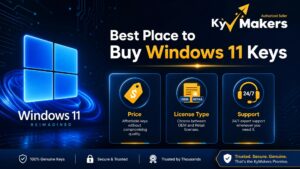
Before comparing stores, fix the criteria. The best place to buy Windows 11 keys for you should score well on all five of these, not just price:
- Legitimacy of the key itself — genuine retail or OEM keys, not resold volume licences
- Price — Microsoft’s list price for Windows 11 Pro is around £219.99; there is real room below that, but not down to £3
- Delivery speed — digital delivery should be minutes, not days
- Activation support — someone to contact if the key does not activate first try
- Refund or replacement policy — in writing, before you pay
Hold every option below against those five. Including us.
Option 1: Kymakers — Best Overall Balance of Price, Speed, and Support
Best for: Anyone who wants a genuine key at well below retail price, delivered instantly, with a support team behind it.
We will state our case directly. Kymakers supplies genuine Windows 11 Home and Windows 11 Pro keys with:
- Instant email delivery — the key arrives minutes after checkout
- Lifetime activation — one-time payment, no subscription
- Activation support included — if a key does not activate, our team resolves it or replaces it
- A real refund policy — not a marketplace shrug
- Significant savings vs Microsoft’s list price — typically a fraction of the £219.99 retail figure for Pro
We also cover the surrounding work most key sellers do not: our download, install, and activate walkthrough takes you from purchase to activated desktop, and our Windows 11 pricing guide breaks down what each edition should actually cost.
The honest caveat: if you want the absolute maximum institutional reassurance and price is no object, Microsoft’s own store exists — that is Option 2. What we offer is the same activated end state at a much lower price, with a support channel that answers.
Option 2: Microsoft Store — Maximum Assurance, Maximum Price
Best for: Buyers who want zero ambiguity and do not mind paying full list price.
Buying directly from Microsoft is the reference standard for legitimacy. The key is retail, tied to your Microsoft account, transferable to a new PC, and nobody will ever question it.
The trade-off is purely financial: roughly £119.99 for Home and £219.99 for Pro at list. You are paying the highest available price for a product that is functionally identical to a genuine key bought elsewhere. For businesses buying at scale, or anyone who has been burned before and wants the brand on the receipt, it is a defensible choice as the best place to buy Windows 11 keys. For most home users, it is simply the most expensive one.
Option 3: Amazon and Major Retailers — Middle of the Road
Best for: Buyers who want a household-name checkout and do not need the lowest price.
Amazon, Currys, Best Buy, and similar retailers sell boxed and digital Windows 11 licences. Prices are usually at or slightly below Microsoft’s list — modest savings, not dramatic ones.
Two cautions. First, on marketplace-enabled platforms like Amazon, check whether you are buying from the retailer itself or a third-party seller — the third-party listings on big platforms have the same risks as Option 4 with a more reassuring logo on top. Second, boxed copies with physical delivery mean waiting days for something that should take minutes.
Option 4: Grey-Market Key Marketplaces — Cheapest, Riskiest
Best for: Nobody we would advise, honestly — but they exist and you will see them.
These are the platforms where dozens of anonymous sellers list Windows 11 Pro for £3–£15. The keys frequently work — at first. Where they come from is the problem: many are volume licence keys sold in violation of their terms, keys bought with stolen payment cards, or region-arbitrage keys that Microsoft periodically deactivates in sweeps.
When a key dies, the marketplace points you at the seller, the seller has vanished, and the “guarantee” turns out to cover 30 days on a licence you expected to last the life of the machine.
If the price gap between a £3 key and a properly sourced discounted key seems too good to be true — that is because it is. The difference is what you are actually buying: a licence, versus a string of characters that currently happens to activate.
Option 5: Buying a New PC — the OEM Licence You Already Paid For
Best for: Anyone buying new hardware anyway.
Every new Windows laptop or desktop includes an OEM Windows 11 licence embedded in the firmware. It activates automatically and needs no key entry. If your actual plan is a new machine, you do not need to buy a key at all — do not let anyone sell you one.
The OEM licence’s limitation: it lives and dies with that motherboard. It cannot be moved to a different PC, which is the main functional difference from a retail key.
Option 6: Volume Licensing — For Businesses, Not Individuals
Best for: Organisations licensing many machines through Microsoft’s business agreements.
Volume licensing exists for fleets, and for a company standardising dozens of machines it is the correct channel. It is not a legitimate source of individual cheap keys — which is exactly where much of the grey market’s stock originates. If someone offers you a “volume key” as an individual buyer, that is a red flag, not a discount.
Option 7: The “Free” Routes — and What They Actually Cost
Best for: Understanding, so you are not misled.
Two “free” paths circulate:
Running Windows 11 unactivated. It works — with a permanent watermark, blocked personalisation settings, and no guarantee the tolerance lasts forever. It is a demo, not a licence.
The old Windows 7/8 free-upgrade trick. This closed years ago. Guides claiming it still works are outdated, and the machines old enough to have those licences mostly fail Windows 11’s TPM 2.0 and CPU requirements anyway.
There is no supported free path to a licensed Windows 11 in 2026. Anyone claiming otherwise is selling something — just not a licence.
Quick Comparison: Best Place to Buy Windows 11 Keys
| Option | Typical Pro price | Delivery | Support | Risk |
|---|---|---|---|---|
| Kymakers | Well below retail | Minutes | ✅ Included | Low |
| Microsoft Store | ~£219.99 | Instant | ✅ Microsoft | None |
| Amazon / retailers | Near list | Instant–days | Varies | Low (first-party) |
| Grey-market marketplaces | £3–£15 | Minutes | ❌ Effectively none | High |
| New PC (OEM) | Included | With hardware | Via manufacturer | None |
| Volume licensing | Per agreement | N/A | ✅ Microsoft | None (businesses only) |
| “Free” routes | £0 | — | — | Watermark / dead end |
Windows 11 Home vs Pro: Which Key Should You Buy?
Whichever store you choose, buy the right edition:
Windows 11 Home covers gaming, browsing, office work, and streaming. Most home users need nothing more.
Windows 11 Pro adds BitLocker encryption, Remote Desktop hosting, Hyper-V virtualization, and Group Policy — worth it for anyone working with sensitive data, remote access, or virtual machines. Our Windows 11 Home vs Pro comparison covers the full breakdown.
If in doubt: Home for a family machine, Pro for a work machine.
FAQ About the Best Place to Buy Windows 11 Keys
Are cheap Windows 11 keys legal? Genuinely sourced discounted keys — retail and OEM stock sold below list price — are legitimate. Resold volume licence keys are not, and those are what dominate the £3 listings. The seller’s sourcing and support policy is the tell, not the price alone.
How do I know if a Windows 11 key is genuine? It activates through Microsoft’s standard activation, stays activated, and survives reinstalls. Practically, before buying: check the seller has a named business, a support channel, and a written refund policy. After buying: activate promptly and confirm in Settings → System → Activation.
Can I move my Windows 11 key to a new PC? Retail keys, yes — deactivate on the old machine, activate on the new one. OEM keys (including those embedded in prebuilt PCs) are tied to the original motherboard and do not transfer.
Is it safe to buy Windows 11 keys online? From an established store with real support and a refund policy — yes, and it is how most keys are bought in 2026. From an anonymous marketplace seller with a 30-day guarantee — you are accepting real risk of revocation.
What if my key from Kymakers doesn’t activate? Contact our support team. Activation issues are usually resolved quickly — a typo, a prior Windows edition mismatch, or an internet activation hiccup — and if a key is genuinely faulty, we replace it. That support channel is precisely what the cheapest options lack.
Do I need to buy a key if my PC came with Windows 11? No. The OEM licence in your firmware reactivates automatically, even after a clean reinstall of the same edition.
Ready to buy? Kymakers supplies genuine Windows 11 Home and Windows 11 Pro keys with instant email delivery, lifetime activation, and support included. Our download, install, and activate guide walks you from checkout to activated desktop in minutes — and if you are still weighing the upgrade from Windows 10, remember that Windows 10 support ended in October 2025, with consumer ESU running out October 13, 2026. The clock is real.
Official reference: Microsoft — Activate Windows
📱 Bonus: Instagram Caption for This Article
Caption:
Windows 11 Pro: £219.99 at Microsoft. £3 on sketchy marketplaces. 🤔
Both can’t be right. Here’s the truth 👇
The £3 keys are usually resold volume licences — they activate today and get revoked in Microsoft’s next sweep. The seller? Vanished. The “guarantee”? 30 days on a licence you expected for life.
The real checklist for buying a Windows 11 key: ✅ Named business behind the checkout ✅ Instant digital delivery ✅ Activation support that answers ✅ Written refund policy ✅ Genuine retail/OEM sourcing
Full comparison of all 7 options — Microsoft, Amazon, grey market, OEM, and yes, us — link in bio 🔗
#Windows11 #WindowsKeys #TechTips #PCBuild #Windows11Pro #SoftwareDeals #Kymakers #TechAdvice #PCGaming #WindowsUpgrade
Want me to adjust the tone (more/less promotional), add more competitor-specific detail, write the full carousel copy, or tighten it for a shorter word count? I can also draft internal link anchors to your actual product pages if you share the exact URLs for the Windows 11 Home and Pro listings.