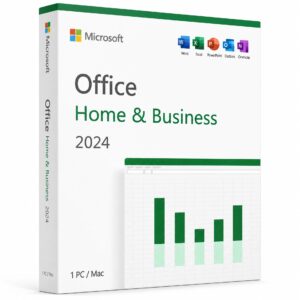
Every day, Apple users search for the best way to get Microsoft Office for Mac without paying a fortune in recurring subscriptions. Whether you are setting up a brand new MacBook Air, a powerful MacBook Pro, or a classic iMac — finding a genuine, affordable license shouldn’t feel like a treasure hunt.
At kymakers.com, we started with a simple question: why should getting professional software for your macOS device feel so complicated?
We believe premium productivity tools should be effortless to buy, install, and use on any device. That’s why we’ve built this complete guide to Microsoft Office for Mac in 2026 — covering everything from choosing the right version to activating your apps like a pro.
“Your daily workflow deserves the best version of what productivity software can offer — on any device you choose.”
Does This Suite Work on My Device?
Yes — the macOS version of this suite works perfectly on any modern Apple computer. Microsoft develops and maintains a fully featured release specifically optimized for Apple hardware, giving you the same powerful applications you know from Windows — but redesigned with a clean, user-friendly interface.
This software package includes:
- Microsoft Word — Full document creation and editing.
- Microsoft Excel — Powerful spreadsheets and data analysis.
- Microsoft PowerPoint — Stunning professional presentations.
- Microsoft Outlook — Email, calendar, and contacts management.
- Microsoft OneNote — Digital notebooks and note-taking.
At kymakers.com, you can obtain a genuine lifetime license at a fraction of the retail price — with no subscription required.
Which Version Should You Choose in 2026?
Before learning how to use Microsoft Office on Mac, you need to pick the right edition for your specific needs. Here is a clear comparison:
| Edition | Best For | Available at kymakers.com |
|---|---|---|
| 2024 Home & Business | Latest features & M3 Macs | Get it here |
| 2021 Home & Business | Proven, reliable performance | Get it here |
| 2019 Home & Business | Budget-friendly option | Get it here |
| 2016 Home & Business | Older macOS compatibility | Get it here |
Not sure which one fits your MacBook? Visit our Help Center and we will guide you to the right choice.
Minimum System Requirements
Before you begin, ensure your MacBook Pro or iMac meets these specifications:
- Operating System: macOS Monterey, Ventura, Sonoma, or newer.
- Processor: Intel or Apple Silicon (M1, M2, M3 chips supported natively).
- RAM: 4 GB minimum (8 GB highly recommended).
- Storage: At least 10 GB of available disk space.
- Internet: Required for initial setup and activation.
For the most up-to-date compatibility details, refer to the official system requirements.
✅ Tip for MacBook users: If you have an M1, M2, or M3 chip, this software runs natively, delivering incredible speed and battery efficiency.
How to Buy at the Best Price
The smartest way to get Microsoft Office for Mac in 2026 is through kymakers.com. We provide authentic lifetime licenses with instant delivery.
Why Choose Us?
- ✅ Genuine Lifetime License — Pay once, own it forever.
- ✅ Instant Digital Delivery — Your key arrives in minutes.
- ✅ No Subscriptions — Never pay a monthly fee again.
- ✅ 24/7 Support — Contact us anytime.
Browse our complete Office for Mac collection to compare versions.
Installation Guide (Step-by-Step)
Setting up Microsoft Office for Mac is simple when you follow these instructions:
- Purchase Your License: Visit our store and choose your version.
- Download the Installer: Click the secure link provided in your confirmation email.
- Run the File: Open your Downloads folder and double-click the .pkg file.
- Follow the Wizard: Accept the license agreement and click Install.
- Enter Password: Provide your MacBook admin password if prompted.
For more specific guides, check out:
Activating Your Applications
Once the installation finishes, you must activate the software to unlock all features:
- Open an App: Launch Word or Excel from your Applications folder.
- Enter Key: Click Enter Product Key and type the 25-character code from your email.
- Verify: Select Activate via Internet.
- Confirm: Once you see “Product Activated,” you are ready to work.
If you encounter issues, visit our Troubleshooting page or get a Confirmation ID.
Master Your Apps on MacBook
Now that you are set up, here is how to maximize your productivity:
Microsoft Word on Mac
Microsoft’s word processor is a powerhouse on macOS.
- Shortcut: Use ⌘ + S to save and ⌘ + Z to undo.
- Pro Tip: Enable Focus Mode (View -> Focus) for a distraction-free environment on your MacBook Air.
Microsoft Excel on Mac
Excel delivers full spreadsheet power optimized for Apple hardware.
- Formula Builder: Use the Formulas tab to easily insert complex functions.
- Shortcut: Press ⌘ + 1 to quickly format any selected cell.
PowerPoint & Outlook
- PowerPoint: Use Presenter View to see your notes on your MacBook while the audience sees only the slides.
- Outlook: Organize your life by adding your accounts in Preferences -> Accounts.
Comparison: Lifetime License vs. Subscription
Many users ask: is the Office for Mac lifetime license better than a subscription?
| Feature | Kymakers Lifetime License | Subscription Model |
|---|---|---|
| Payment | One-time only | Recurring monthly/yearly |
| Ownership | You own it forever | You rent it |
| Savings | Hundreds of dollars saved | High long-term cost |
For a deeper dive, read: Office Lifetime vs. Microsoft 365.
Troubleshooting Common MacBook Issues
Installation Fails
- Fix: Ensure you have 10GB of free space. Restart your computer and try the installer again.
Activation Errors
- Fix: Make sure you are connected to the internet. If the key fails, contact our 24/7 support.
Missing Apps (Publisher/Access)
- Note: These two apps are not available on macOS. If you need them, you must install Windows 11 Pro via Parallels.
Frequently Asked Questions
Can I use Microsoft Office on a MacBook?
Absolutely. All modern MacBook Air and MacBook Pro models support these applications natively.
Is it a one-time purchase?
Yes, when you buy from kymakers.com, you get a perpetual license. No monthly bills.
Does it work on the M3 chip?
Yes, the latest versions are fully optimized for Apple Silicon (M1, M2, and M3).
How much does it cost?
While retail prices are high, our shop offers genuine keys at a massive discount. For more pricing info, see our Windows 11 cost guide.
Additional Resources
Ready to Get Started?
Stop overpaying for your software. Get your genuine Microsoft Office for Mac license from kymakers.com today.