TravelMate, Chromebook Difficulty: Beginner to Advanced · Estimated time: 30 minutes to read, 1–3 hours to install
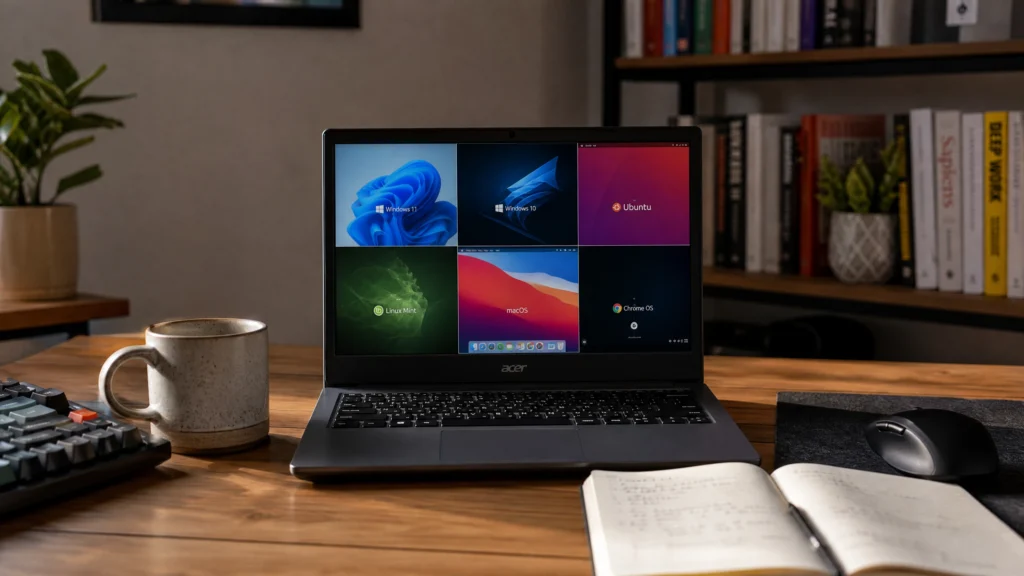
Choosing an operating system for Acer hardware is not one question — it is three. What Acer do you have, how old is it, and what do you actually need it to do? A 2024 Nitro gaming laptop and a 2014 Aspire netbook are not remotely the same problem, and the right operating system for Acer in each case is different.
This guide covers six realistic options, who each one is actually for, and — importantly — which ones are a bad idea despite being popular advice.
⚠️ Before you start
Installing a new operating system for Acer hardware wipes the drive. Back up everything first. Check whether your device came as a Chromebook, because those need a firmware change before they will boot anything else, and that carries real risk. And confirm your model’s specifications before committing — RAM and storage, not the brand name, decide what will actually run well.
Table of Contents
- First: which Acer do you have?
- Option 1: Windows 11
- Option 2: Windows 10 (with a warning)
- Option 3: Windows 10 LTSC
- Option 4: Linux
- Option 5: ChromeOS Flex
- Option 6: Stay on ChromeOS
- Quick comparison
- FAQ
First: Which Acer Do You Have?
Everything downstream depends on this. Before picking an operating system for Acer, establish three things:
Is it a Chromebook? Acer sells a lot of them — the C720, C740, Spin, Chromebook 314, and so on. Chromebooks ship with firmware that will not boot a Windows or Linux installer. Changing that means removing a write-protect screw and flashing replacement firmware, which is doable but irreversible-feeling and can brick the device if it goes wrong.
How much RAM? This is the single number that decides most of it. 4GB or less rules out a comfortable Windows 11 experience regardless of what the spec sheet claims. 8GB is workable. 16GB opens everything.
Does it meet the Windows 11 requirements? Windows 11 requires TPM 2.0, Secure Boot, and a processor on Microsoft’s supported list. Most Acer machines from roughly 2018 onward qualify; most from before then do not.
Option 1: Windows 11 — The Default Operating System for Acer Laptops Today
Best for: Acer Aspire, Swift, Nitro, Predator, and TravelMate machines from roughly 2018 onward.
For any reasonably current Acer, Windows 11 is the correct operating system for Acer hardware, and this is not a close call. It is in mainstream support, it receives security updates, and every driver Acer publishes targets it.
The reason this matters more than usual right now: Windows 10 reached end of support on October 14, 2025. Staying on it is a decision to run an unpatched operating system, and it gets worse every month.
Check compatibility first before settling on an operating system for Acer hardware. If your Acer fails the TPM or CPU check, do not fight it with a registry bypass — you end up on an unsupported configuration that may stop receiving updates.
Option 2: Windows 10 — Only With Eyes Open
Best for: Almost nobody, as a new choice.
Let us be direct: installing Windows 10 today as a fresh operating system for Acer hardware means installing an operating system that Microsoft stopped supporting on October 14, 2025. Consumer Extended Security Updates run out on October 13, 2026 — and that date is close.
There is one legitimate case: an older Acer that cannot run Windows 11 and needs to run a specific Windows application, where the machine is not internet-facing and will be retired soon. As a long-term operating system for Acer hardware, it is a bridge, not a plan.
If you genuinely need Windows 10 for a hardware compatibility reason, note that older Acer machines — particularly Chromebooks converted to Windows — need manually sourced drivers. Our Acer C720 Windows 10 guide walks through exactly what that involves, and it is more work than people expect.
Option 3: Windows 10 LTSC — The Underrated Middle Path
Best for: Old Acers with 2–4GB RAM that must run Windows.
LTSC strips out the Microsoft Store, bundled apps, and much of the background service load. On a machine with 4GB of RAM, that difference is not cosmetic — it is the difference between usable and unusable.
LTSC also has a much longer support runway than consumer Windows 10, which addresses the biggest objection to Option 2. If you have an old Acer that has to run Windows and cannot run Windows 11, LTSC is very often the right operating system for Acer hardware in that specific corner. Our breakdown of Windows LTSC vs standard Windows covers the trade-offs.
The catch: it is a business-oriented SKU, so you need the right license, and you give up the Store entirely. Weigh that before locking it in as your operating system for Acer hardware.
Option 4: Linux — The Best Operating System for Acer Machines That Are Too Old for Windows
Best for: Acers too old or too weak for a current Windows, where the workload is browsing, documents, and media.
This is where the honest advice diverges from the commercial advice. On a 2013 Acer Aspire with 4GB of RAM, a lightweight Linux distribution will be faster than any Windows you can put on it. Not equivalent — faster.
Linux Mint, Xubuntu, and Linux Lite all run well on aging Acer hardware, and driver support for Acer’s common Intel and Realtek components is generally solid out of the box. Wi-Fi is occasionally the exception; check your specific model before committing.
The real cost is software compatibility. If you need Microsoft Office, Adobe applications, or a specific Windows-only tool, Linux is not the operating system for Acer you want, and web-based alternatives may not be good enough for your work. Be honest with yourself about that before wiping the drive.
Option 5: ChromeOS Flex — For Very Old Acers
Best for: Acers so old that even lightweight Linux struggles, used almost entirely in a browser.
ChromeOS Flex is Google’s version of ChromeOS for standard PC hardware. It is genuinely fast on weak machines, because it barely does anything locally — it boots to a browser and gets out of the way.
If the user is a family member who checks email and watches videos, this is a completely defensible choice as an operating system for Acer hardware, and it will feel dramatically quicker than the Windows 10 install currently limping along on that machine.
The limitation is obvious and total: no Windows applications, no local software of consequence. Offline, it does very little — so it is only the right operating system for Acer machines where the browser genuinely is the whole job.
Option 6: Stay on ChromeOS
Best for: Acer Chromebooks that are still receiving updates.
If your Acer is a Chromebook and it is still within its Auto Update Expiration window, the best operating system for Acer hardware may be the one already on it.
Converting a working, supported Chromebook to Windows is usually a downgrade. You take a device optimised for its hardware and replace it with an OS that hardware was never sized for. The C720 project is genuinely interesting; it is not usually better.
The calculation changes once the Chromebook stops receiving updates, and the question of which operating system for Acer hardware makes sense reopens. At that point ChromeOS Flex or Linux becomes reasonable — and Windows becomes a project.
Quick Comparison: The Right Operating System for Acer Hardware
| Your Acer | Recommended operating system |
|---|---|
| 2018 or newer, 8GB+ RAM | Windows 11 |
| 2015–2018, meets Win11 requirements | Windows 11 |
| Old, 4GB RAM, must run Windows | Windows 10 LTSC |
| Old, 4GB RAM, no Windows requirement | Linux Mint or Xubuntu |
| Very old, browser-only use | ChromeOS Flex |
| Chromebook, still updating | Stay on ChromeOS |
| Chromebook, updates expired | ChromeOS Flex or Linux |
FAQ About Choosing an Operating System for Acer
Can I install Windows 11 on any Acer laptop? No. Windows 11 requires TPM 2.0, Secure Boot, and a supported processor. Most Acer machines from 2018 onward qualify. Run the compatibility check rather than assuming.
What is the best operating system for Acer Chromebooks? Usually ChromeOS, while it is still supported. Once updates expire, ChromeOS Flex or a lightweight Linux is the sensible next step. Windows is possible but requires a firmware flash and manual drivers.
Is Linux really better than Windows on old Acer hardware? On genuinely old machines with 4GB of RAM or less, yes — measurably. The trade-off is software compatibility, not performance.
Should I still install Windows 10 on my Acer in 2026? Only in narrow cases. It went out of support on October 14, 2025, and consumer Extended Security Updates end on October 13, 2026. LTSC or Windows 11 are better answers for almost everyone.
Will changing the operating system for Acer void my warranty? On a standard Acer laptop, installing a different OS does not typically void hardware warranty coverage, though support may decline to help with software issues. On a Chromebook, opening the case to remove the write-protect screw is a different matter — that would void an active warranty.
If Windows 11 is the right call for your Acer, Kymakers supplies genuine Windows 11 Pro and Windows 11 Home keys, plus Windows 10 Enterprise LTSC for the older machines where LTSC is genuinely the better answer. Our guide to creating a bootable USB flash drive covers the install, and the Windows 11 pricing guide covers the cost.
And if the honest answer for your machine is Linux — take it. A fast old laptop beats a slow new licence.
Official reference: Download Windows 11