Browse our complete collection of genuine, one-time-purchase Microsoft license keys. Whether you are securing a lifetime license for Office 2024 Professional Plus, upgrading to Windows 11 Pro, or deploying Windows Server 2025 for your business — every key is delivered to your email within minutes, activates on Microsoft’s own servers, and is backed by our 180-day money-back guarantee with free 24/7 support.

Every key activates on Microsoft’s own servers. No gray-market surprises — authorized-channel stock only.
Six full months of protection on every order — if a key fails, we fix it or refund you. No questions, no forms.
Stuck during activation? Our team walks you through it free — nights and weekends included.
Your product key, official Microsoft download link and step-by-step installation instructions arrive in your inbox within minutes of checkout — 24/7/365, no shipping, no waiting.
Every license is a one-time purchase, never a subscription. Pay once for Windows, Office or Windows Server and own it for the lifetime of your device — no renewals, no monthly Microsoft 365 fees.
Keys activate in any country with no regional locks, and you download the software directly from Microsoft in the language you choose. One store, usable everywhere.
Yes — every key we sell is a genuine Microsoft license sourced through authorized volume channels. It activates against Microsoft’s own servers, exactly like a retail box, and stays activated for life.
Within minutes of checkout. Your key, official download link and step-by-step activation instructions arrive in one email — most customers are installed and activated within the hour.
Our support team fixes or replaces it free, 24/7 — and every order is covered by a 180-day money-back guarantee. You are never left with a dead key.
Never. Everything in this store is a one-time purchase with lifetime activation — no subscriptions, no renewals, no recurring charges.
We buy licenses in volume through authorized distribution channels, where unused and surplus stock trades at a fraction of retail, and we sell online only — no boxes, stores or shipping. That is why cheap Windows keys and cheap Microsoft Office keys from KYMakers are the same genuine licenses found in retail packaging: they activate on Microsoft servers, receive official updates and stay yours for life. The full explanation: <a href=”https://kymakers.com/is-it-safe-to-buy-cheap-microsoft-license-keys/”>Is it safe to buy cheap Microsoft license keys?</a>
Yes — every Microsoft Office product key here is a one-time purchase with a lifetime license: Office 2024 Professional Plus, Office 2021 Professional Plus, Office 2019 and Office 2016, for Windows and Mac, in 1 PC and 5 PC packs. Pay once, activate on Microsoft servers, and never pay a subscription. Compare versions: Office 2021 vs Office 2024.
Yes. All licenses are worldwide with no geographical restrictions, and the software installs in any language available for that product — you download it directly from Microsoft in the language you prefer. Wherever you are, activation happens on Microsoft servers within minutes of purchase.
Yes. Your license is valid for the lifetime of your device: format, reinstall Windows or Office on the same machine and activate again with the same product key. If reactivation is ever blocked after a big hardware change, our 24/7 support team fixes it free — see how to activate your Microsoft product key.
Checkout is fully encrypted and supports Visa, Mastercard, American Express, Discover and JCB, plus Apple Pay and Google Pay. Card details are handled by the payment provider — we never store them. KYMakers is operated by Makers Unity LLC, United States, and every order is covered by the 180-day money-back guarantee.
Yes. Beyond single-PC keys we stock multi-device packs (Windows 10 Pro 5 PC, Office Pro Plus 5 PC), the full Windows Server range — Server 2025, 2022 and 2019 in Standard and Datacenter, 16-core and 32-core packages — plus RDS CALs for user access and SQL Server for production databases. For larger volumes, contact support and we will size the licensing with you.
Microsoft Office 2016
A Familiar Suite for Legacy Productivity
Microsoft Office 2016 is a classic desktop productivity suite built around Word, Excel, PowerPoint and other applications included with the selected edition.
Its familiar Ribbon interface, broad file-format support and compatibility with many older add-ins made it a popular choice for homes, schools and businesses. Today, Office 2016 is primarily relevant to users who need to maintain an existing environment rather than customers building a new long-term workstation.
Microsoft ended support for Office 2016 on October 14, 2025. Unsupported Office software no longer receives security patches, bug fixes or official technical support, so Office 2016 should be selected carefully and primarily for compatibility-focused use cases.
| End of Support Notice
Microsoft ended support for Office 2016 on October 14, 2025. Existing installations may keep working, but they no longer receive security updates. For sensitive or internet-connected use, a supported version such as Office 2021 or Office 2024 is recommended. |
| Edition | Commonly Included Applications | Best Suited To |
| Home & Student 2016 | Word, Excel, PowerPoint and OneNote | Home and school tasks |
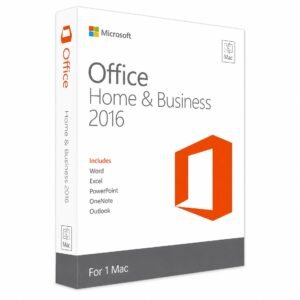
| Home & Business 2016 | Core apps plus Outlook | Freelancers and small businesses |
| Professional 2016 | Core apps, Outlook, Access and Publisher | Advanced business use |
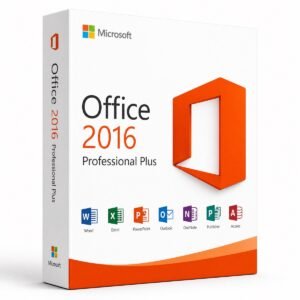
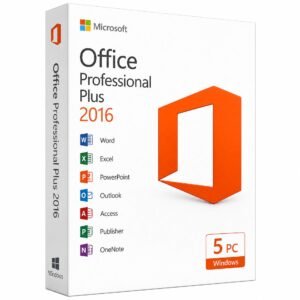
| Professional Plus 2016 | Broad business application package | Professional and organizational deployments |
| Office 2016 for Mac | Mac-compatible Office applications by edition | Legacy Mac environments |
The precise applications and activation route depend on the product SKU and license channel.
Office 2016 can remain useful when:
Word 2016 provides tools for creating business documents, reports, academic papers, contracts and printed materials. It supports styles, references, tracked changes, comments, mail merge and common Office file formats.
Excel 2016 supports formulas, PivotTables, charts, conditional formatting and established data-analysis workflows. Some functions that appeared in subscription builds were not necessarily included in every perpetual Office 2016 installation, so users should not assume that a feature available in Microsoft 365 is also available in a one-time Office 2016 license.
PowerPoint 2016 is suitable for company presentations, educational slides, training materials and product demonstrations. It supports themes, animations, media, charts, speaker notes and Presenter View.
Outlook 2016 manages email, contacts, calendars and tasks. Compatibility with current Exchange or Microsoft 365 services should be checked before purchasing because older Office clients may no longer support every modern cloud connection or authentication method.
Depending on the edition, Office 2016 may include:
Access and Publisher are Windows applications and are not included in Office for Mac.
| Area | Office 2016 | Office 2019 |
| Interface | Familiar Ribbon experience | Similar interface with visual refinements |
| Excel functions | Older formula set | Adds functions such as CONCAT, IFS and TEXTJOIN |
| PowerPoint | Established presentation tools | Adds features such as Morph and Zoom |
| SVG support | More limited | Improved |
| Accessibility tools | Basic | Improved |
| Microsoft support | Ended October 14, 2025 | Ended October 14, 2025 |
Office 2019 offers a more modern feature set, but both versions are now outside Microsoft’s support lifecycle.
Office documents can contain macros, external links, embedded objects and other active content. Using an unsupported Office release can increase risk because newly discovered vulnerabilities are no longer corrected by Microsoft.
For regular internet-connected work, email attachments, financial information or confidential business data, a supported release is strongly preferable.
Customers should verify:
Is Office 2016 still supported?
No. Microsoft support for Office 2016 ended on October 14, 2025.
Is Office 2016 still usable?
An existing installation may continue to run, but it no longer receives official security patches or technical support.
Is Office 2016 suitable for a new PC?
It is usually better to install Office 2024 or another supported edition on a new computer. Office 2016 is more appropriate for specific legacy requirements.
Does Office 2016 include Outlook?
Outlook is included with certain editions, such as Home & Business, Professional and Professional Plus. Check the exact product description.
Can Office 2016 and Microsoft 365 be installed together?
Running multiple Click-to-Run Office products on the same system can create installation, file-association or activation conflicts. A clean installation of the required edition is generally preferable.
Does Office 2016 include Visio and Project?
Not by default. Visio and Project are separate products unless included in a clearly identified bundle.
Can I move Office 2016 to another PC?
Transfer rights depend on whether the license is retail, OEM, volume or another type. Confirm the license terms before purchasing.
Should I use Office 2016 for confidential business documents?
A supported Office version is safer because Office 2016 no longer receives security updates.

