

How Much Does Windows 11 Cost? Full Pricing Guide 2026
Navigating the Windows 11 cost landscape doesn’t have to be complicated. Whether you’re upgrading an existing system or building a new PC, understanding exactly what you’ll pay for Microsoft’s latest operating system is essential for budgeting. In 2026, Windows 11 cost options range from free upgrades to premium packages with advanced features. This comprehensive guide breaks down every Windows 11 pricing option to help you make the most cost-effective decision.
What Is Windows 11 cost?
The Windows 11 cost refers to the price you’ll pay to obtain a genuine license key for Microsoft’s latest operating system. Microsoft offers several editions including Home, Pro, and Enterprise, each with different pricing tiers based on the features included and intended user base. A genuine Windows 11 key provides permanent activation with full access to all security updates and features.
Windows 11 Retail Pricing Options
- Windows 11 Home: The standard edition for personal use costs $139 in 2026. The Windows 11 Home price includes essential features for everyday computing.
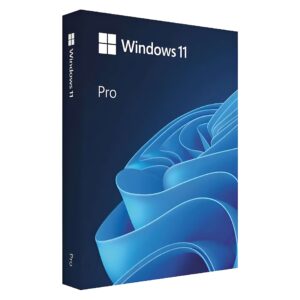
- Windows 11 Pro: Priced at $199, the Windows 11 Pro price includes additional business features like BitLocker, remote desktop, and Hyper-V.
- Windows 11 Pro for Workstations: At $309, this version is designed for high-performance computing with advanced features.
- Windows 11 Pro Pack: For $99, existing Home users can upgrade to Pro without reinstalling.
- Multi-PC Licenses: For families or small businesses, multi-device options offer per-PC savings.
Step-by-Step: How to Purchase Windows 11 at the Best Price
- Determine which edition you need based on your requirements (Home for personal use, Pro for business features).
- Check if you qualify for free upgrades (Windows 10 users with compatible hardware).
- Compare authorized retailers like KyMakers that offer genuine Windows 11 cost savings.
- Purchase your license from a reputable source to ensure authenticity.
- Receive your product key via email after purchase.
- Download the Windows 11 installation media from Microsoft’s official website.
Free Upgrade Eligibility
Many users can avoid Windows 11 cost entirely through free upgrade paths:
- Existing Windows 10 Users: If your PC meets the system requirements, you may qualify for a free upgrade.
- New PC Purchases: Most new computers come with Windows 11 pre-installed at no additional cost.
- Education Institutions: Students and faculty may receive free or discounted licenses through academic programs.
- Microsoft 365 Subscribers: Some subscription tiers include Windows upgrades as part of the package.
Windows 11 cost vs. Windows 10 Price
The Windows 11 cost structure mirrors Windows 10 pricing from previous years, with identical retail prices for corresponding editions. However, Windows 11 adds value through enhanced security features, a modernized interface, and better performance on newer hardware. Unlike the Windows 10 era, Microsoft has tightened hardware requirements, making compatibility a larger consideration beyond just how much does Windows cost for many users with older systems.
Who Benefits Most from Each Windows 11 Edition?
Understanding which edition provides the best value helps optimize your Windows 11 cost:
- Home ($139): Perfect for students, casual users, and home computing needs.
- Pro ($199): Ideal for small business owners, remote workers, and power users who need additional management features.
- Pro for Workstations ($309): Best for professionals working with resource-intensive applications like 3D modeling or video editing.
- Enterprise: Available through volume licensing for larger organizations with advanced management needs.
Tips to Save on Windows 11 cost
- Check if your current Windows 10 license qualifies for a free upgrade before purchasing.
- Consider authorized resellers like KyMakers that offer genuine licenses at reduced prices.
- Look for seasonal sales events like Black Friday or Cyber Monday for potential discounts.
- Explore academic or non-profit pricing if you qualify through an eligible organization.
- Compare bundle options that include productivity software for better overall value.
Frequently Asked Questions
How much does Windows 11 actually cost in 2026?
The Windows 11 cost ranges from $139 for the Home edition to $199 for Pro and $309 for Pro for Workstations in 2026. Many existing Windows 10 users can upgrade for free if their hardware meets the requirements. These prices represent Microsoft’s official retail Windows 11 pricing through authorized channels.
Is there a way to get Windows 11 for free legally?
Yes, there are legal ways to avoid the Windows 11 cost. If you have a compatible Windows 10 device, you can upgrade to Windows 11 for free. Additionally, students may qualify for free licenses through educational programs, and Windows Insider participants can test pre-release versions without charge.
What’s the price difference between Windows 11 Home and Pro?
The Windows 11 Pro price is $60 more than Home, costing $199 compared to $139 for Home in 2026. This price difference reflects Pro’s additional features including BitLocker encryption, Remote Desktop, Hyper-V virtualization, and business-focused management tools that aren’t included in the Windows 11 cost for the Home edition.
Can I buy a Windows 11 license for multiple computers?
No, standard retail Windows 11 cost covers only one PC per license. Each computer requires its own license for legal compliance. However, Microsoft does offer volume licensing for businesses and family packs that provide multiple licenses at a reduced per-unit cost. These multi-device options can significantly reduce the overall windows 11 cost for households or businesses.
Is it worth upgrading from Windows 10 to Windows 11?
The value depends on your needs. If your current Windows 10 device meets requirements, the Windows 11 cost is free, making the upgrade worthwhile for improved security, a modernized interface, and better performance on newer hardware. However, if you need to purchase new hardware to meet Windows 11’s stricter requirements, you should weigh the total investment against the benefits you’ll receive.
How do OEM licenses affect the Windows 11 cost?
OEM (Original Equipment Manufacturer) licenses typically reduce the Windows 11 cost by 20-30% compared to retail versions. While cheaper, OEM licenses are tied to the first computer they’re installed on and cannot be transferred to another device. For most users looking to save on their Windows 11 key purchase, OEM licenses offer good value if you don’t plan to transfer Windows to a different PC later.
Conclusion
Understanding the Windows 11 cost options helps you make an informed decision that balances budget constraints with your computing needs. While the retail prices remain consistent with previous Windows generations, many users can upgrade for free from Windows 10. For those purchasing new licenses, comparing different editions and exploring authorized resellers can lead to significant savings. Remember that the value extends beyond the initial Windows 11 pricing through improved security, performance, and feature updates that continue throughout the life of your system.
Bottom Line: Windows 11 Home costs $139 and Windows 11 Pro costs $199 through retail channels in 2026, though many Windows 10 users can upgrade for free if their hardware meets the compatibility requirements.
Looking for genuine Microsoft software at the best price? Visit our store for genuine lifetime licenses with instant delivery — no subscription needed.