
Set up your genuine Office 2024 Professional Plus on Windows in about 15 minutes with our step-by-step Office Deployment Tool method — or use the quick direct-download option.
This complete guide walks you through how to download Microsoft Office 2024 Professional Plus, install it on Windows, and activate it with your product key. Whether you just bought your license or are reinstalling on a new PC, you can be up and running in about 15 minutes.
Microsoft Office 2024 Professional Plus (the LTSC “Long-Term Servicing Channel” release) is the newest perpetual, one-time-purchase version of Office. It gives you fully installed desktop versions of Word, Excel, PowerPoint, Outlook, Publisher and Access — with no Microsoft 365 subscription required. If you don’t have a license yet, you can get a genuine lifetime Microsoft Office 2024 Professional Plus product key from Kymakers below, then follow the steps on this page.
Lifetime activation • 1 PC • Instant email delivery • 24/7 support
What’s in this guide
Before you download Office 2024 Professional Plus, make sure your PC meets the minimum requirements. Office LTSC 2024 runs on Windows only — it is not available for Mac.
| Requirement | Minimum |
|---|---|
| Operating system | Windows 10 or Windows 11 (64-bit) |
| Processor | 1.6 GHz or faster, dual-core |
| Memory (RAM) | 4 GB or more |
| Disk space | 4 GB of free space |
| Display | 1280 × 768 resolution |
| Internet | Required for download and activation |
| Item | Why you need it |
|---|---|
| Product key | Your genuine Office 2024 Professional Plus key from Kymakers (sent by email) |
| Administrator access | Needed to install Office from Command Prompt |
| Internet connection | To download the Office installation files |
| Office Deployment Tool | A free Microsoft utility used to download and install Office |
To avoid conflicts, uninstall Microsoft 365, Office 2021, Office 2019 or any earlier Office (including OneNote) before installing Office 2024 Professional Plus.
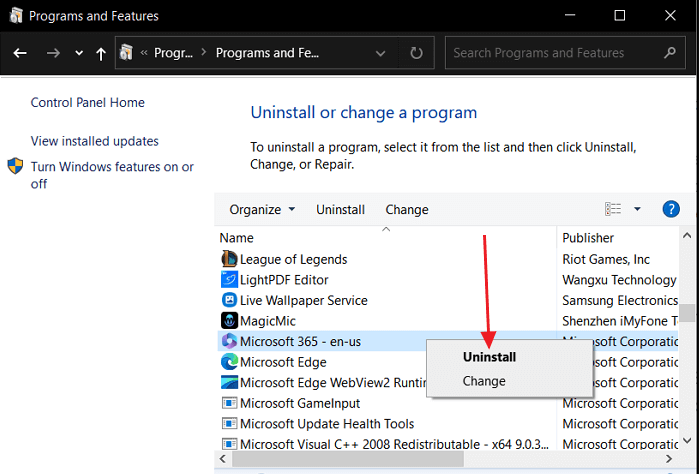
Office LTSC 2024 is installed with the free Office Deployment Tool (ODT), which downloads the official Microsoft installation files.
C:\Office2024Setup).You should now see setup.exe and a few sample .xml files inside the folder.
This small file tells the installer to download Microsoft Office 2024 Professional Plus (Volume/LTSC edition).
XXXXX-XXXXX-XXXXX-XXXXX-XXXXX with the product key from your Kymakers email.<Configuration>
<Add OfficeClientEdition="64" Channel="PerpetualVL2024">
<Product ID="ProPlus2024Volume" PIDKEY="XXXXX-XXXXX-XXXXX-XXXXX-XXXXX">
<Language ID="en-us" />
</Product>
</Add>
<RemoveMSI />
<Display Level="None" AcceptEULA="TRUE" />
<Property Name="AUTOACTIVATE" Value="1" />
</Configuration>Save it inside the Office2024Setup folder as configuration.xml — in the Save As dialog set “Save as type” to All Files and encoding to UTF-8.
cd C:\Office2024Setupsetup.exe /configure configuration.xmlBecause AUTOACTIVATE is set to 1, Office usually activates automatically once installed. If it doesn’t, activate it manually with your product key:
Prefer a one-click setup with no command line? Download the ready-to-install package, run it as administrator, then activate with your product key.
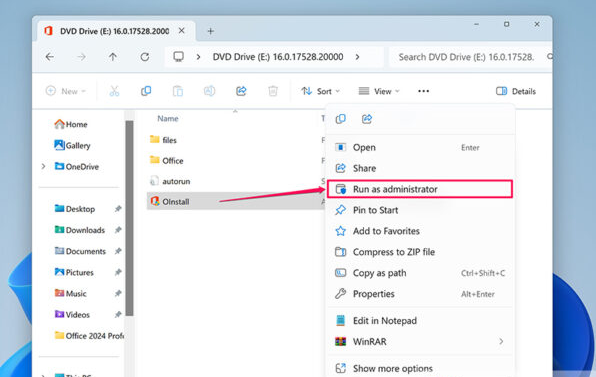
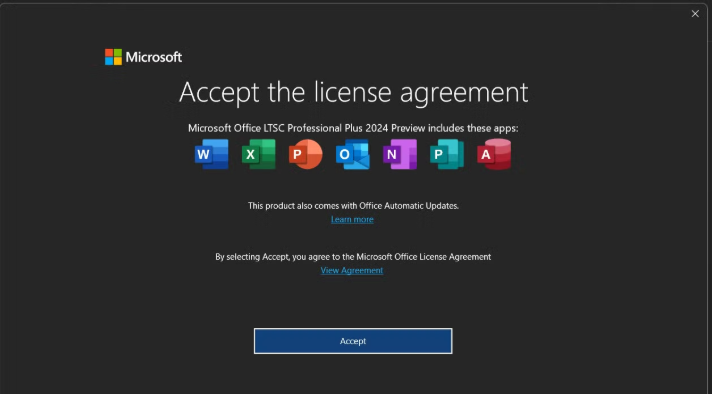
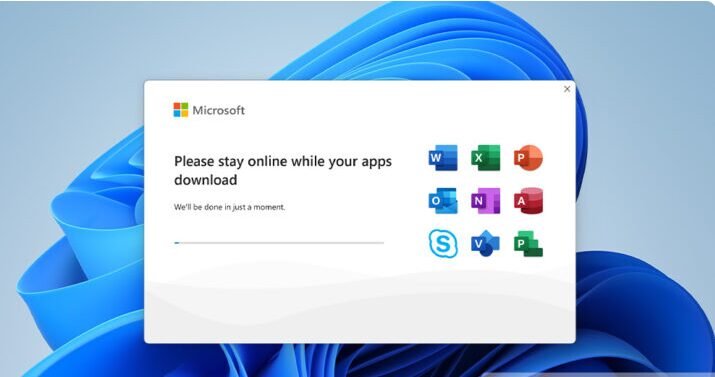
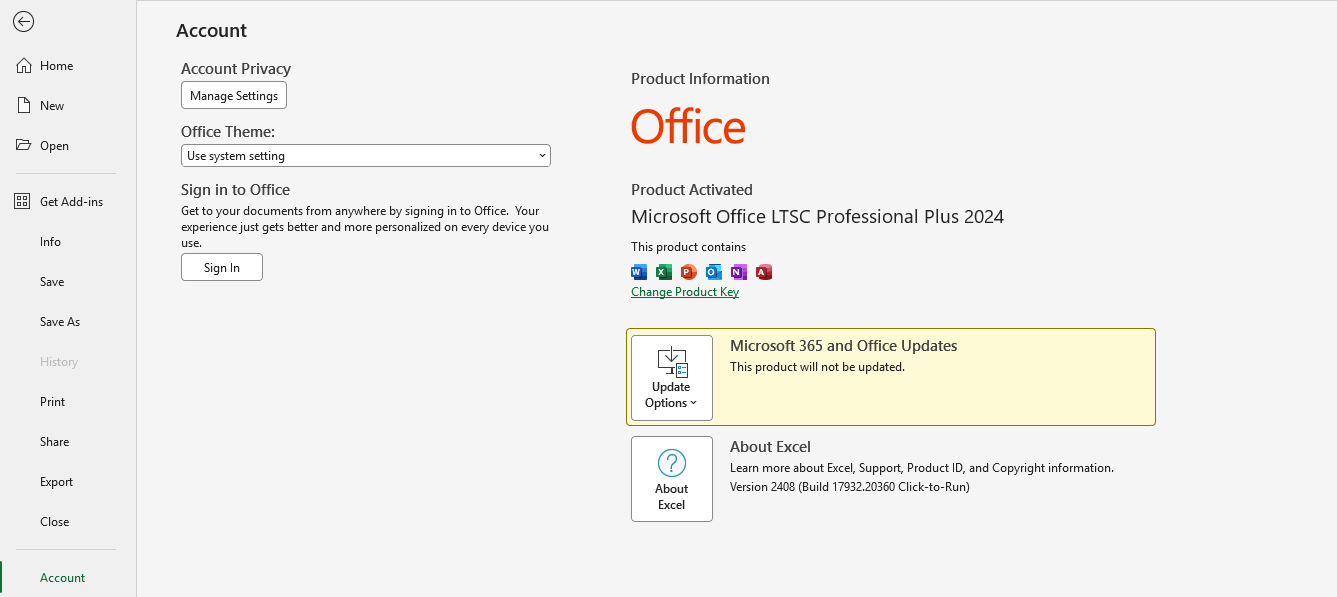
Command Prompt isn’t in the right folder or wasn’t run as administrator. Re-open Command Prompt as admin and confirm both setup.exe and configuration.xml are inside C:\Office2024Setup.
An older Office or OneNote is still present. Remove it via Settings → Apps → Installed apps, restart, then run the installer again.
Switch to “activate by telephone” in the activation wizard, provide the Installation ID and enter the Confirmation ID Microsoft gives you.
Yes. It’s a perpetual, one-time purchase that doesn’t expire. The license is tied to the PC where it’s activated.
No. Office LTSC 2024 Professional Plus works on Windows 10 and Windows 11 only. For macOS, see Microsoft Office for Mac.
No. It’s a volume license activated with a product key or by phone — no Microsoft account needed.
One. Each Office 2024 Professional Plus product key activates a single device.
You can buy a genuine lifetime Microsoft Office 2024 Professional Plus key from Kymakers with instant email delivery.
Get your genuine lifetime license key from Kymakers and follow this guide to be up and running in minutes.
